EasyManua.ls Logo

Samsung RT21 Series - User Manual

Samsung RT21 Series
68 pages
Print Icon
To Next Page IconTo Next Page
Loading...
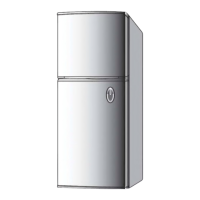
Refrigerator
User manual
Free Standing Appliance
Untitled-7 1 2017-03-15  4:09:48

Other manuals for Samsung RT21 Series

Questions and Answers

  • J
    Joseph VillarrealAug 13, 2025
    Why is my Samsung RT21 not cold enough?
    • J
      Jill JacksonAug 14, 2025
      Your Samsung Refrigerator might not be cooling properly due to several reasons. Ensure the power cord is correctly plugged in. Check if the temperature control is set too high and lower it. The refrigerator should not be near heat sources or direct sunlight. Ensure there's at least 5 cm of clearance around the sides and rear. Deactivate vacation mode if it's on. Avoid overloading the refrigerator and ensure food isn't blocking the vents.
  • P
    pwellsAug 17, 2025
    Why is my Samsung RT21 Refrigerator freezing food?
    • T
      Tyler TaylorAug 17, 2025
      If your Samsung Refrigerator is over-cooling, it could be because the temperature control is set too low. Adjust the temperature to a higher setting to prevent over-cooling.
  • J
    Julie DunnAug 21, 2025
    What to do if my Samsung RT21 ice maker is not producing ice?
    • E
      Eric ScottAug 21, 2025
      If the ice maker in your Samsung Refrigerator isn't making ice, first check that the freezer is cold enough and the cold air outlet is not clogged. Ensure the ice maker is turned on by pressing and holding Power Freeze for 3 seconds, verifying the indicator light. Make sure the wire connector of the ice maker is properly connected and that the water line at the rear of the refrigerator isn't bent or kinked.
  • J
    Javier JonesAug 25, 2025
    What to do if my Samsung RT21 Refrigerator has odors?
    • S
      Shane YoungAug 25, 2025
      If your Samsung Refrigerator has unpleasant odors, it may be due to spoiled food. Clean the refrigerator thoroughly and remove any spoiled items. Also, ensure that foods with strong odors are wrapped airtight to prevent them from affecting the refrigerator's smell.
  • J
    James RobertsonAug 28, 2025
    How to stop condensation on the interior walls of my Samsung RT21 Refrigerator?
    • P
      porterlisaAug 29, 2025
      Condensation on the interior walls of your Samsung Refrigerator can occur if the door is frequently left open, allowing moisture to enter. Remove the moisture and avoid leaving the door open for extended periods. Also, ensure that foods with high moisture content are wrapped airtight to minimize condensation.
  • J
    Joanne BurkeSep 1, 2025
    Why is there frost around the vents in my Samsung RT21?
    • N
      Nicholas AndersenSep 1, 2025
      If you notice frost around the vents in your Samsung Refrigerator, it's likely that food is blocking the vents. Ensure that no food items are obstructing the refrigerator vents to allow proper airflow and prevent frost buildup.
  • W
    wbaileySep 5, 2025
    Why is there frost on the interior walls of my Samsung Refrigerator?
    • C
      Cynthia MoralesSep 5, 2025
      If you find frost on the interior walls of your Samsung Refrigerator, it's often because the door isn't closed properly. Check that food items aren't blocking the door and clean the door gasket to ensure a tight seal.
  • D
    davismichaelSep 9, 2025
    Why are fruits or vegetables freezing in my Samsung Refrigerator?
    • J
      Jennifer PearsonSep 9, 2025
      If fruits or vegetables are freezing in your Samsung Refrigerator, it may be because they are stored in the Fresh/Chef Zone. This zone is specifically designed for storing meat and fish, not fruits or vegetables.

Summary

Safety Information

Important safety symbols and precautions

Explains safety symbols like WARNING, CAUTION, and NOTE used in the manual.

Severe warning signs for transportation and site

Warns about potential hazards during transportation and installation of the appliance.

Critical installation warnings

Highlights crucial warnings related to the installation process to prevent damage or injury.

Installation cautions

Provides cautions and recommendations for installing the refrigerator correctly.

Critical usage warnings

Warns users about potential dangers and incorrect usage of the refrigerator.

Usage cautions

Offers essential advice and precautions for the safe and effective use of the refrigerator.

Cleaning cautions

Provides important warnings and guidelines for safely cleaning the refrigerator.

Critical disposal warnings

Advises on the safe and environmentally friendly disposal of the refrigerator and its components.

Installation

Step-by-step installation

Guides users through the process of installing the refrigerator step by step.

Operations

Maintenance

Door reversal (applicable models only)

Provides instructions and warnings for reversing the refrigerator door.

Remove the doors

Details the initial steps for removing the refrigerator doors for maintenance or reversal.

Remove the hinges and shafts

Guides on how to safely remove the hinges and shafts from the refrigerator.

Reverse the auto closer (freezer door only)

Explains how to reverse the auto closer mechanism specifically for the freezer door.

Reverse the bar cover and the top hinge

Details the process of reversing the bar cover and the top hinge assembly.

Reattach the doors on the opposite side

Guides on how to reattach the refrigerator doors to the opposite side after reversal.

Troubleshooting

Samsung RT21 Series Specifications

General IconGeneral
BrandSamsung
ModelRT21 Series
CategoryRefrigerator
LanguageEnglish

Related product manuals