30
Operations /
Operations
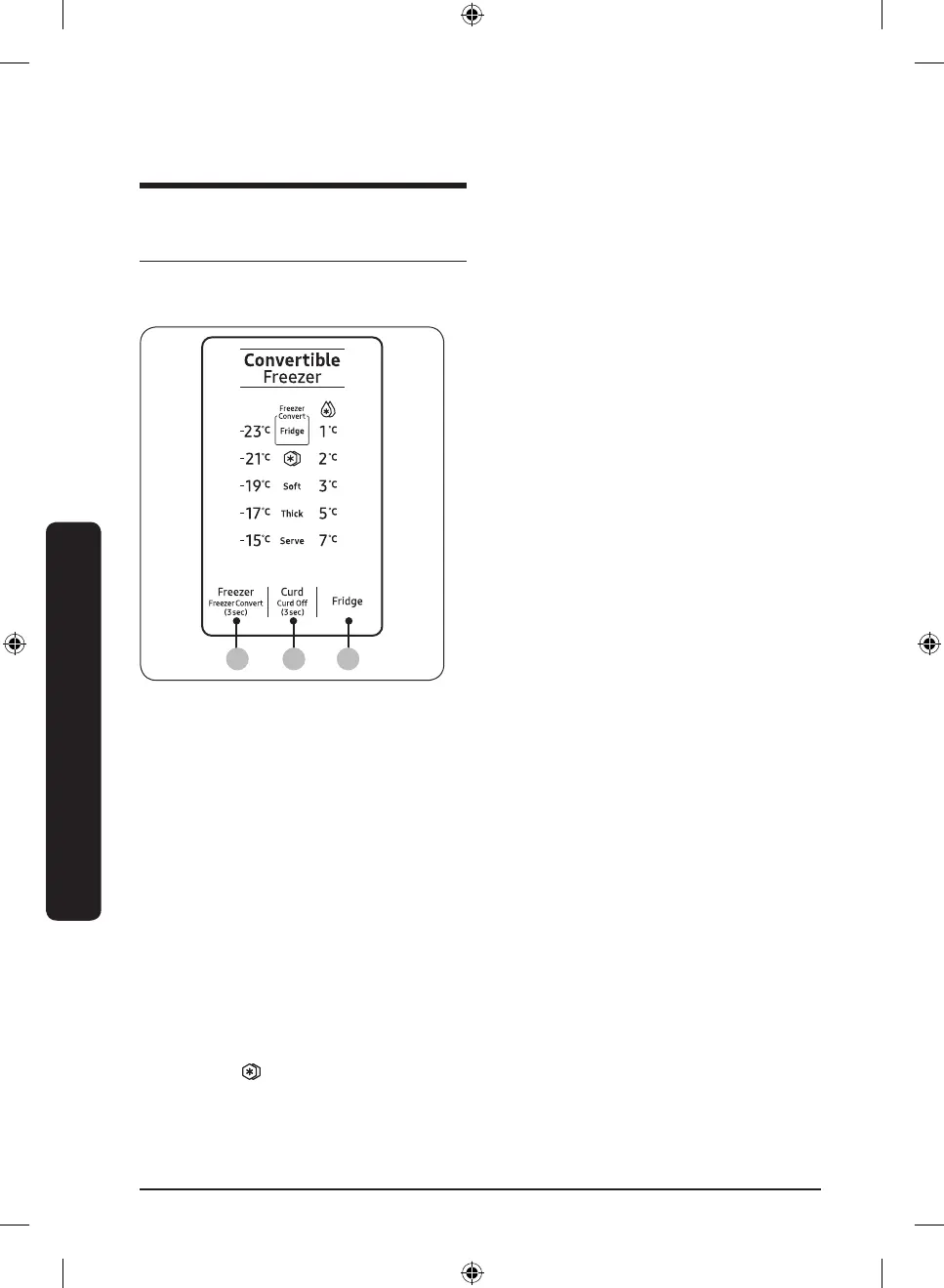
Feature panel
Type A
01 02 03
01 Freezer / Freezer Convert
02 Curd / Curd Off
03 Fridge
01 Freezer / Freezer Convert
Freezer
You can use the Freezer button to set the
freezer temperature or to activate Power
Freeze.
• Press Freezer repeatedly to select a
desired temperature between –15 °C
and –23 °C.
- The temperature indicator displays
the currently set or selected
temperature.
• To activate Power Freeze, press Freezer
repeatedly until the Power Freeze
indicator (
) lights up.
RT3000TH_DA68-03374F-00_EN+HI.indd 30 2019-12-05 3:31:54



 To Next Page