Set up your device
Charge the battery
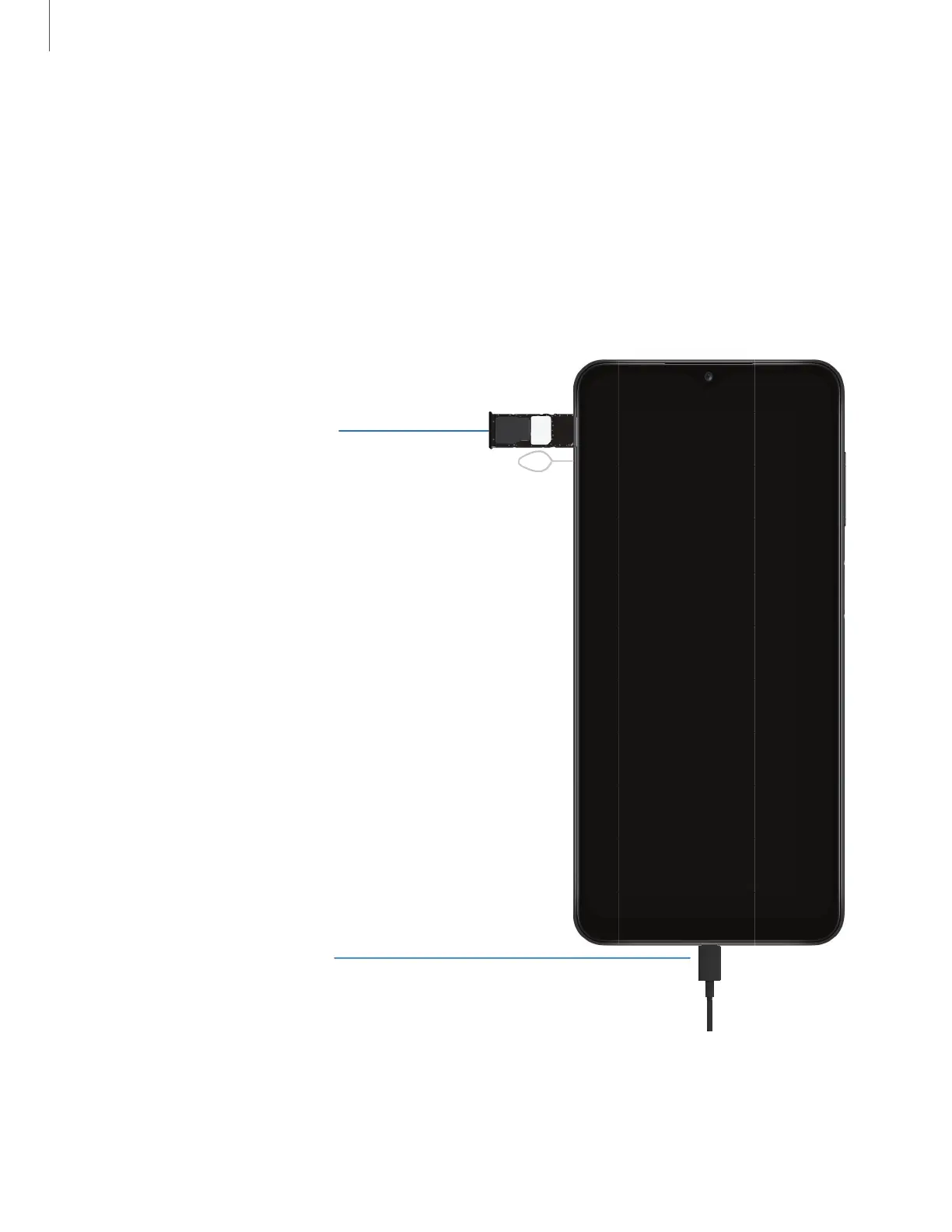
Your device uses a nano-SIM card. A SIM card may be preinstalled, or you may be able
to use your previous SIM card. Network indicators for 5G service are based on your
carrier’s specifications and network availability. Contact your carrier for more
details.
Charge your device
B
efore turning on your
device, charge it fully.
Install SIM/microSD card
Place the SIM card and
optional microSD card
(sold separately) into the
tray with the gold contacts
facing down.
SIM
microSD
Getting started
6
Devices and software are constantly evolving — the illustrations you see here are for reference only.






 To Next Page