Messages
Keep in touch with your contacts by using the Messages app to share photos, send
emojis, or just say a quick hello. Options may vary by carrier.
◌
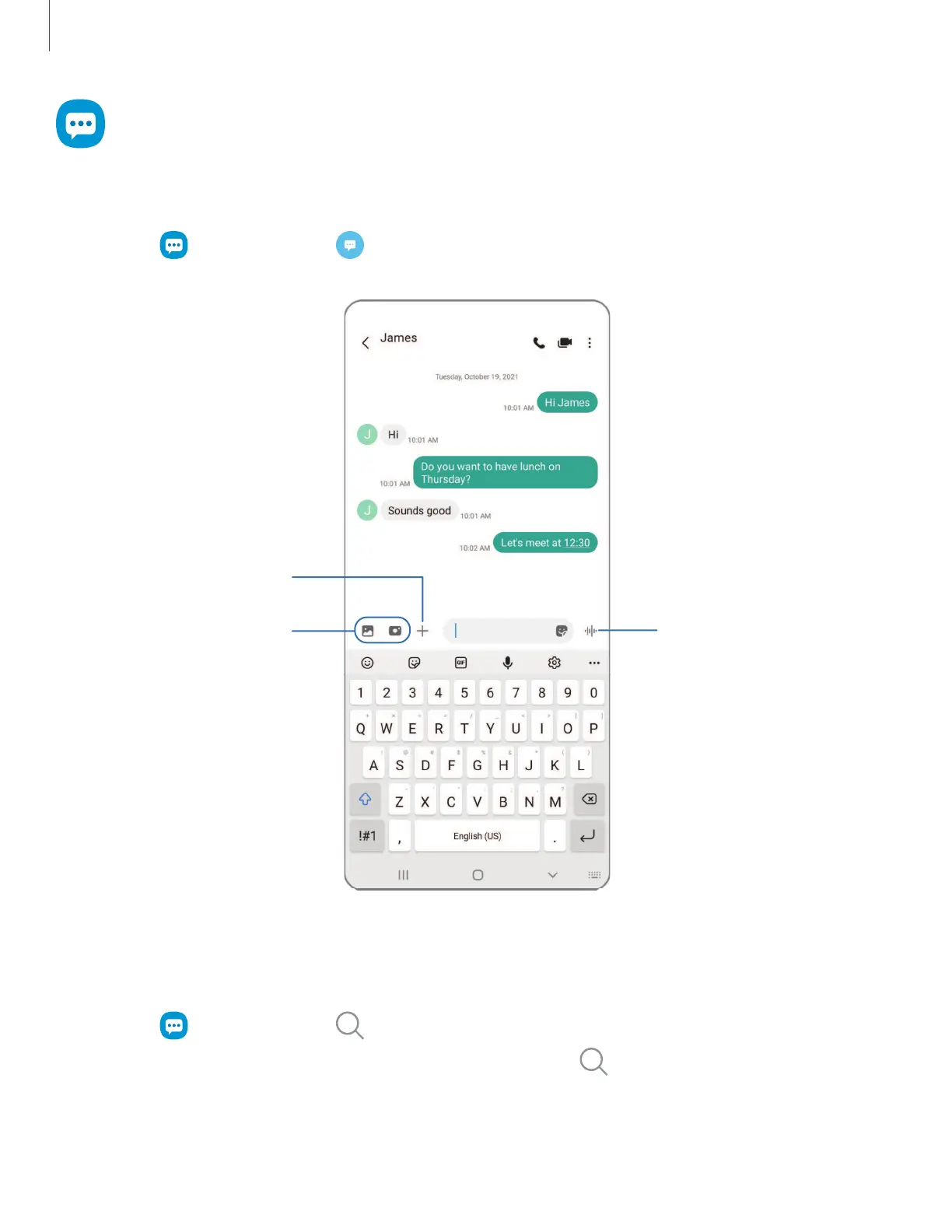
From Messages, tap Compose new message.
Add attachments
Record voice message
Open More options
Message search
To quickly locate a message, use the search feature.
1.
From Messages, tap Search.
2.
Enter keywords in the Search field, and then tap Search on the keyboard.
Apps
67
Devices and software are constantly evolving — the illustrations you see here are for reference only.









 To Next Page