3-20 Using the product
3-20 Using the Screen Adjustment Menu (OSD: On Screen Display)
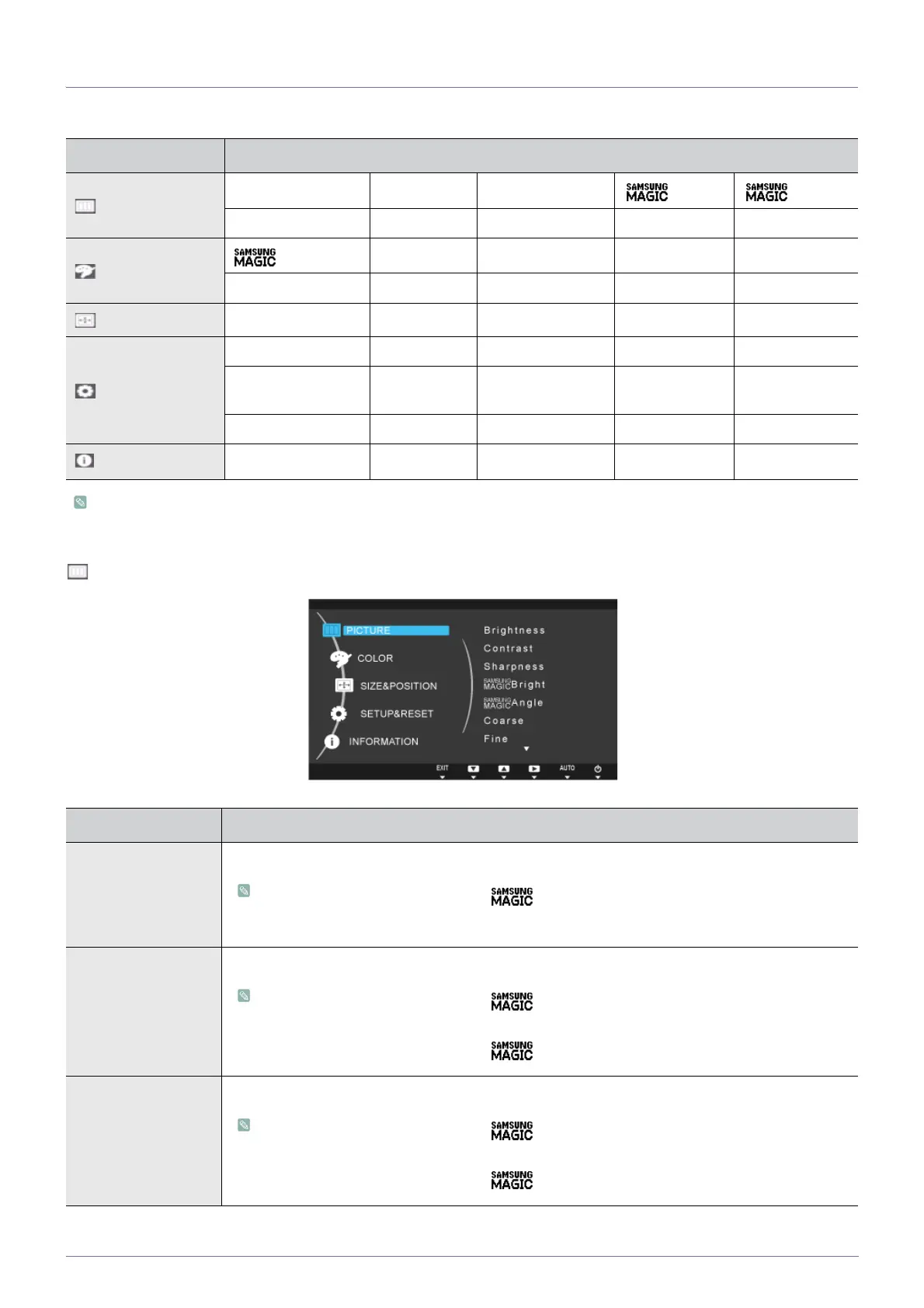
The Screen Adjustment Menu (OSD: On Screen Display) Structure
Monitor functions may vary according to models. Please refer to actual product.
PICTURE
Top Menus Sub Menus
PICTURE
Brightness Contrast Sharpness
Bright Angle
Coarse Fine HDMI Black Level
COLOR
Color
Red Green Blue Color Tone
Gamma
SIZE & POSITION
H-Position V-Position Image Size Menu H-Position Menu V-Position
SETUP&RESET
Reset Language Eco Saving Off Timer On/Off Off Timer Setting
PC/AV Mode
Key Repeat
Time
Customized Key Auto Source Display Time
Menu Transparency
INFORMATION
Menu Description
Brightness
Controls the screen brightness.
• This menu is unavailable when < Bright> is set to <Dynamic Contrast> mode.
• This menu is unavailable when <Eco Saving> is set.
Contrast
Controls the contrast of the pictures displayed on the screen
• This menu is unavailable when < Bright> is set to <Dynamic Contrast> or <Cinema>
mode.
• This menu is unavailable when < Color> is set to <Full> mode or <Intelligent> mode.
Sharpness
Controls the clarity of details of pictures displayed on the screen
• This menu is unavailable when < Bright> is set to <Dynamic Contrast> or <Cinema>
mode.
• This menu is unavailable when < Color> is set to <Full> mode or <Intelligent> mode.




 To Next Page