CLEANING THE MOTOR PROTECTION FILTER
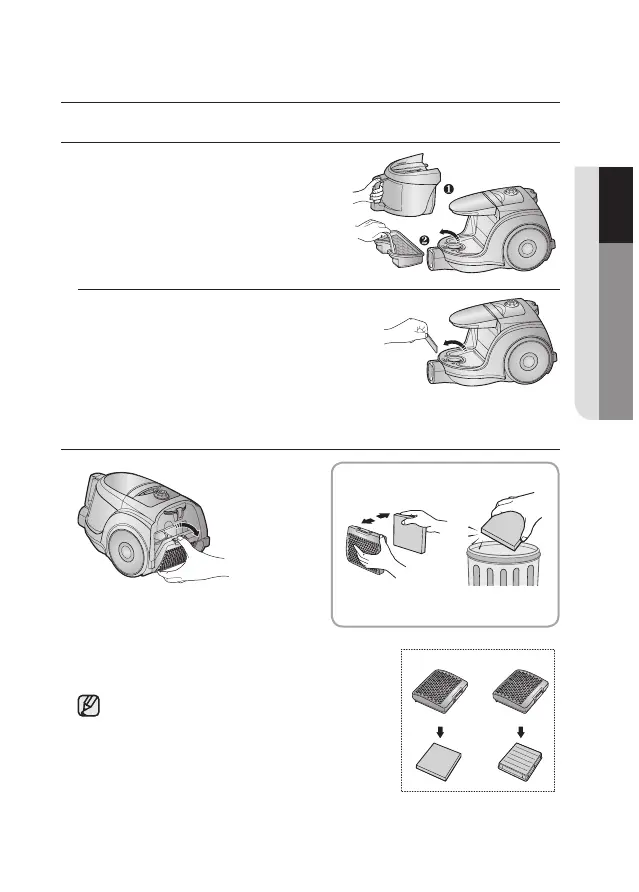
Remove the motor protection filter from the
vacuum cleaner.
Shake and tap the dust from it and put back in
machine.
Take out both the dust bin and the dust pack.
Replacement filters are available at your local
Samsung distributor.
Press the xed frame part at the
back of the main body to remove.
CLEANING THE OUTLET FILTER
OPTION - MICRO FILTER
Remove and replace the blocked
outlet filter.
OPTION



 To Next Page