FRANÇAIS
49
ENGLISH
Advanced Recording
●
DATE/TIME
✤ The DATE/TIME function works in both CAMERA and PLAYER
modes.
✤ The date and time is automatically recorded on a special data
area of the tape.
✤ You can choose to display - either the date, time or both.
■
DATE only
■
TIME only
■
DATE/TIME
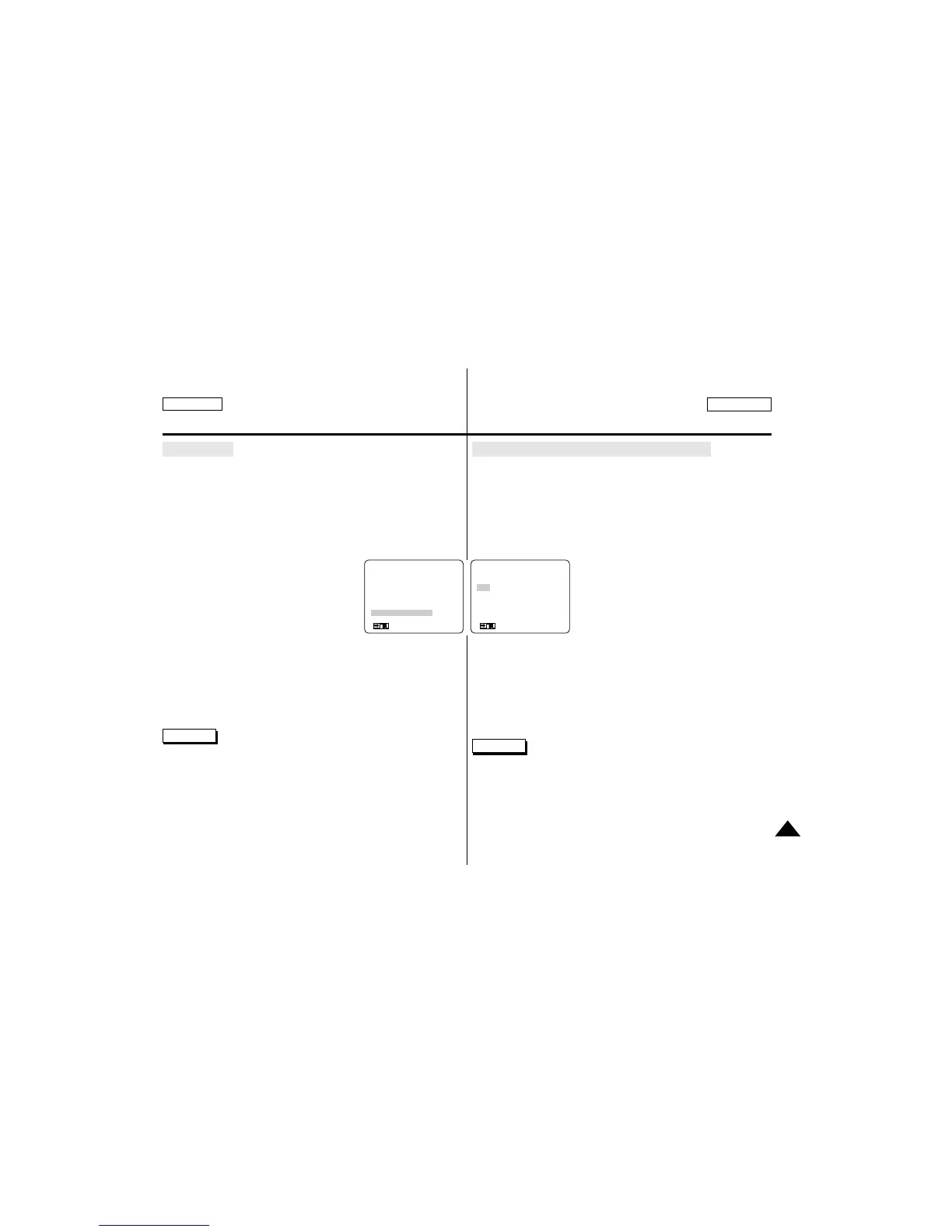
1. Press the MENU ON/OFF button.
■
The menu list will appear.
2. Turn the MENU DIAL to DATE/TIME.
3. Press ENTER to enter the sub-menu.
4. Using the MENU DIAL, select the DATE/TIME mode.
■
Press ENTER to confirm the
DATE/TIME mode and return
to the main menu.
■
If you exit the sub-menu without pressing ENTER, the DATE/TIME
mode is not changed.
5. To exit, press the MENU ON/OFF button.
Reference
■
The DATE/TIME is not affected by the OSD ON/OFF
(ENTER) button.
■
The DATE/TIME will read “–––”in the following conditions.
– During playback of a blank section of tape.
– If the tape was recorded before setting the DATE/TIME in the cam-
era’s memory.
– When the Lithium Battery becomes weak or dead.
Perfectionnez vos enregistrements
●
Affichage de la date et de l'heure (DATE/TIME)
✤ La fonction DATE/TIME est disponible en mode caméscope et mag-
nétoscope.
✤ La date et l'heure sont automatiquement enregistrées sur une sec-
tion spéciale de la bande.
✤ Vous pouvez choisir l'un des modes d'affichage suivants :
■
Date uniquement (DATE)
■
Heure uniquement (TIME)
■
Date et heure (DATE/TIME)
1. Appuyez sur la touche MENU ON/OFF.
■
Le menu des fonctions apparaît.
2. A l’aide de la molette MENU, accédez à
DATE/TIME.
3. Appuyez sur la touche ENTER pour accéder
au sous-menu.
4. A l’aide de la molette MENU, sélectionnez le mode DATE/TIME.
■
Appuyez sur la touche ENTER pour confirmer le mode DATE/TIME
et retourner au menu principal.
■
Si vous quittez le menu sans appuyer sur la touche ENTER, le
mode DATE/TIME reste inchangé.
5. Pour sortir, appuyez sur la touche MENU ON/OFF.
Important
■
Le mode DATE/TIME n’est pas modifié par la touche OSD ON/OFF
(ENTER).
■
Le mode DATE/TIME affiche "–––" dans les cas suivants :
- Lors de la lecture d’une partie vierge de la cassette.
- Si la cassette a été enregistrée avant le réglage de la fonction
DATE/TIME.
(MENU) SP STBY
REC LAMP...............OFF
WIND CUT ...............OFF
AUDIO MODE ..........12 BIT
PHOTO MODE.........FIELD
DISPLAY...................LCD
DATE/TIME ..............OFF
: MENU
●
DATE/TIME
●
SP STBY
OFF
DATE
TIME
DATE/TIME
SEL.:ENTER
: MENU



 To Next Page