1
SDP-860 Quick Start Guide
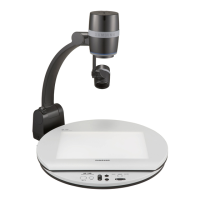
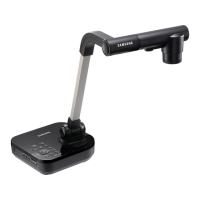
The Samsung SDP-860DX provides control of basic operations on the base of the Digital Presenter.
Please note that you can also access these features plus additional advanced functions via the
remote control or through the Windows or Macintosh application software bundled with the unit.
CONTROL FUNCTIONS
POWER – On/Off
INT/EXT – internal/external switching function
AF – Auto focus
MF/AWB – manual focus, white balance
ESC – return to live image at any point
BRIGHTNESS adjustment
ZOOM adjustment
CAPTURE – Press to capture still images or
movies with audio to an SD Memory Card
MODE – Switch to live image, picture or video mode
FREEZE – Freeze live image or while playing video
switch to Full Screen
LAMP – turn the LED light on or off
Press the POWER button on the SDP-860 panel or
remote control to activate the unit. A blue status
light will illuminate around the Power button.
The initial boot-up screen will appear providing
information on the status of the following items:
1) Current digital presenter settings
2) Current screen capture settings
3) Operational status of the SD card and system.
The SDP-860 allows users to fully customize their
settings and preferences via the setup menu
options.
See the User Instruction Manual for step-by-step instructions. The following are the factory default
settings which will allow users to immediately start using the SDP-860 for classroom presentations-
• Output Setting – SXGA (1280x1024)
• White Balance Mode – Auto Tracking
• DNR (Digital Noise Reduction) – Auto
• Lamp On
• Image Mode – Text
• Digital Zoom / Max – 8x
• Screen Capture Settings
o Still Captures - JPG, Normal Quality
o Movie Capture – Standard quality, Microphone On, Time Lapse - Off


 To Next Page