Your phone
14
Icons
Icon Description
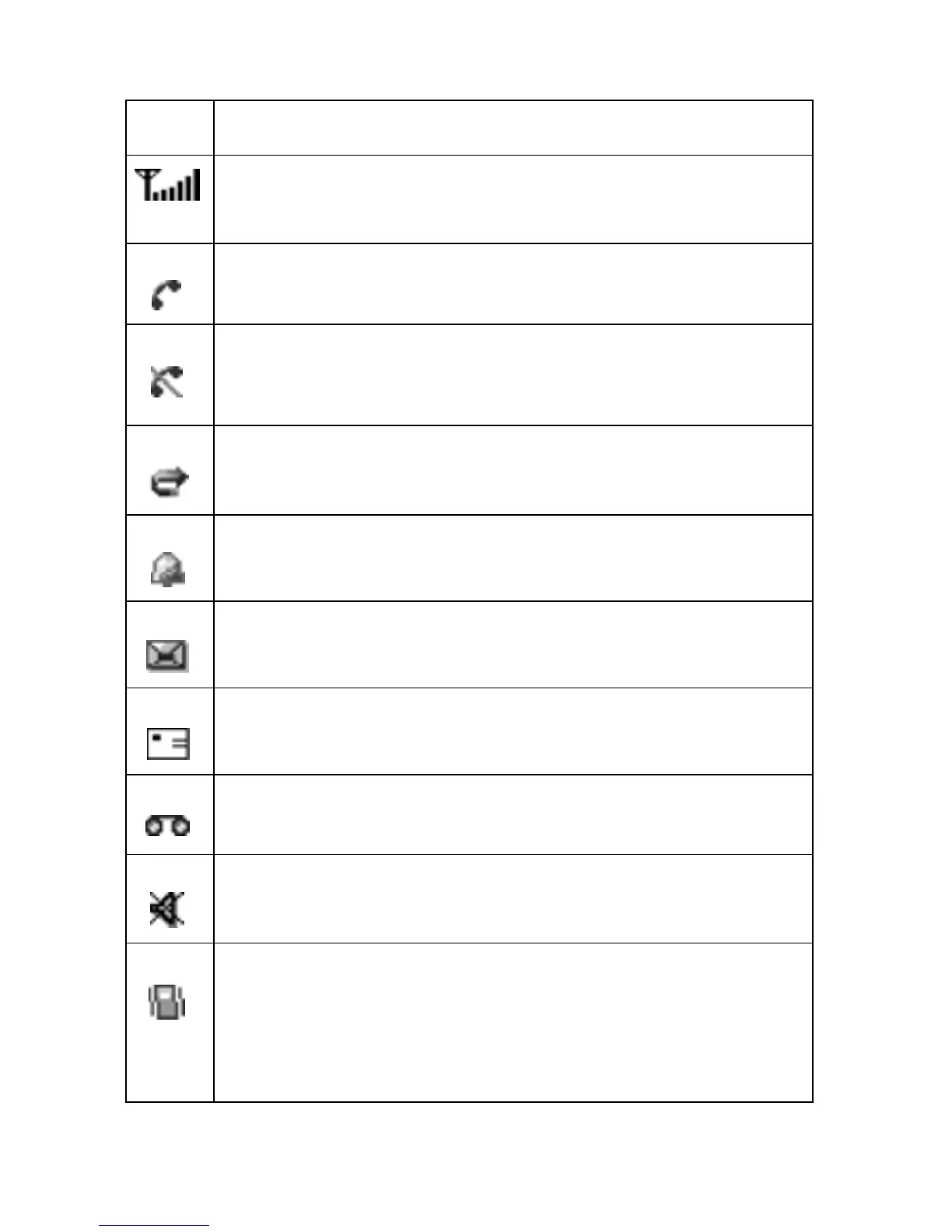
Indicates the incoming signal strength. The more bars
displayed, the stronger the signal.
Displays when you are on a call.
Displays if you leave your service area. When displayed,
you cannot make or receive a call.
Displays when the Call Forwarding feature is activated.
Indicates that an alarm is set to ring at a specified time.
Displays when a you receive a new text message.
Displays when you receive a new multimedia message.
Displays when you receive a new voice mail message.
Indicates that you have activated the Mute mode.
Indicates that either Silent mode is active or that you
have set your phone to vibrate when you receive a call.
For more details on this feature, see Sound Settings on
page
137.



 To Next Page