Entering text
51
● Move the cursor with the Left and Right keys. To delete
letters, press the key. To clear the display, press
and hold key.
Using Alphabet mode
Use your keypad keys through to enter text.
1. Press the key with the letter you want:
- Once for the first letter
- Twice for the second letter, and so on
2. Select the other letters in the same way.
Note: The cursor moves to the right when you press a different key. When
entering the same letter twice or a different letter on the same key,
pause briefly and the cursor to move to the right automatically, then
select the next letter.
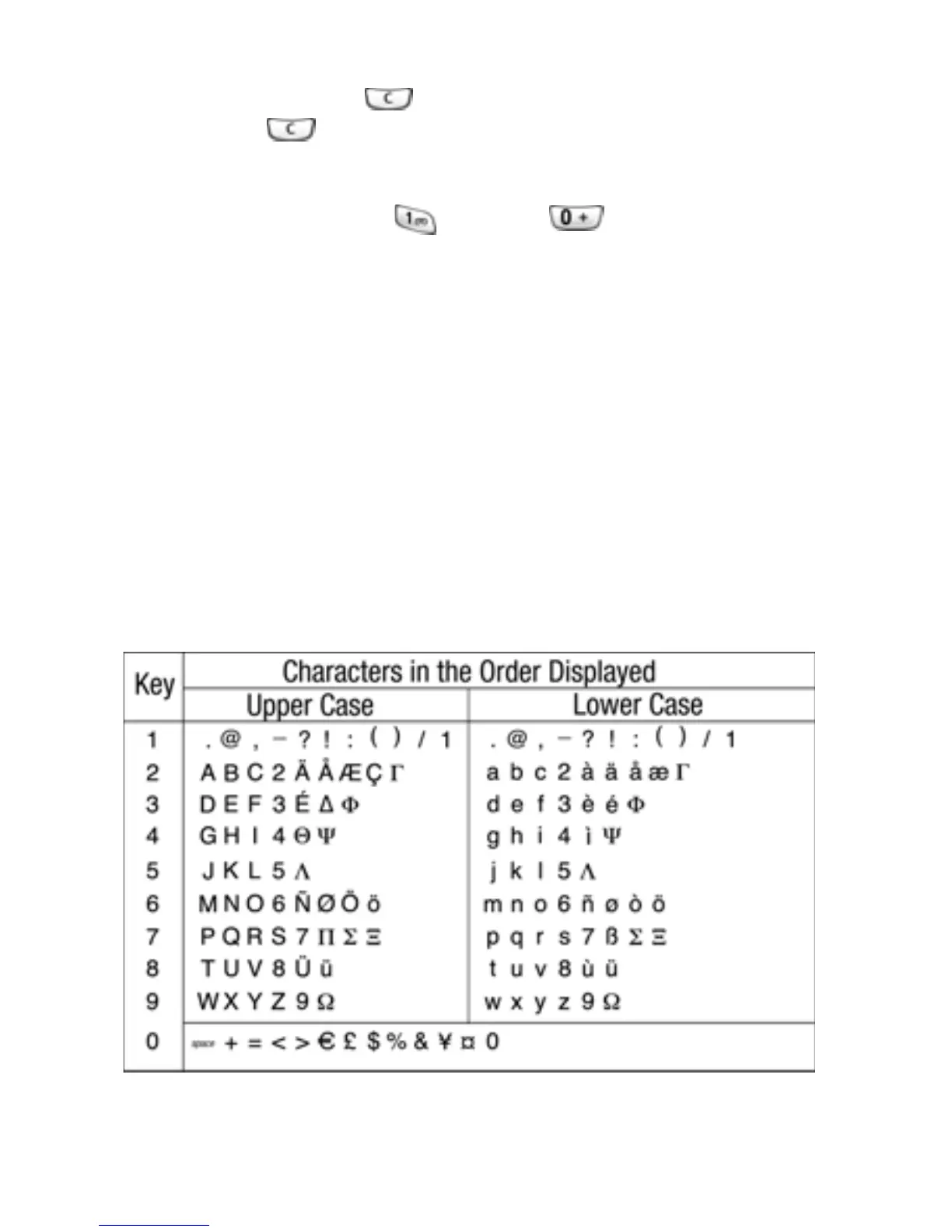
See the table below for more information about available
characters:



 To Next Page