SAMSUNG Proprietary-Contents may change without notice
Array course control
4-5
This Document can not be used without Samsung's authorization
4.
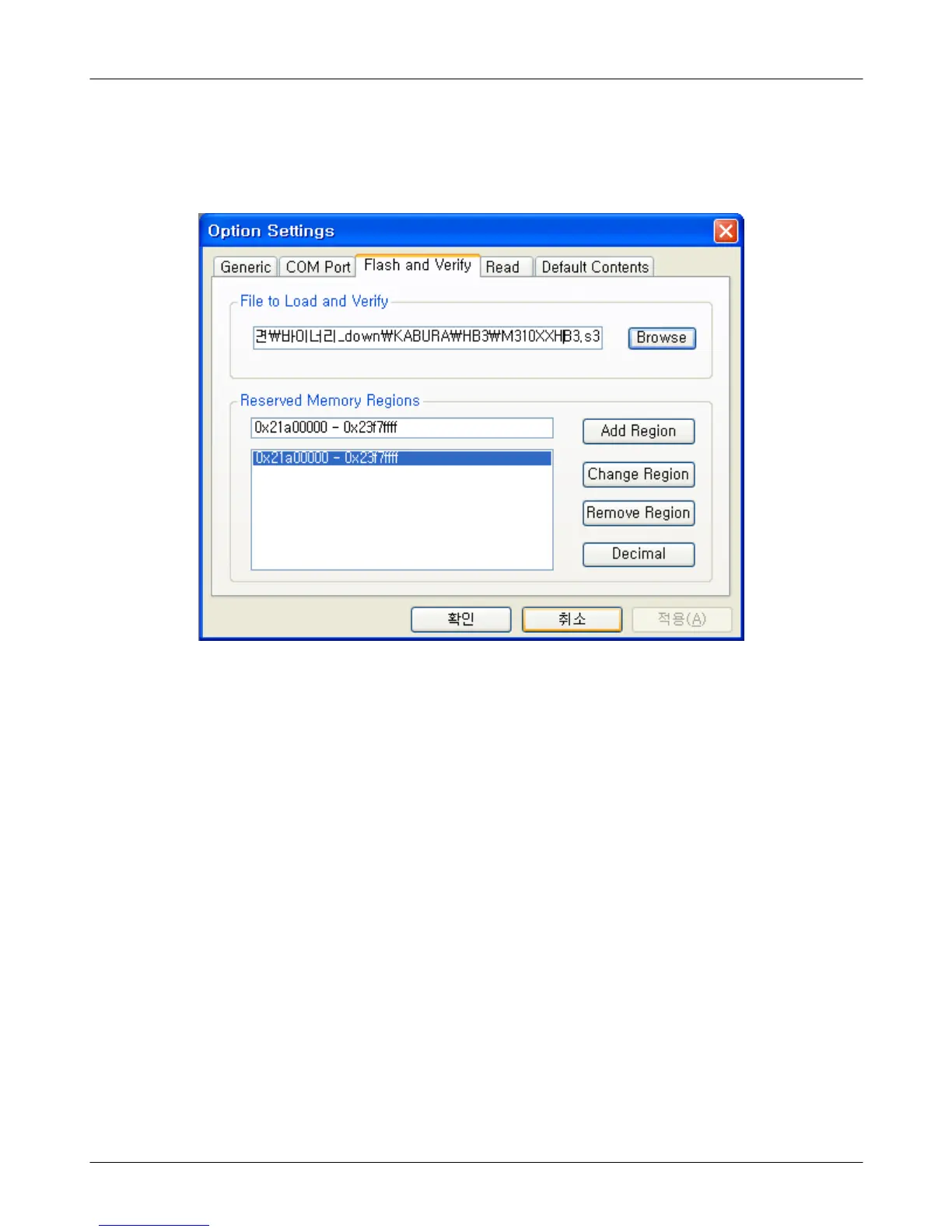
Select the
"
Flash&Verify"
→
"
Browse"
Set the directory path and choose the lastet s/w binary, for example
"
M3100XXYY.s3", for the downloader binary setting.
Make sure that not to change the reserved memory regions.
In case of M310 the reserved regions are
:
-0x21
a00000
-0x23
f7ffff







 To Next Page