SAMSUNG Proprietary-Contents may change without notice
Array course control
4-6
This Document can not be used without Samsung's authorization
5.
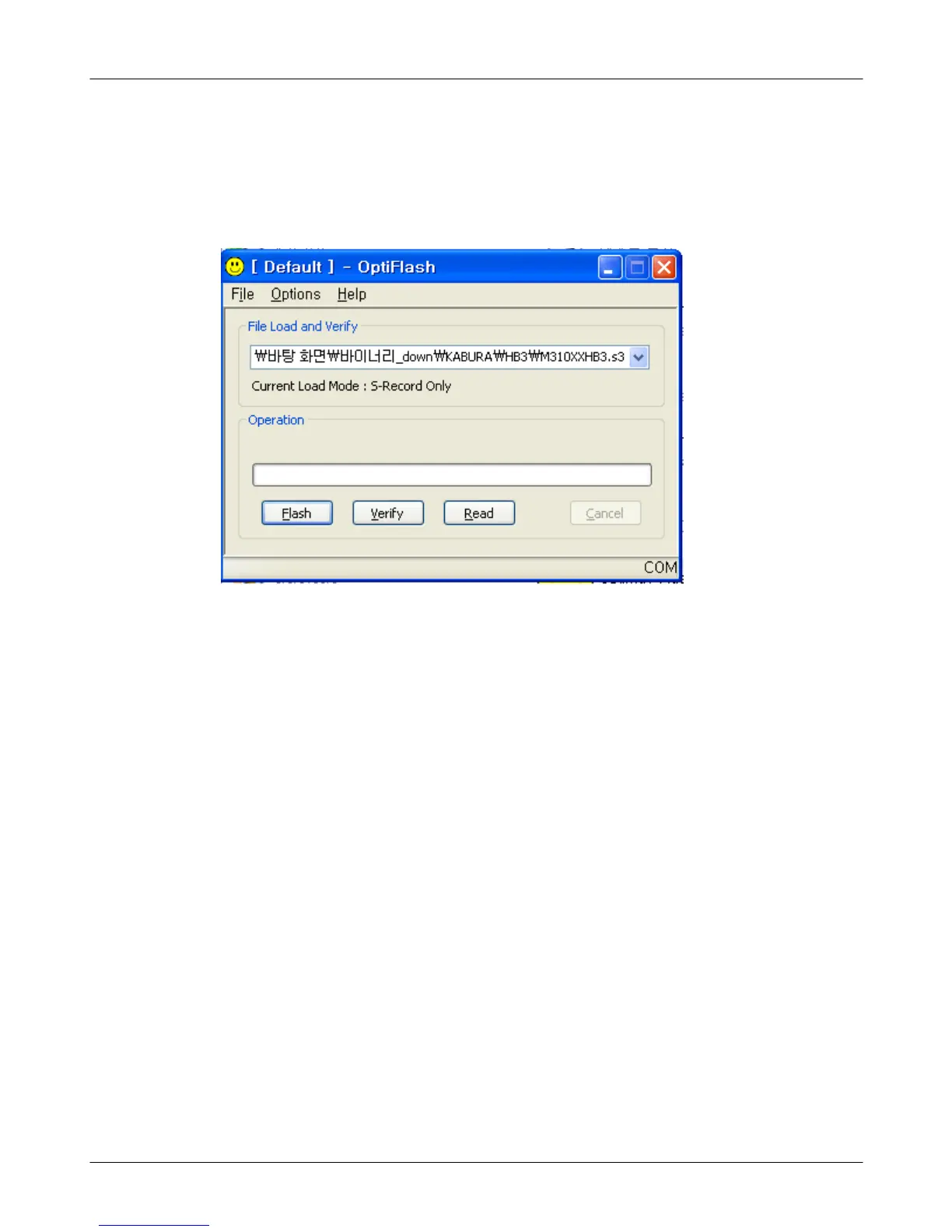
Click
"OK"
button then press
"Flash".
(
Before pressing
'
Flash' button, push the button
'*'
and
'
END' at the same
time.
Then press
'
Flash'.)
Downloader will upload the binary file as below for the downloading.
6.
When downloading is finished successfully, there is
a"
All is well" message.
7.
After finishing downloading, Certain memory resets should be done to
guarantee the normal performance.
8.
Confirm the downloaded version name and etc.
:
*#1234#
Full Reset
:
*2767*3855#






 To Next Page