SAMSUNG Proprietary-Contents may change without notice
Exploded View and Parts List
7-10
This Document can not be used without Samsung's authorization
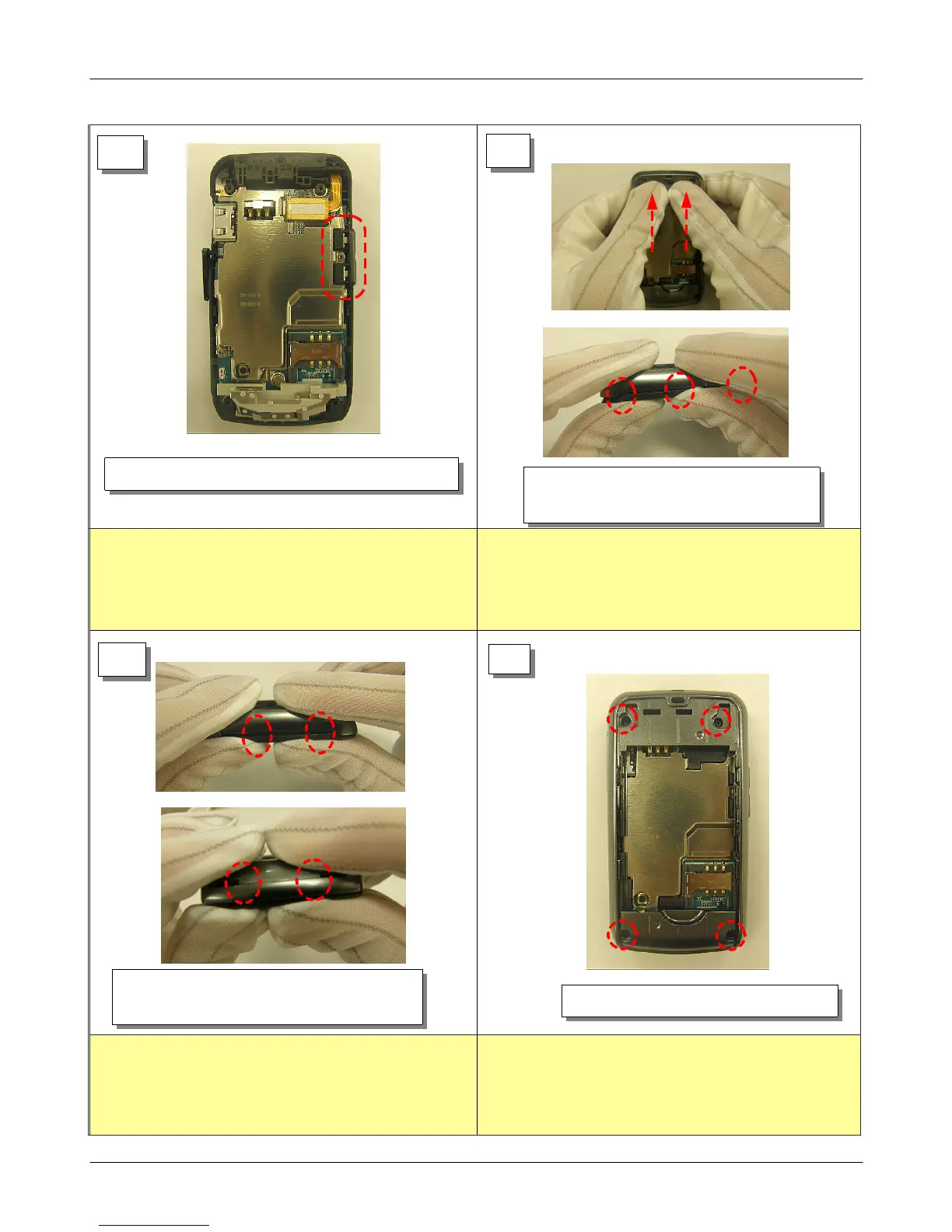
1) Set volume key.
1) Assembly right side portion after
assembly REAR's top portion first.
13
1) Assembly lower side after assembly
REAR's left side first.
14
15
16
1) Drivers 4 screws on the REAR.
1)Be careful not to fall volume key before assembling
REAR.
1) Be careful REAR damage.
1) Be careful REAR damage. 1) Be careful not to make scratch and REAR damage!







 To Next Page