056
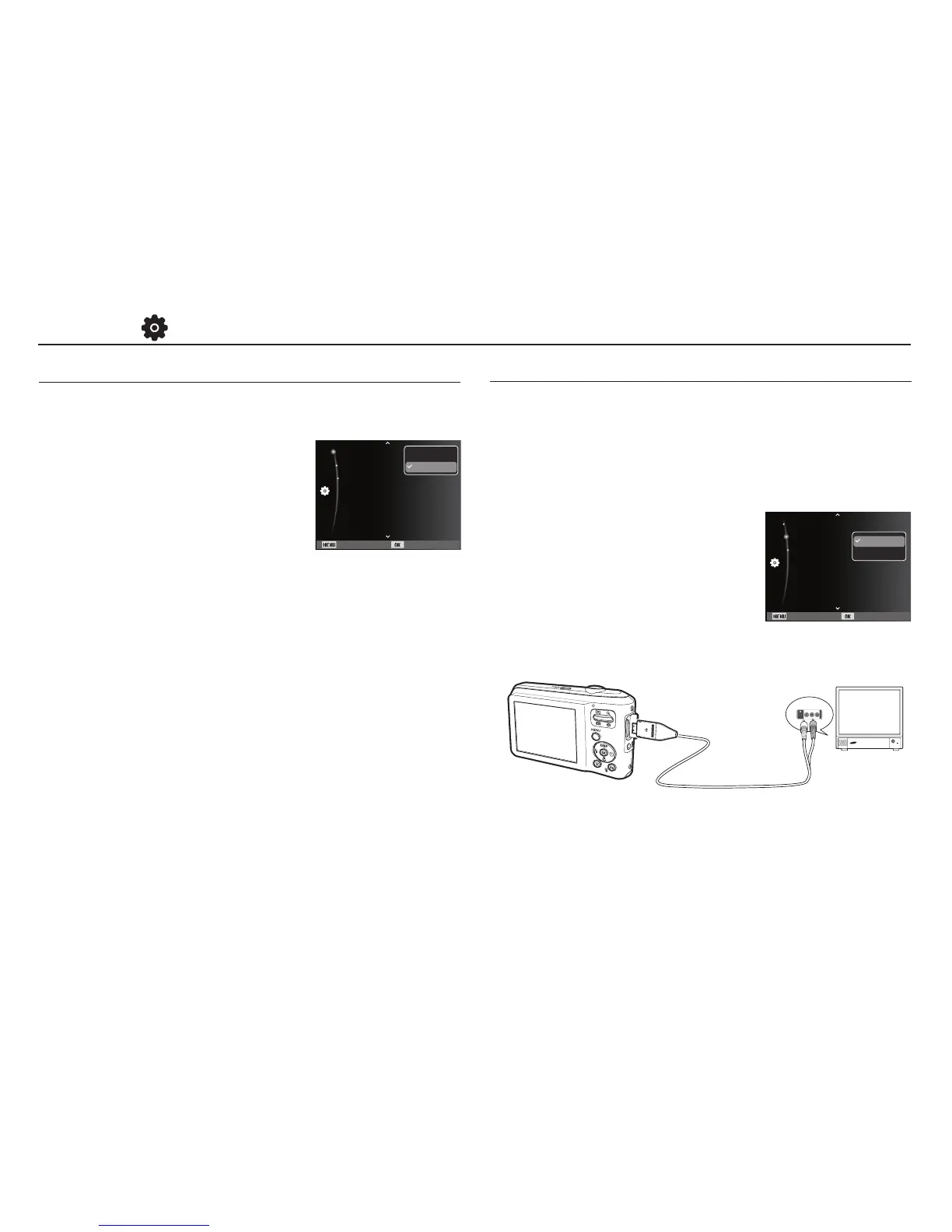
The Video output signal from the camera can be NTSC or PAL.
Your choice of output will be governed by the type of device
(monitor or TV, etc.) to which the camera is connected. PAL
mode can support only BDGHI.
Ê
Connecting to an external monitor
When the camera is connected to an
external monitor, the image and menus
on the LCD monitor will be visible on the
external monitor.
Selecting Video out type
Settings ( )
Yellow - Video
White - Sound
You can turn on and off the Auto Focus lamp.
- Sub menus
[Off] : The AF lamp will not light up in
low light conditions.
[On]*
: The AF lamp will light up in low
light conditions.
Auto Focus lamp
Back Set
Video Out :On
USB :Auto
AF Lamp :On
NTSC
PAL
Back Set
Video Out :On
USB :Auto
AF Lamp :NTSC
Off
On


 To Next Page