EasyManua.ls Logo

Samsung SL620 - Setting Up the Application Software; Connecting Camera After Restart; Computer Recognition and Driver Installation; Starting PC Mode

Samsung SL620
103 pages
Print Icon
To Next Page IconTo Next Page
To Previous Page IconTo Previous Page
Loading...
90
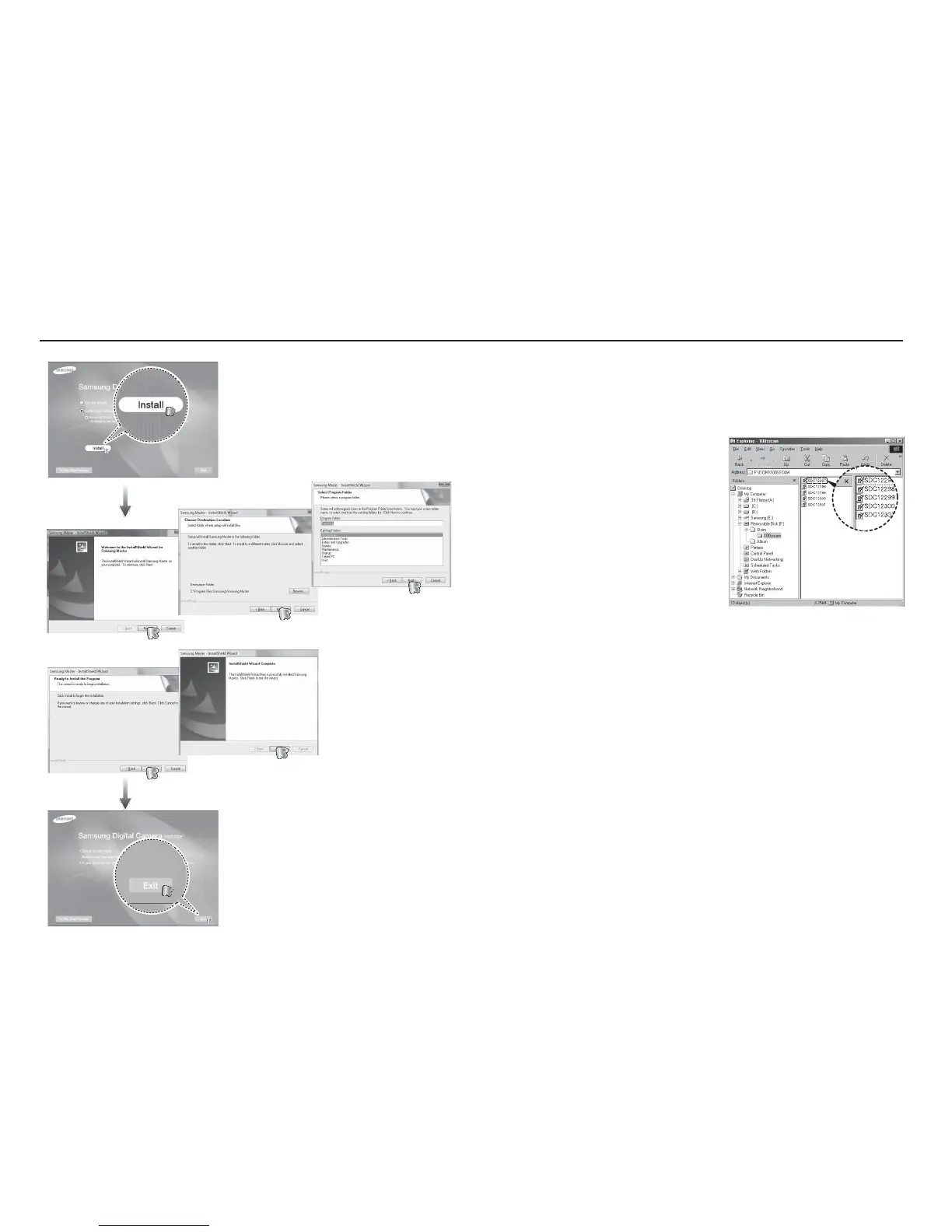
4. Turn the camera power on.
The [Found New Hardware Wizard]
will open and the computer will
recognise the camera.
Ä
If your OS is Windows XP/ Vista, an image viewer program will
open.
3. After restarting the computer, connect the PC to the camera with
the USB cable.
Setting up the application software

Table of Contents

Other manuals for Samsung SL620

Related product manuals