Playback/Editing
64
Viewing files on a TV or HDTV
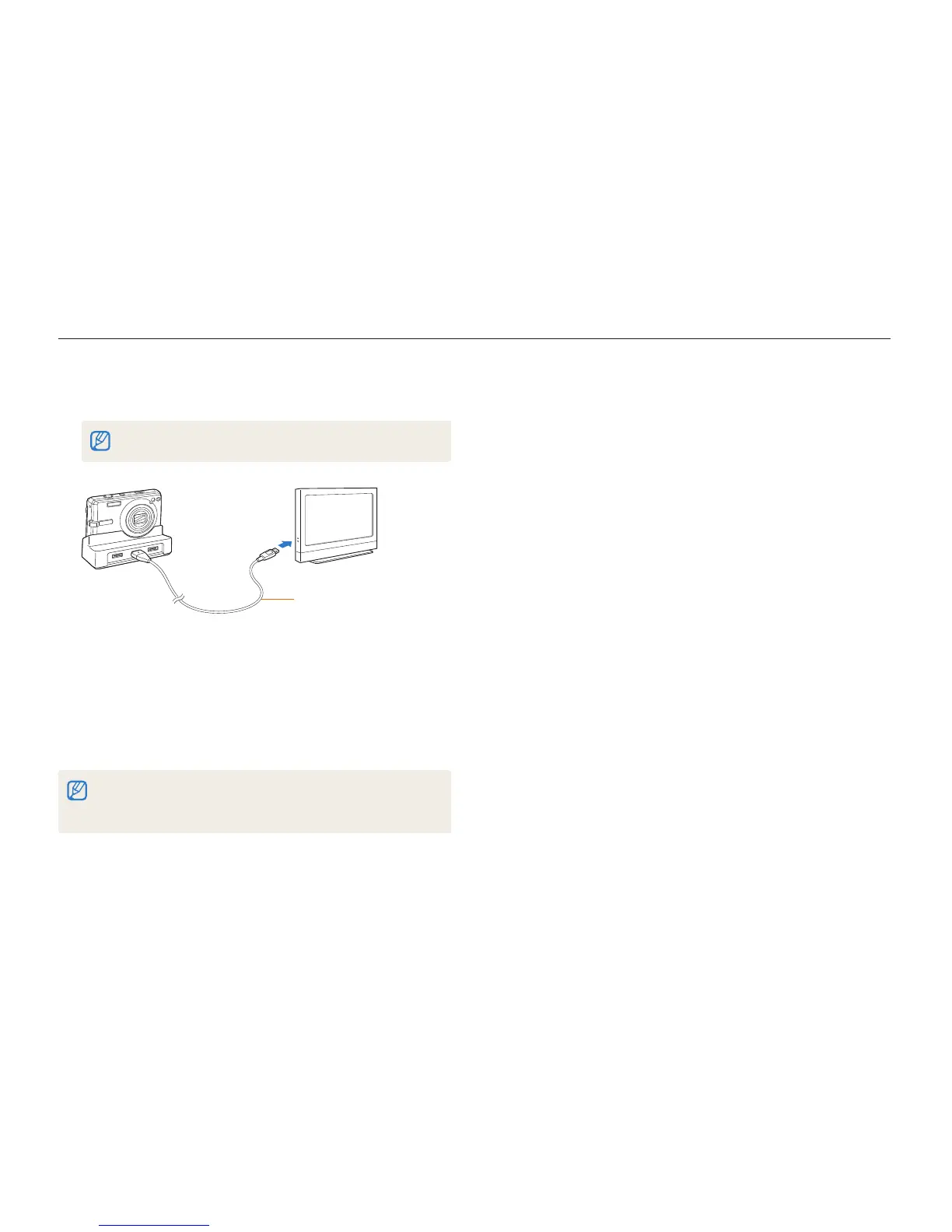
Insert your camera into the cradle and plug the HDMI
5
cable into the HDTV and the cradle.
Disconnect the A/V cable if it is connected to the cradle.
HDMI cable
Turn on your camera.
6
The HDTV will be powered on automatically and the camera t
screen will be displayed.
View files using the buttons on your camera or a remote
7
control of your camera or HDTV.
If your HDTV supports the Anynet+(CEC) profile, turn the Anynet+ on in the
settings menu (p. 76) to control all connected Samsung A/V devices with the
TV remote control. For details, see the “HDMI cradle manual.”



 To Next Page