Appendixes
73
Camera settings menu
Learn about various options to configure your camera's settings.
Select an option and save your settings.
3
Volume
Start Sound
Shutter Sound
Beep Sound
AF Sound
Self-Portrait
Back Set
: On
Off
Low
Medium
High
Press [
4
m
] to return to the previous screen.
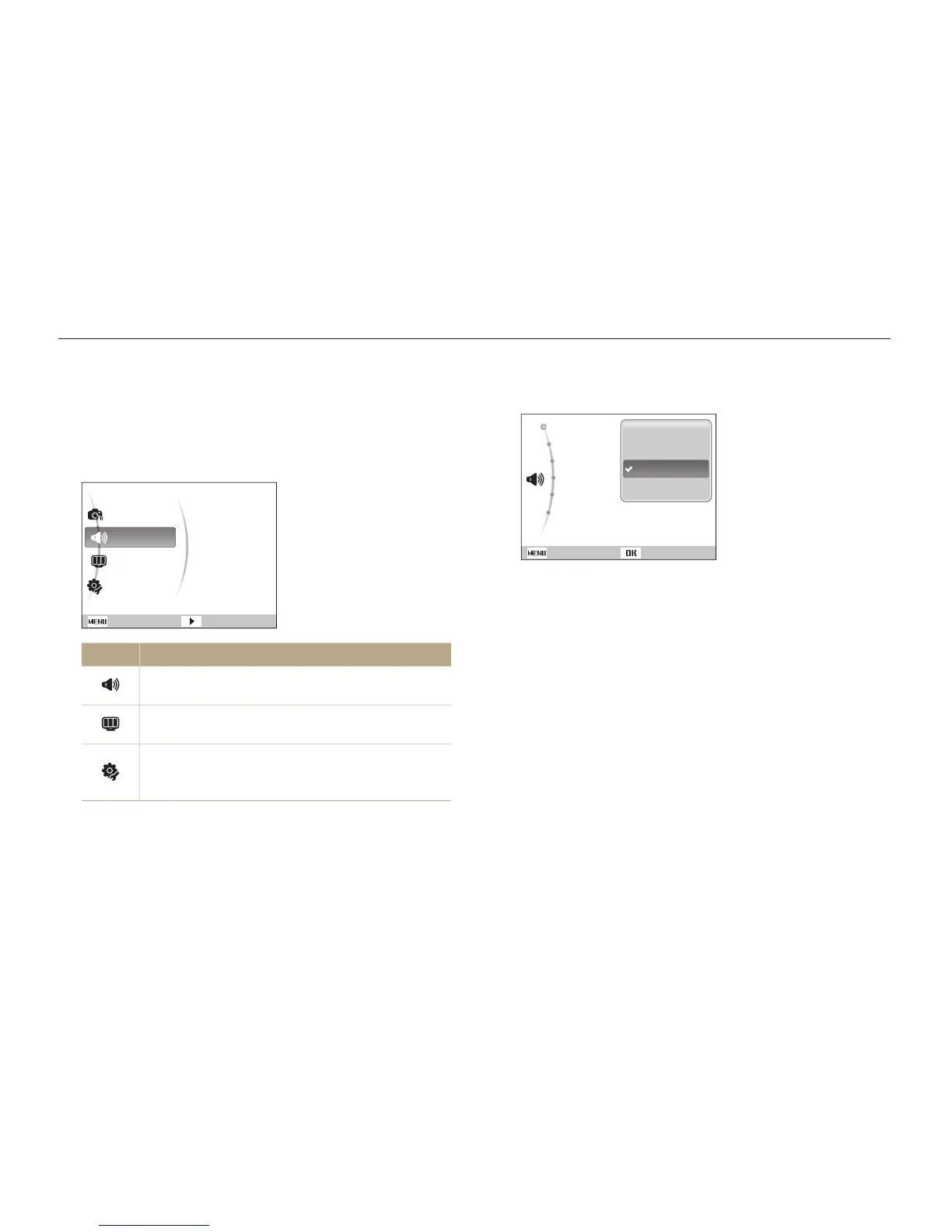
Accessing the settings menu
In Shooting or Playback mode, press [
1
m
].
Select a menu.
2
Functions
Sound
Display
Settings
Exit Change
Volume
Start Sound
Shutter Sound
Beep Sound
AF Sound
Self-Portrait
Menu Description
Sound: Set various camera sounds and volume.
(p. 74)
Display: Customise the display settings, such as
language and brightness. (p. 74)
Settings: Change the settings for the camera system,
such as memory format, default file name, and USB
mode. (p. 75)



 To Next Page