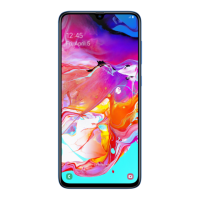
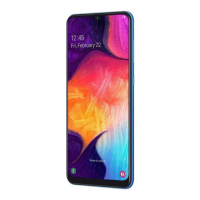
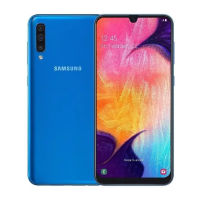
This document is a user manual for Samsung Galaxy A50 and Galaxy A70 smartphones, covering various aspects of their functionality, settings, and maintenance.
Function Description
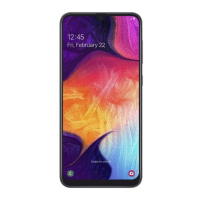
The Samsung Galaxy A50 and A70 are smartphones designed for communication, entertainment, and productivity. They offer a range of features including making calls, sending messages, browsing the internet, taking photos and videos, managing contacts, and using various applications. The devices support dual SIM functionality (on specific models), allowing users to manage two phone numbers or service providers on a single device. They also incorporate advanced features like Bixby (an intelligent voice service), AR Emoji for personalized avatars and stickers, Always On Display for quick information access, Multi Window for multitasking, Kids Home for a safe environment for children, Samsung Pay for mobile payments, and Samsung Health for wellness management. The devices are equipped with a touchscreen interface, physical hard keys (Power and Volume), and soft buttons (Recents, Home, Back) for navigation and control.
Important Technical Specifications
- Models Covered: SM-A505F, SM-A505F/DS, SM-A505FN/DS, SM-A505FM/DS, SM-A505GN, SM-A505GN/DS, SM-A505YN, SM-A705F/DS, SM-A705FN, SM-A705FN/DS, SM-A705GM/DS, SM-A705MN, SM-A705MN/DS.
- SIM Card Type: Nano-SIM card.
- Memory Card: microSD card support.
- Connectivity: Wi-Fi, Bluetooth, NFC (NFC-enabled models), GPS, Mobile Hotspot and Tethering (via Wi-Fi, USB, or Bluetooth), MirrorLink.
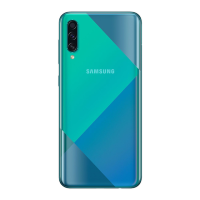
- Camera: Rear camera (Triple lens), Front camera. Features include Scene Optimiser, Live Focus, Super Slow-mo (Galaxy A70), Hyperlapse, Pro mode, Panorama, HDR (rich tone), Grid lines, Location tags, Watermark.
- Display: Touchscreen with adaptive brightness, blue light filter, night mode, screen mode adjustments (Vivid/Adaptive, Natural, AMOLED cinema, AMOLED photo, Basic), font size and style, screen zoom, full screen apps, screen timeout, Home screen layout options, screensaver.
- Sensors: Proximity sensor, Light sensor, Fingerprint recognition sensor (bottom center of the screen).
- Audio: Speaker, Earphone jack, Microphone. Dolby Atmos (surround sound) and Separate app sound features are available.
- Battery: Fast charging capability.
- Operating System: Android-based, with Samsung’s customisations. Software updates are delivered via FOTA (firmware over-the-air).
- Security: Face recognition, Fingerprint recognition, Samsung Pass for biometric authentication, Secure Folder for private content, Google Play Protect for app scanning, Find My Mobile for device tracking, Encrypt SD card.
Usage Features
- Basic Operations: Turning the device on/off, restarting, initial setup, controlling the touchscreen (tapping, tapping and holding, dragging, double-tapping, swiping, spreading and pinching).
- Navigation: Navigation bar with Recents, Home, and Back buttons; option to hide navigation bar for full-screen gestures.
- Home and Apps Screen: Customisable Home screen with widgets and app shortcuts; Apps screen for all installed applications; ability to switch between Home and Apps screens; creating and managing folders; displaying screen in landscape mode.
- Notifications: Notification panel for quick access to notifications and quick settings; app icon badges.
- Text Entry: Keyboard layout with options for input language, emoticons, stickers, animated GIFs, voice input, clipboard, keyboard mode/size, and text editing panel. Copying and pasting text. Dictionary for word definitions.
- App Management: Installing/uninstalling apps from Galaxy Apps (Galaxy Store) and Play Store; managing app permissions.
- Bixby: Intelligent voice assistant for launching functions, showing information, and learning user patterns. Voice wake-up, text communication, quick commands, and customisable settings.
- Bixby Vision: Image recognition service for searching similar images, translating/extracting text, and finding nearby places. AR features for virtual images.
- Reminder: Creating reminders with time or location settings, saving content, and viewing reminder lists.
- Phone: Making voice and video calls, speed dial, international calls, answering/rejecting calls, blocking numbers, and managing call options (add call, hold call, Bluetooth, speaker, mute, keypad).
- Contacts: Creating, importing, syncing with web accounts, searching, sharing, and merging contacts; creating and managing contact groups.
- Messages: Sending and viewing messages, blocking unwanted messages, setting message notifications and reminders, deleting messages.
- Internet: Browsing webpages, bookmarking, using secret mode for private browsing.
- Email: Setting up and managing email accounts, sending and reading emails.
- Gallery: Viewing and managing images and videos, creating stories and shared albums, syncing with Samsung Cloud, deleting images/videos.
- Clock: Setting alarms, world clock, stopwatch, and timer.
- Calculator: Performing calculations and unit conversions.
- Game Launcher: Organising games, setting performance modes, and using Game Tools (incoming call/notification settings, record gameplay, capture screenshots, lock touchscreen).
- SmartThings: Connecting to nearby devices, registering and controlling home appliances/TVs/IoT products, receiving notifications, adding devices/scenes by locations, adding automations.
- Google Apps: Access to Chrome, Gmail, Maps, Play Music, Play Movies & TV, Drive, YouTube, Photos, Duo.
Maintenance Features
- Battery Management: Reducing battery consumption through power saving modes, optimising device care, and managing app power usage.
- Storage Management: Checking storage status, cleaning unnecessary files, and managing memory by stopping background apps.
- Security: Device security status scan for malware.
- Software Updates: Manual and automatic software updates via Wi-Fi.
- Troubleshooting: Solutions for common issues like device not turning on, touchscreen unresponsiveness, freezing, fatal errors, network/service errors, call connection problems, sound echoes, and battery depletion.
- Factory Data Reset: Option to reset device settings to factory defaults (with precautions for data backup).
- Battery Removal: Instructions to contact an authorised service centre for battery removal, with warnings against self-removal.

 Need help?
 General


 To Next Page