
 Need help?
Do you have a question about the Samsung SM-R400N and is the answer not in the manual?
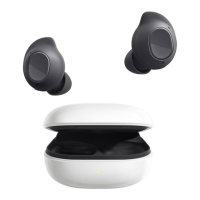
Introduces the Galaxy Buds FE, their functionality, and basic use cases like music and calls.
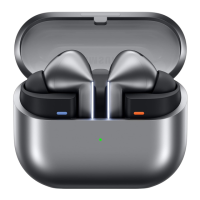
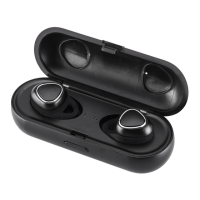
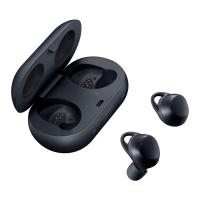
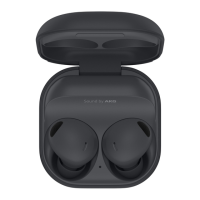
Details the physical components of the earbuds, charging case, and wing tips for user understanding.
Explains the charging case parts and provides crucial safety warnings regarding magnets and device care.
Guides on attaching ear tips securely to the earbuds for optimal fit and comfort.
Provides instructions for correctly fitting and attaching wing tips to the earbuds for a stable fit.
Details the process of charging the earbuds and the charging case for initial use and regular top-ups.
Offers essential advice and safety measures for charging to prevent damage and ensure longevity.
Explains the meaning of different colours and patterns of the earbud and case indicator lights.
Guides on pairing and establishing a Bluetooth connection between the earbuds and your mobile device.
Provides instructions for correctly wearing the earbuds for optimal sound and comfort.
Introduces the touch-sensitive areas and their basic functions for controlling music and calls.
Explains how to use noise cancellation modes and control music playback with touch gestures.
Details how to adjust volume, use the equalizer, and manage phone calls via earbud controls.
Covers activating and interacting with Bixby, including voice commands and text communication.
Explains the app's purpose, installation, and initial connection process with the earbuds.
Guides on disconnecting, reconnecting, and adding new devices to the earbuds via the app.
Details how to customize various earbud features like noise controls, touch controls, and Bixby.
Describes performing an earbud fit test and configuring app notification readouts.
Introduces experimental features like Gaming mode and ambient sound during calls.
Covers accessibility options, software updates, and diagnostic tools within the app.
Explains how to view earbud details and use the Find My Earbuds feature.
Outlines general safety, usage guidelines, and important disclaimers for the device.
Information regarding included items, accessories, and their compatibility or warranty.
Lists specific safety warnings and precautions for wearing and using the earbuds to prevent harm.
Provides instructions on how to clean and maintain the earbuds and charging case for optimal performance.
Guides on how to restart earbuds and couple a new earbud if one is lost.
Offers solutions for basic problems like earbuds not working or Bluetooth connection failures.
Addresses issues related to battery charging, connection stability, and device switching.
Details solutions for poor audio quality, sound echoes, and battery depletion.
Covers troubleshooting for sound lag, noise control, heat, and physical characteristics.
Emphasizes safety precautions and directs users to authorized service for battery removal.



 To Next Page
 General