EasyManua.ls Logo

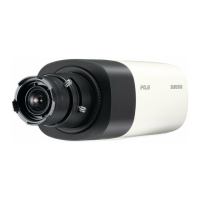
Samsung SNB-6003 - User Manual

Samsung SNB-6003
174 pages
Print Icon
To Next Page IconTo Next Page
Loading...
NETWORK CAMERA
User Manual
SNB-6003/SNB-6004
SND-6083/SND-6084

Table of Contents

Questions and Answers

  • M
    Melissa WalkerSep 23, 2025
    How to connect to Samsung SNB-6003 with Internet Explorer 7.0?
    • J
      Jerry WhiteSep 23, 2025
      When connecting to a Samsung IP Camera with Internet Explorer 7.0, an error may occur when using a new window or tab due to shared cookie data. To avoid this, do not use a new window or tab; instead, select 'File ? New session'.
  • L
    lnelsonAug 23, 2025
    Why is my Samsung Security Camera not detected in the IP installer program?
    • J
      John MartinAug 23, 2025
      If your Samsung Security Camera isn't being detected by the IP installer program, try turning off the firewall settings on your PC and then search for the camera again.
  • H
    Henry FloydAug 25, 2025
    Why is there no image appearing on my Samsung Security Camera?
    • R
      Richard JonesAug 26, 2025
      If no image appears, and the transmission method is set to multicast, verify that the LAN the camera is connected to has a router that supports multicast.
  • C
    Catherine HernandezAug 26, 2025
    What to do if I cannot record into the Micro SD memory card of my Samsung Security Camera?
    • C
      Charles McdowellAug 27, 2025
      If you cannot record onto the Micro SD memory card, check to see if the memory card is defective.
  • T
    taylorwillisAug 27, 2025
    What to do if the Samsung Security Camera viewer got disconnected during monitoring?
    • F
      Francis CareyAug 27, 2025
      If the viewer disconnects during monitoring, it may be due to changes in camera or network configurations. Check all network connections. Also, if the camera is connected over a PPPoE network, poor network conditions might cause disconnections.
  • B
    Brandy HarrisSep 17, 2025
    What to do if my Samsung IP Camera does not operate properly with Micro SD memory card?
    • S
      sandrakentSep 17, 2025
      If your Samsung IP Camera does not operate properly with a Micro SD memory card inserted: * Check if the memory card is inserted in the proper direction. * If the memory card was formatted by other devices, it might not be compatible. Format the memory card again in the camera's Setup ? Event ? Storage menu.
  • M
    Michael ReynoldsSep 14, 2025
    What to do if my Samsung SNB-6003 IP Camera cannot record into the Micro SD memory card?
    • M
      morganescobarSep 14, 2025
      If your Samsung IP Camera cannot record into the Micro SD memory card, check if the memory card is defective.
  • J
    juliaperezSep 15, 2025
    Why am I not receiving notification emails from my Samsung IP Camera?
    • D
      Devin WilsonSep 16, 2025
      If you are not receiving notification emails from your Samsung IP Camera even when motion detection or video analytics are enabled, verify the following settings in sequence: A. Check the Data & Time settings. B. Ensure the Motion detection / Video analytics is enabled. C. Check if the E-mail option of the Event action setup menu is checked for use.
  • J
    Joseph PierceSep 6, 2025
    What to do if my Samsung SNB-6003 IP Camera viewer got disconnected during monitoring?
    • L
      Linda MillsSep 6, 2025
      If your Samsung IP Camera viewer disconnects during monitoring, this can happen due to a few reasons: * If any changes are made to the camera or network configurations, connected viewers will be disconnected. Check all network connections. * If the connection is over a PPPoE network, poor network conditions can cause disconnections.
  • V
    Veronica SanchezSep 3, 2025
    What to do if no signal is found at the Alarm Output port of my Samsung Security Camera?
    • D
      Dillon JonesSep 3, 2025
      If there is no signal at the Alarm Output port when an intelligent video analysis event occurs, check the alarm output port settings.

Summary

OVERVIEW

Safety Instructions and Warnings

Crucial guidelines for safe operation, including warnings, cautions, and precautions.

INSTALLATION & CONNECTION

NETWORK CONNECTION AND SETUP

IP Configuration and Installer

Explains IP Installer, static, dynamic IP setup, and port forwarding.

WEB VIEWER

SETUP SCREEN

Network Configuration Options

Setup for network interface, ports, DDNS, IP filtering, SSL, and 802.1x authentication.

Event Handling Configuration

Configuring FTP/email, storage, alarms, tampering, motion, face, audio, and network events.

System Configuration and Management

Managing product info, date/time, users, upgrades, backups, logs, and profile access.

APPENDIX

Troubleshooting Common Issues

Provides solutions for common problems encountered during camera operation and setup.

Samsung SNB-6003 Specifications

General IconGeneral
Resolution1920 x 1080
Frame Rate30 fps
Lens MountM12
Wide Dynamic RangeYes
IR Range30 m
Video CompressionH.264, MJPEG
Audio CompressionG.711, G.726
Alarm I/O1 Input, 1 Output
Operating Temperature-10°C to 50°C
Ingress ProtectionIP66
Day/NightAuto(ICR)
Network Interface10/100 Ethernet
Power SourcePoE (IEEE 802.3af), 12V DC
Sensor Size1/2.8" CMOS

Related product manuals