EasyManua.ls Logo

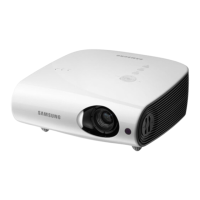
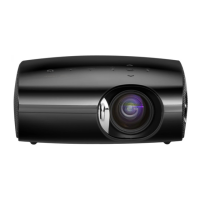
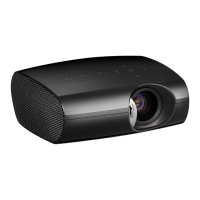
Samsung SP-F10 - User Manual

Samsung SP-F10
92 pages
Print Icon
To Next Page IconTo Next Page
Loading...
SP-F10 SP-F10M
Multimedia Projector
Owner’s Instructions
The color and the appearance of the product may differ
from the illustrations in this manual. The specifications are
subject to change without prior notice to improve
performance.

Questions and Answers

  • X
    xarroyoSep 23, 2025
    What to do if Samsung SP-F10 Projector function doesn't work?
    • K
      Kelly WellsSep 23, 2025
      Reset the mode by pressing the [MENU] button and selecting ???. If the problem persists, download the latest version of firmware onto your USB device, connect the USB device to the projector and run ???.
  • J
    Jeremiah CunninghamAug 23, 2025
    How to fix images that are not clear on Samsung Projector?
    • A
      Alexandria AllenAug 23, 2025
      To improve image clarity, try adjusting the focus. Also, check the distance between the projector and the screen to ensure it's neither too far nor too near.
  • K
    Kathleen McphersonAug 25, 2025
    How to troubleshoot poor color on Samsung Projector?
    • S
      Stacey MilesAug 26, 2025
      To correct poor color, adjust the Tint and Contrast settings on your projector.
  • T
    Taylor HamiltonAug 27, 2025
    What to do if Samsung SP-F10 Projector shows no picture images?
    • D
      David McleanAug 27, 2025
      If you're not seeing any picture images, first ensure the projector's power cord is connected and the correct input source is selected. Check that all connectors are properly connected to the ports on the back of the projector. Inspect the remote control batteries. Finally, make sure that the Color and Brightness settings are not at their lowest levels.
  • D
    Danielle DavidsonAug 27, 2025
    What to do if Samsung Projector only shows a blue screen?
    • C
      Carrie McclureAug 28, 2025
      If your projector is only displaying a blue screen, double-check that all external devices are properly connected. Ensure you inspect the connection cables again to confirm they are securely in place.
  • D
    david79Sep 18, 2025
    Why does the font of documents look different from the original one on Samsung Projector?
    • K
      Katherine FarleySep 18, 2025
      This product supports one font. Documents written in other fonts are converted into the supported font and displayed.
  • E
    Eric WhiteSep 15, 2025
    What to do if Samsung SP-F10 Projector name of a folder or a file and document contents are distorted?
    • K
      Kristina CooperSep 15, 2025
      This can happen when the language of the folder or file differs from the language you selected as the display language for the product. Change to the proper language in ? on the Screen Adjustment menu by pressing [MENU] button.
  • K
    Kristen McmillanSep 16, 2025
    What to do if Samsung SP-F10 Projector file can not be opened?
    • M
      Mark JohnsonSep 16, 2025
      Files that have a format not supported by the product or that have security settings might not open. Check the file format or release the security settings.
  • H
    hpayneSep 6, 2025
    How to fix Samsung Projector when the connected USB doesn't work?
    • P
      Parker HickmanSep 6, 2025
      Check that the USB is connected to USB jack properly. If the connection is good, the USB icon appears at the right upper part of screen. Damaged USB devices can not connect and will malfunction. Try the USB again after formatting or other USB device.
  • D
    David RiceSep 4, 2025
    How to fix lines that appear on Samsung SP-F10 screen?
    • T
      Teresa MacdonaldSep 4, 2025
      On-screen noise may occur when using your PC. Adjust the frequency (refresh rate) of the screen.

Samsung SP-F10 Specifications

General IconGeneral
Contrast Ratio2000:1
Display TypeDLP
Projection TechnologyDLP
Projection Size30 - 300 inches
Lamp Life3000 hours
Aspect Ratio16:9
Input PortsComposite, VGA

Related product manuals