EasyManua.ls Logo

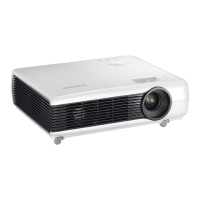
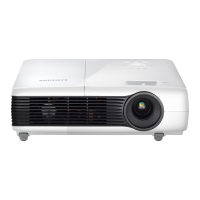
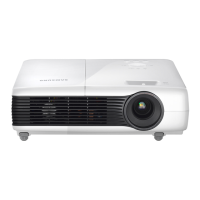
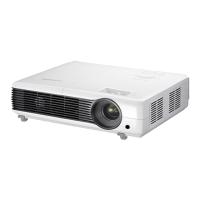
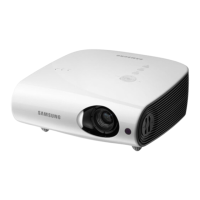
Samsung SP-M221 - User Manual

Samsung SP-M221
65 pages
Print Icon
To Next Page IconTo Next Page
Loading...
SP-M201 SP-M221 SP-M251 SP-M270 SP-M300
LCD Projector
Owner’s Instructions
The color and the appearance of the product may differ
from the illustrations in this manual. The specifications are
subject to change without prior notice to improve
performance.

Other manuals for Samsung SP-M221

Questions and Answers

  • D
    Daniel ChristianAug 15, 2025
    Why Samsung Projector remote control does not work?
    • R
      Richard McdonaldAug 15, 2025
      If your Samsung Projector's remote isn't working, ensure the correct external source is selected. Check and replace the remote's battery with the recommended size if needed. Aim the remote at the sensor on the projector's back, within 32.8 feet (10 m), removing any obstacles. Avoid direct light from certain bulbs that may interfere with the sensor. Also, check if the battery compartment is empty and if the LED indicator on top of the projector is on.
  • E
    Emily HerreraAug 18, 2025
    What to do if Samsung SP-M221 screen appears in black and white or in an odd color, or the screen is too dark or bright?
    • K
      Kathryn JacksonAug 18, 2025
      If your Samsung Projector screen appears in black and white, an odd color, or is too dark or bright, check the adjustable items like Brightness, Contrast, or Color in the menu. To restore settings to their defaults, use the Factory Default option in the menu.
  • M
    martinharrisAug 21, 2025
    Why does only a blue screen appears on my Samsung SP-M221 Projector?
    • N
      Nancy Taylor DVMAug 21, 2025
      If your Samsung Projector only displays a blue screen, ensure that all external devices are properly connected. Double-check the connection cables.
  • M
    maxwell43Aug 25, 2025
    Why Samsung Projector images are not clear?
    • S
      stephanie33Aug 26, 2025
      If the images on your Samsung Projector are not clear, adjust the focus. Also, check if the projector is too far from or too near to the screen.
  • C
    Christina BlackAug 27, 2025
    How to fix poor color on Samsung Projector?
    • K
      Kelly MasseyAug 28, 2025
      To correct poor color on your Samsung Projector, adjust the Tint and Contrast settings.
  • M
    max14Aug 30, 2025
    What to do if my Samsung Projector cannot see picture images?
    • J
      johnadamsAug 30, 2025
      If you cannot see picture images on your Samsung Projector, ensure the power cord is connected and the correct input source is selected. Check that all connectors are properly connected at the back of the projector. Also, verify the remote control batteries and make sure the Color and Brightness settings are not at their lowest limits.
  • D
    Douglas GrossSep 2, 2025
    How to fix Samsung SP-M221 Projector external source that can not be selected?
    • D
      David GibsonSep 2, 2025
      If you're unable to select an external source on your Samsung Projector, be sure the video cable(s) are properly connected to the correct jacks on both ends. If the device isn't correctly connected, it won't be selectable.
  • S
    susandunnSep 5, 2025
    What to do if no external device screen is displayed on Samsung SP-M221 Projector?
    • J
      John WatsonSep 5, 2025
      If no external device screen is displayed on your Samsung Projector, verify the operating status of the external device. Also, check if adjustable menu items like Brightness and Contrast have been correctly adjusted in the Mode command screen of the Projector menu.
  • M
    Melissa Jones MDSep 8, 2025
    What to do if I cannot select a menu on Samsung Projector?
    • O
      Olivia CarrSep 8, 2025
      If you cannot select a menu on your Samsung Projector, check if the menu is displayed in gray. Gray-colored menu items are unavailable.
  • P
    Phillip SmithSep 12, 2025
    How to fix lines that appear on Samsung SP-M221 Projector screen?
    • K
      Kevin KruegerSep 12, 2025
      If lines appear on your Samsung Projector screen, especially when using a PC, adjust the frequency (refresh rate) of the screen.

Samsung SP-M221 Specifications

General IconGeneral
BrandSamsung
ModelSP-M221
CategoryProjector
LanguageEnglish

Related product manuals