EasyManua.ls Logo

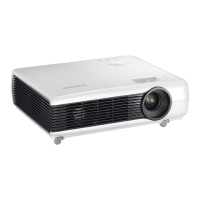
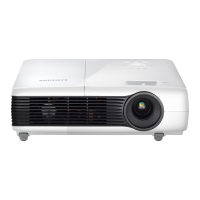
Samsung SP-M220W - User Manual

Samsung SP-M220W
59 pages
Print Icon
To Next Page IconTo Next Page
Loading...
SP-M200W SP-M220W SP-M250W
LCD Projector
Owner’s Instructions
The color and the appearance of the product may differ
from the illustrations in this manual. The specifications are
subject to change without prior notice to improve
performance.

Questions and Answers

  • M
    michelle13Aug 19, 2025
    What to do if my Samsung SP-M220W remote control does not work?
    • M
      Melissa MarshallAug 19, 2025
      Ensure the correct external source is selected and check the remote's battery, replacing it if needed with the recommended size. Aim the remote at the sensor on the back of the unit within 32.8 feet (10 m), removing any obstacles. Note that direct light from certain bulbs may interfere with the remote sensor. Also, check if the battery compartment is empty and whether the LED indicator on top of the projector is on.
  • K
    Kristi ReedAug 21, 2025
    What to do if my Samsung Projector has no power?
    • N
      Nathaniel WilkinsAug 21, 2025
      Check the power cable connections to ensure they are properly connected.
  • J
    Joe ChanAug 23, 2025
    What to do if my Samsung SP-M220W Projector screen appears in black and white or an odd color?
    • W
      waynelevineAug 25, 2025
      Check the adjustable items such as Brightness, Contrast, or Color in the menu. If you want to restore various settings to their factory defaults, run Factory Default from the menu.
  • A
    Alicia DiazAug 26, 2025
    What to do if images are not clear on Samsung SP-M220W?
    • Y
      ymitchellAug 26, 2025
      Adjust the focus. Check if the projector is too far from or too near to the screen.
  • H
    Holly RamirezAug 28, 2025
    How to fix poor color on Samsung SP-M220W?
    • D
      Daniel HuffmanAug 28, 2025
      Adjust the Tint and Contrast settings to improve the color quality.
  • K
    Kendra CombsAug 30, 2025
    How to install Samsung Projector on the ceiling?
    • A
      Amy WalterAug 30, 2025
      The ceiling installation bracket is sold separately. Contact your local product distributor.
  • B
    Brian MorganSep 1, 2025
    Why can't I see picture images on my Samsung Projector?
    • S
      Sharon MorganSep 1, 2025
      First, ensure the projector's power cord is connected and the correct input source is selected. Verify that all connectors are properly connected to the ports on the back. Also, check the remote control batteries and make sure that the Color and Brightness settings are not at their lowest limit.
  • J
    Jessica BeckerSep 3, 2025
    What to do if no external device screen is displayed on Samsung SP-M220W?
    • R
      Rachael AlvarezSep 3, 2025
      Check the operating status of the external device. Verify that adjustable menu items like Brightness and Contrast are correctly configured in the Mode command screen of the Projector menu.
  • J
    jonesdavidSep 5, 2025
    Why is my Samsung SP-M220W only showing a blue screen?
    • J
      Jason FisherSep 5, 2025
      Make sure that all external devices are properly connected. Double-check the connection cables to ensure they are securely in place.
  • J
    joseph26Sep 7, 2025
    How to fix Samsung SP-M220W Projector external source selection?
    • J
      jennifer09Sep 8, 2025
      Make sure the video cable(s) are properly connected to the correct jacks on both ends. If the device isn't connected correctly, it can't be selected.

Samsung SP-M220W Specifications

General IconGeneral
Brightness2200 ANSI lumens
Contrast Ratio2000:1
Display TechnologyDLP
Aspect Ratio16:10
Lamp TypeUHP
Weight2.9 kg
Projection Size40 - 300 inches
Throw Distance1.2 - 10 m
Lamp Life3000 hours (Normal mode), 4000 hours (Eco mode)
Input PortsVGA, S-Video, Composite
Native Resolution1280 x 768

Related product manuals