Playback/Editing
64
Playing back
Icon Description
Select a display type (p. 23)
Select a menu using motion recognition (p. 63)
M
Playback and settings menus
Playback time of videos or voice memos
Play videos or voice memos
(Video p. 70/Voice memo p. 71)
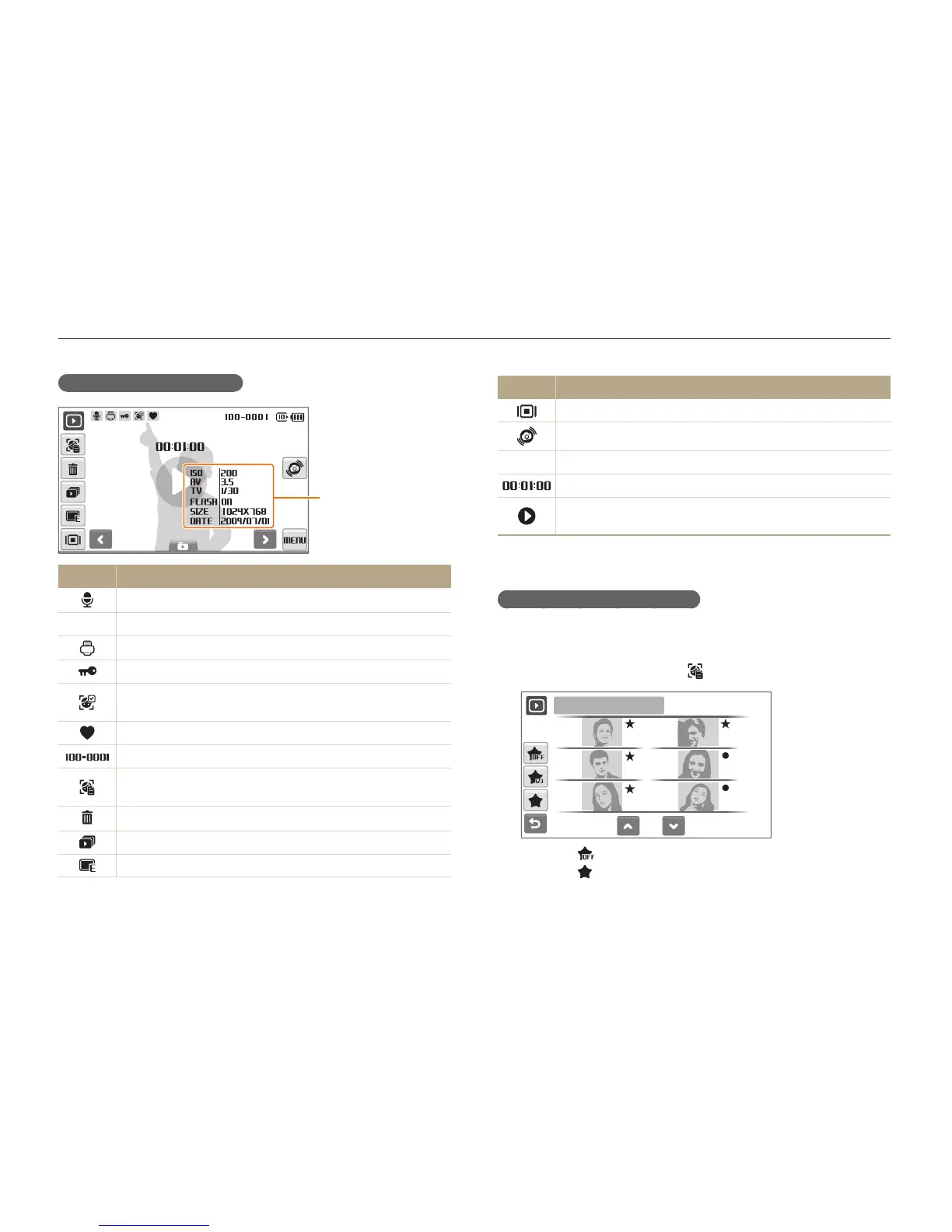
Ranking your favourite faces
You can change the ranking of your favourite faces or delete
them. This feature is available only when you use a memory card.
In Playback mode, select
1
.
1/2
1
2
3
4
5
6
Face List
Select t to cancel your favourite faces.
Select t
to view your favourite faces or view all faces.
Display in Playback mode
Information
Icon Description
Photo includes a voice memo
v
Video file
Print order has been set (DPOF)
Protected file
Photo includes a registered face; Available only when you
use a memory card
Favourite file
Folder name – File name
Open the face list (p. 64); Available only when you use a
memory card
Delete files (p. 67)
Play a slide show (p. 69)
Edit photos (p. 73)



 To Next Page