8_ operating the cleaner
Operating the cleaner
POWER SWITCH
The Power Switch is located on the side of the vacuum.
Pushtherockerswitch“ON”tovacuum,and“OFF”
when cleaning is complete.
HANDLE POSITIONS
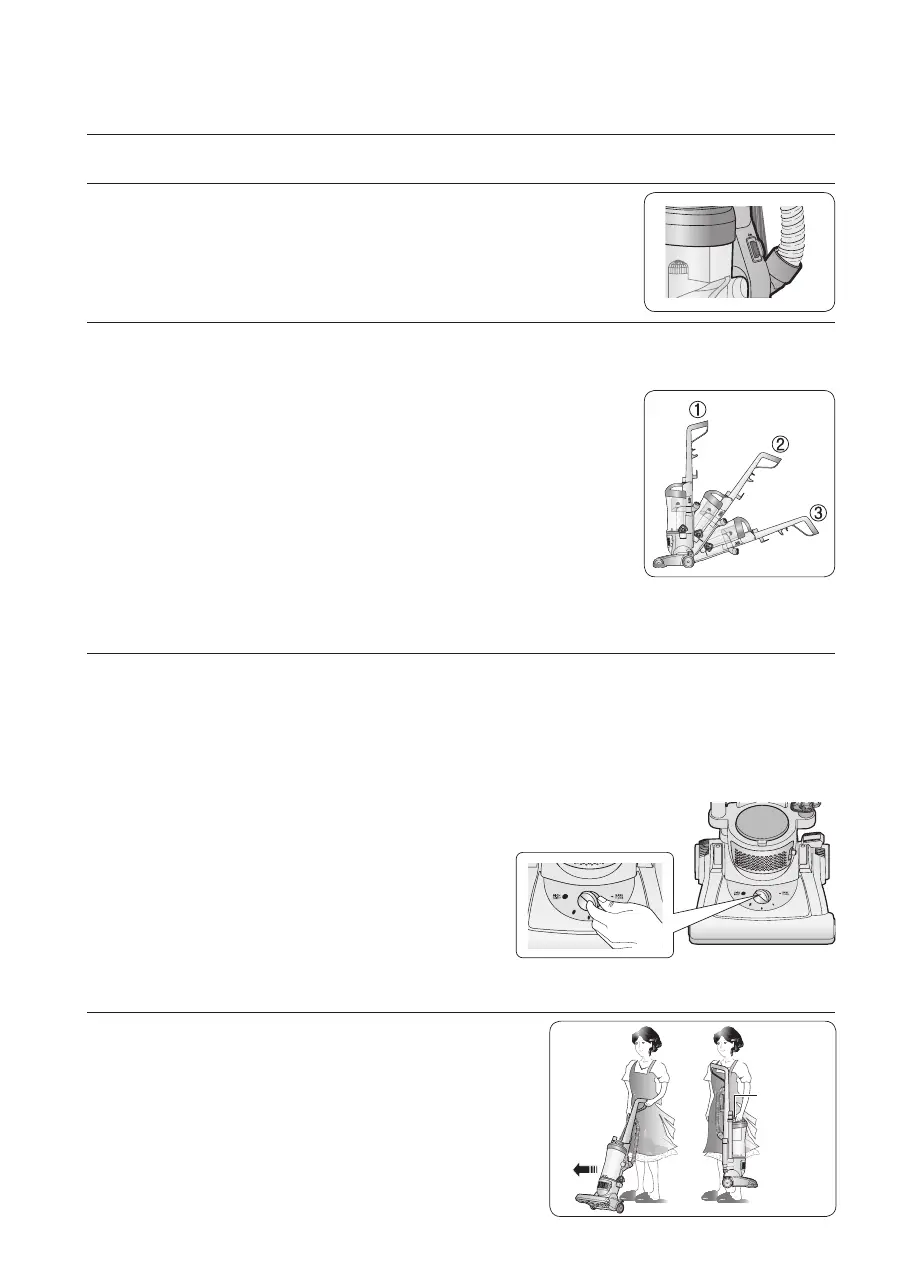
Press the handle release pedal, located on the lower left side of the vacuum, with
your foot to place your vacuum into one of three cleaning positions.
1. Upright
– For storage and above floor cleaning with tools.
2. Normal Cleaning
– Press handle release pedal once. Position used for
most household floor cleaning tasks.
3. Low Cleaning
– With the vacuum in normal cleaning position, press
handlereleasepedalagain.Useforreachingunder
low furniture such as tables, chairs or beds.
HEIGHT ADJUSTMENT
The Powerfoot/Rotating Floor Brush can be adjusted to clean several floor surfaces.
Note :
Foroptimalcleaningperformance,adjusttothelowestpracticalsetting.Ifyour
cleanerisdifculttopush,adjusttothenexthighersetting.Alwaysensurethat
the correct height setting is used for your flooring type as damage may occur if
the height setting is not changed to reflect your flooring type.
1.TurnHeightAdjustmentKnobtodesiredsetting.
Bare floor Setting
– For bare floors.
Medium Settings
– For short and medium pile carpets.
Highest Setting
– For plush pile carpet
TRANSPORTING CLEANER
1.Tomoveyourcleanerfromroomtoroom,
put the Handle in the upright position, tilt the
cleaner back on its rear wheels and push
forward.
2.Thecleanercanalsobemovedbyusingthe
Carrying Handle located on the top of the
DustBin.
Carrying
Handle



 To Next Page