EasyManua.ls Logo

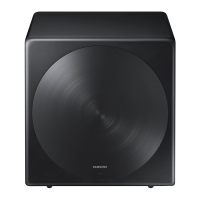
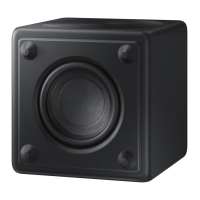
Samsung SWA-W700 - User Manual

Samsung SWA-W700
26 pages
Print Icon
To Next Page IconTo Next Page
Loading...
SWA-W700
USER MANUAL
Question and Answer IconNeed help?

Do you have a question about the Samsung SWA-W700 and is the answer not in the manual?

Summary

Safety Information

FCC Radiation Exposure Statement

Precautions

Power Supply and Ventilation Requirements

Ensure house power supply meets requirements. Install with ventilation space.

Heat and Sunlight Exposure

Avoid direct sunlight and heat sources to prevent overheating and malfunction.

Malfunction and Usage Conditions

Unplug if unit malfunctions. Not for industrial use. Allow condensation to normalize.

Important Safety Instructions

Instruction Manual Adherence

Read, keep, heed warnings, and follow all instructions in this manual.

Safe Usage and Environment

Precautions on water, cleaning, ventilation, heat, power cords, and accessories.

Servicing and Troubleshooting

Refer all servicing to qualified personnel for damaged or malfunctioning units.

Checking the Components

Specifications

Open Source License Notice

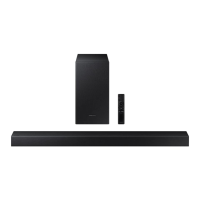
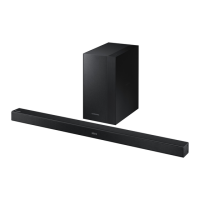
Connecting the SWA-W700 to a Soundbar

Checking Standby Status

Plug in the subwoofer and check the LINK LED indicator status.

Connecting the Wireless Dongle

Insert the wireless dongle into the Soundbar's WIRELESS port.

Turning Off the Soundbar

Turn off the Soundbar using the remote control or power button.

Configuring ID SET

Press VOL for 5-6 seconds on the remote until 'ID SET' appears.

Turning On the Soundbar

Turn on the Soundbar after completing the 'ID SET' configuration.

Checking Connection Status

Verify the LINK LED is solid blue, indicating a complete connection.

Troubleshooting Connection Issues

Follow steps based on LED status if the SWA-W700 does not connect.

Compatible Models

Limited Warranty

Contact Information

Summary

Safety Information

FCC Radiation Exposure Statement

Precautions

Power Supply and Ventilation Requirements

Ensure house power supply meets requirements. Install with ventilation space.

Heat and Sunlight Exposure

Avoid direct sunlight and heat sources to prevent overheating and malfunction.

Malfunction and Usage Conditions

Unplug if unit malfunctions. Not for industrial use. Allow condensation to normalize.

Important Safety Instructions

Instruction Manual Adherence

Read, keep, heed warnings, and follow all instructions in this manual.

Safe Usage and Environment

Precautions on water, cleaning, ventilation, heat, power cords, and accessories.

Servicing and Troubleshooting

Refer all servicing to qualified personnel for damaged or malfunctioning units.

Checking the Components

Specifications

Open Source License Notice

Connecting the SWA-W700 to a Soundbar

Checking Standby Status

Plug in the subwoofer and check the LINK LED indicator status.

Connecting the Wireless Dongle

Insert the wireless dongle into the Soundbar's WIRELESS port.

Turning Off the Soundbar

Turn off the Soundbar using the remote control or power button.

Configuring ID SET

Press VOL for 5-6 seconds on the remote until 'ID SET' appears.

Turning On the Soundbar

Turn on the Soundbar after completing the 'ID SET' configuration.

Checking Connection Status

Verify the LINK LED is solid blue, indicating a complete connection.

Troubleshooting Connection Issues

Follow steps based on LED status if the SWA-W700 does not connect.

Compatible Models

Limited Warranty

Contact Information

Samsung SWA-W700 Specifications

General IconGeneral
Subwoofer type-
Subwoofer frequency range27 - 120 Hz
Subwoofer driver diameter (imperial)10 \
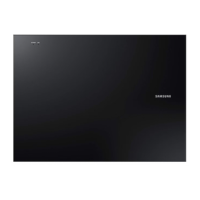
Product colorBlack
Package weight16200 g
Power consumption (standby)0.5 W
Power consumption (typical)25 W
Weight and Dimensions IconWeight and Dimensions
Subwoofer width320 mm
Subwoofer height338.3 mm
Subwoofer weight14600 g

Related product manuals