EasyManua.ls Logo

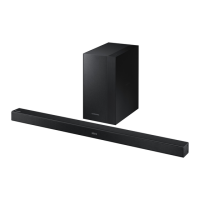
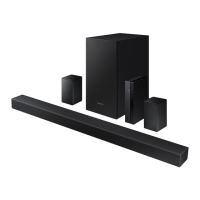
Samsung HW-K460 - User Manual

Samsung HW-K460
34 pages
Print Icon
To Next Page IconTo Next Page
Loading...
Wireless Audio - Soundbar
Imagine the possibilities
Thank you for purchasing this Samsung product.
To receive more complete service, please register your product at
www.samsung.com/register
User manual
HW-K460
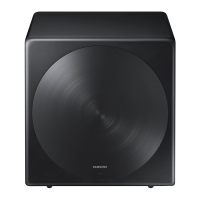
Wireless Subwoofer
(PS-WK450)

Questions and Answers

Summary

Features Overview

Samsung Remote App

Control Soundbar via Android smart device and Samsung Audio Remote app.

Surround Sound Expansion

Adds depth and spaciousness to the listening experience.

TV SoundConnect

Listen to TV audio via Bluetooth, easy connectivity, single remote control.

HDMI Connectivity

Transmits digital video/audio, supports ARC function for TV sound.

USB Host Support

Connect and play music files from external USB storage devices.

Bluetooth Functionality

Connect Bluetooth device for wireless music playback.

Software Licenses

Information regarding Dolby, DTS, and HDMI licenses.

Safety Information

Safety Warnings and Symbols

Important warnings and explanations of safety symbols.

Important Safety Instructions

General Safety Guidelines

Read, keep, follow all instructions; avoid water, heat, blockages.

Battery Safety Precautions

Warning against ingesting battery; chemical burn hazard.

Precautions

Environmental Precautions

Avoid direct sunlight, heat sources, moisture, and magnetic fields.

Battery Handling Precautions

Environmental concerns, proper disposal, avoid heat, short-circuiting.

Whats Included

Manual Icons and Definitions

Defines symbols used in the manual (Caution, Note).

Supplied Accessories List

Lists and illustrates included items like remote, cables, and mounts.

Front and Right Side Panel Description

Control Buttons Overview

Explains +/- (Volume), Source, and Power buttons.

Panel Display and Sensor

Describes the front panel display and remote control sensor.

Bottom Panel Description

Connectivity Ports

Details Digital Audio, AUX, USB, and HDMI ports.

Power Input Jack

Explains the DC 24V power supply connection.

Remote Control Functions

Basic Remote Controls

Explains SOURCE, Mute, Repeat, Skip Forward, Bluetooth Power buttons.

Sound and Anynet+ Controls

Details Surround Sound, Anynet+, and Auto Power Link functions.

Sound Effect Mode Selection

Lists available sound modes (Standard, Music, Movie, etc.).

Remote Control Operations

Power, Volume, and Playback

Describes unit power, volume, and media playback controls.

Advanced Sound Adjustments

Details Treble, Bass, Subwoofer, and EQ frequency band adjustments.

Audio Sync Functionality

Explains how to adjust audio delay for video sync.

Installation and Setup

TV Remote Control Integration

How to control the Soundbar with a TV remote.

Remote Control Battery Installation

Step-by-step guide to insert the battery into the remote.

Installing the Soundbar

Wall Mount Installation Precautions

Guidelines for safe and secure wall mounting.

Detaching the Soundbar from the Wall

Wall Mount Removal Steps

Instructions on how to safely detach the Soundbar from the wall mount.

Connecting the Subwoofer

Automatic Subwoofer Linking

How the subwoofer links automatically when powered on.

Manual Subwoofer Linking

Steps to manually link the subwoofer if automatic fails.

Bluetooth Connectivity

Wireless Signal Considerations

Information on transmission distance, interference, and obstructions.

Samsung Audio Remote App Usage

Guidance on using the app for Soundbar control.

Connecting to a TV

Optical Cable Connection

How to connect the Soundbar to a TV using an optical cable.

Auto Power Link Setup

Configure Soundbar to turn on/off with TV via optical cable.

Connecting to a TV via HDMI

HDMI Cable Connection

Connect Soundbar to TV using HDMI for audio and video.

TV SoundConnect Setup

Connect Soundbar to Samsung TV wirelessly via Bluetooth.

Bluetooth Functionality Details

TV SoundConnect Termination

How to disconnect or switch TV SoundConnect.

Bluetooth POWER On Feature

Enable Soundbar to turn on/off with paired Bluetooth device.

Connecting External Devices

AUX Audio Cable Connection

Connect external devices using an analog audio cable (AUX).

Optical Audio Cable Connection

Connect external devices using a digital optical audio cable.

Connecting via HDMI and USB

HDMI Cable Connection

Connect digital devices via HDMI for audio and video.

USB Device Connection

Connect USB storage devices to play music files.

USB Device Compatibility

USB Connection Guidelines

Important notes on file naming, file systems, and device types.

Supported File Formats

Lists compatible audio codecs, sampling rates, and bitrates.

Input Modes and Power Functions

Selecting Input Modes

How to choose between Optical, HDMI, Bluetooth, TV, USB, AUX inputs.

Auto Power Down Function

Configure automatic shutdown based on inactivity or disconnection.

Bluetooth Device Connection

Pairing with Bluetooth Devices

Step-by-step guide to connect the Soundbar to a Bluetooth device.

Bluetooth Operation

Bluetooth Power On Feature

Enable Soundbar to turn on/off with paired Bluetooth device.

Disconnecting Bluetooth Devices

Procedures for disconnecting Bluetooth devices from Soundbar.

Advanced Bluetooth Information

Bluetooth Connection Factors

Discusses factors affecting connection quality and interference.

Samsung Audio Remote App Usage

Guidance on using the app for Soundbar control.

Software Update

Firmware Update Process

Instructions for updating Soundbar firmware via USB.

Update Precautions and Notes

Important notes on formatting, settings reset, and device compatibility.

Troubleshooting

Unit Not Turning On

Solutions for when the unit fails to power on.

Function or Sound Issues

Troubleshooting steps for unresponsive functions or no sound.

Remote Control Malfunctions

Solutions for when the remote control is not working.

TV SoundConnect Pairing Failures

Steps to resolve issues with TV SoundConnect connection.

Subwoofer Connection Problems

Troubleshooting for subwoofer blinking and no sound.

Specifications

Main Unit Specifications

Details model, USB, weight, dimensions, and amplifier ratings.

Subwoofer Specifications

Details subwoofer name, weight, dimensions, and amplifier rating.

Important Notes and Service

Information on specifications changes, recycling, and service.

Limited Warranty

Warranty Period and Terms

Details the one-year parts and labor warranty for original purchasers.

Warranty Exclusions and Limitations

Lists conditions not covered by warranty and legal disclaimers.

Support and Contact Information

Contact Details

Provides phone, website, and mailing address for inquiries.

Summary

Features Overview

Samsung Remote App

Control Soundbar via Android smart device and Samsung Audio Remote app.

Surround Sound Expansion

Adds depth and spaciousness to the listening experience.

TV SoundConnect

Listen to TV audio via Bluetooth, easy connectivity, single remote control.

HDMI Connectivity

Transmits digital video/audio, supports ARC function for TV sound.

USB Host Support

Connect and play music files from external USB storage devices.

Bluetooth Functionality

Connect Bluetooth device for wireless music playback.

Software Licenses

Information regarding Dolby, DTS, and HDMI licenses.

Safety Information

Safety Warnings and Symbols

Important warnings and explanations of safety symbols.

Important Safety Instructions

General Safety Guidelines

Read, keep, follow all instructions; avoid water, heat, blockages.

Battery Safety Precautions

Warning against ingesting battery; chemical burn hazard.

Precautions

Environmental Precautions

Avoid direct sunlight, heat sources, moisture, and magnetic fields.

Battery Handling Precautions

Environmental concerns, proper disposal, avoid heat, short-circuiting.

Whats Included

Manual Icons and Definitions

Defines symbols used in the manual (Caution, Note).

Supplied Accessories List

Lists and illustrates included items like remote, cables, and mounts.

Front and Right Side Panel Description

Control Buttons Overview

Explains +/- (Volume), Source, and Power buttons.

Panel Display and Sensor

Describes the front panel display and remote control sensor.

Bottom Panel Description

Connectivity Ports

Details Digital Audio, AUX, USB, and HDMI ports.

Power Input Jack

Explains the DC 24V power supply connection.

Remote Control Functions

Basic Remote Controls

Explains SOURCE, Mute, Repeat, Skip Forward, Bluetooth Power buttons.

Sound and Anynet+ Controls

Details Surround Sound, Anynet+, and Auto Power Link functions.

Sound Effect Mode Selection

Lists available sound modes (Standard, Music, Movie, etc.).

Remote Control Operations

Power, Volume, and Playback

Describes unit power, volume, and media playback controls.

Advanced Sound Adjustments

Details Treble, Bass, Subwoofer, and EQ frequency band adjustments.

Audio Sync Functionality

Explains how to adjust audio delay for video sync.

Installation and Setup

TV Remote Control Integration

How to control the Soundbar with a TV remote.

Remote Control Battery Installation

Step-by-step guide to insert the battery into the remote.

Installing the Soundbar

Wall Mount Installation Precautions

Guidelines for safe and secure wall mounting.

Detaching the Soundbar from the Wall

Wall Mount Removal Steps

Instructions on how to safely detach the Soundbar from the wall mount.

Connecting the Subwoofer

Automatic Subwoofer Linking

How the subwoofer links automatically when powered on.

Manual Subwoofer Linking

Steps to manually link the subwoofer if automatic fails.

Bluetooth Connectivity

Wireless Signal Considerations

Information on transmission distance, interference, and obstructions.

Samsung Audio Remote App Usage

Guidance on using the app for Soundbar control.

Connecting to a TV

Optical Cable Connection

How to connect the Soundbar to a TV using an optical cable.

Auto Power Link Setup

Configure Soundbar to turn on/off with TV via optical cable.

Connecting to a TV via HDMI

HDMI Cable Connection

Connect Soundbar to TV using HDMI for audio and video.

TV SoundConnect Setup

Connect Soundbar to Samsung TV wirelessly via Bluetooth.

Bluetooth Functionality Details

TV SoundConnect Termination

How to disconnect or switch TV SoundConnect.

Bluetooth POWER On Feature

Enable Soundbar to turn on/off with paired Bluetooth device.

Connecting External Devices

AUX Audio Cable Connection

Connect external devices using an analog audio cable (AUX).

Optical Audio Cable Connection

Connect external devices using a digital optical audio cable.

Connecting via HDMI and USB

HDMI Cable Connection

Connect digital devices via HDMI for audio and video.

USB Device Connection

Connect USB storage devices to play music files.

USB Device Compatibility

USB Connection Guidelines

Important notes on file naming, file systems, and device types.

Supported File Formats

Lists compatible audio codecs, sampling rates, and bitrates.

Input Modes and Power Functions

Selecting Input Modes

How to choose between Optical, HDMI, Bluetooth, TV, USB, AUX inputs.

Auto Power Down Function

Configure automatic shutdown based on inactivity or disconnection.

Bluetooth Device Connection

Pairing with Bluetooth Devices

Step-by-step guide to connect the Soundbar to a Bluetooth device.

Bluetooth Operation

Bluetooth Power On Feature

Enable Soundbar to turn on/off with paired Bluetooth device.

Disconnecting Bluetooth Devices

Procedures for disconnecting Bluetooth devices from Soundbar.

Advanced Bluetooth Information

Bluetooth Connection Factors

Discusses factors affecting connection quality and interference.

Samsung Audio Remote App Usage

Guidance on using the app for Soundbar control.

Software Update

Firmware Update Process

Instructions for updating Soundbar firmware via USB.

Update Precautions and Notes

Important notes on formatting, settings reset, and device compatibility.

Troubleshooting

Unit Not Turning On

Solutions for when the unit fails to power on.

Function or Sound Issues

Troubleshooting steps for unresponsive functions or no sound.

Remote Control Malfunctions

Solutions for when the remote control is not working.

TV SoundConnect Pairing Failures

Steps to resolve issues with TV SoundConnect connection.

Subwoofer Connection Problems

Troubleshooting for subwoofer blinking and no sound.

Specifications

Main Unit Specifications

Details model, USB, weight, dimensions, and amplifier ratings.

Subwoofer Specifications

Details subwoofer name, weight, dimensions, and amplifier rating.

Important Notes and Service

Information on specifications changes, recycling, and service.

Limited Warranty

Warranty Period and Terms

Details the one-year parts and labor warranty for original purchasers.

Warranty Exclusions and Limitations

Lists conditions not covered by warranty and legal disclaimers.

Support and Contact Information

Contact Details

Provides phone, website, and mailing address for inquiries.

Samsung HW-K460 Specifications

General IconGeneral
BrandSamsung
ModelHW-K460
CategorySubwoofer
LanguageEnglish

Related product manuals