EasyManua.ls Logo

Samsung PS-WJ6500R - User Manual

Samsung PS-WJ6500R
60 pages
Print Icon
To Next Page IconTo Next Page
Loading...
Curved Soundbar
Imagine the possibilities
Thank you for purchasing this Samsung product.
To receive more complete service, please register your product at
www.samsung.com/register
User manual
HW-J6500R
HW-J6501R
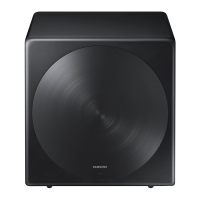
Wireless Subwoofer
(PS-WJ6500R / PS-WJ6501R)

Questions and Answers

Summary

FEATURES

Streaming Music Services

Access subscription streaming music services via the Multiroom App.

Surround Sound Expansion

Adds depth and spaciousness to the listening experience.

TV SoundConnect

Listen to TV audio via Bluetooth, simplifying connections and cable management.

Music Source Sharing

Control and share music across multiple devices using Multiroom Link.

HDMI Connectivity

Transmits digital video and audio signals, includes ARC function for TV audio.

Bluetooth Function

Connect Bluetooth devices for wireless music playback with high-quality stereo sound.

LICENSES

Dolby Digital

Manufactured under license from Dolby Laboratories.

DTS 2.0 Channel

Manufactured under license from DTS Licensing Limited.

HDMI Licensing

HDMI terms and logo are trademarks of HDMI Licensing LLC.

SAFETY INFORMATION

Safety Warnings

Instructions to reduce the risk of electric shock and other hazards.

FCC Note

Compliance information regarding FCC regulations for digital devices.

Important Safety Instructions

General Safety Guidelines

Instructions for safe operation, including warnings about water, heat, and ventilation.

PRECAUTIONS

Health and Environmental Precautions

Warnings about chemical hazards, moisture, heat, and proper battery disposal.

Battery Safety Warning

Critical warning about ingesting coin cell batteries and potential severe burns.

WHATS INCLUDED

Icons Used in Manual

Explanation of symbols like Caution and Note used throughout the manual.

Supplied Accessories

List and identification of all accessories provided with the soundbar.

DESCRIPTIONS

Top and Front Panel Overview

Description of buttons and display on the soundbar's top and front surfaces.

Rear and Bottom Panel Overview

Identification of ports and connection jacks on the rear and bottom panels.

Remote Control Overview

Introduction to the functions and buttons of the remote control.

Installing the Remote Control Battery

Step-by-step guide for replacing the battery in the remote control.

INSTALLATION

Installing the Wall Mount

Detailed steps and precautions for mounting the soundbar securely on a wall.

Attaching to TV Stand

Guide for placing the soundbar on a compatible Samsung TV stand.

Installing as Free-Standing Unit

Instructions for placing the soundbar on a flat surface in front of the TV.

CONNECTIONS

Connecting the Subwoofer

Steps for automatically and manually linking the wireless subwoofer to the main unit.

Connecting to a TV

Methods for connecting the soundbar to a television for audio output.

Digital Optical Cable Connection

How to connect the soundbar to a TV using a digital optical audio cable.

Auto Power Link Function

Enables automatic soundbar power-on when the TV is turned on.

HDMI Cable Connection

Instructions for connecting the soundbar to a TV via an HDMI cable.

TV SoundConnect Function

Connects the soundbar to a Samsung TV wirelessly via Bluetooth for TV audio.

Connecting to External Devices

How to connect external audio sources like BD players or game consoles.

Optical and Analog Cable Connections

Connect audio sources using optical or analog (AUX) cables.

Connecting Subwoofer to Main Unit

Detailed steps for manually linking the wireless subwoofer to the main unit.

Connecting to TV - Method 1: Cable

Connecting the soundbar to a TV using a digital optical cable.

Connecting to TV - Method 2: TV SoundConnect

Connecting the soundbar to a Samsung TV wirelessly via Bluetooth.

Connecting to Wireless Network

Steps for setting up the soundbar with a wireless network via the Multiroom app.

Adding to Existing Multiroom System

Instructions for integrating the soundbar into an existing multiroom audio setup.

Enjoying TV Sound via Wireless Network

How to connect the TV to the soundbar wirelessly for audio output.

Configuring Surround Sound System

Setting up surround sound mode with multiple multiroom audio products.

FUNCTIONS

Input Mode Selection

Guide to selecting different audio input sources for the soundbar.

Auto Power Down Function

Explains automatic power-off feature to save energy.

Bluetooth Pairing

Steps to connect a smartphone or other Bluetooth device to the soundbar.

Managing Bluetooth Connections

How to disconnect Bluetooth devices and understand Bluetooth limitations.

Understanding Bluetooth Technology

Information about Bluetooth operation, range, and potential interference.

Using the Multiroom App

Overview of the Samsung Multiroom app for music playback and control.

Installing the Samsung Multiroom App

Instructions for downloading and installing the Multiroom app on smart devices.

Connecting Soundbar to Network

Steps to connect the soundbar to a wireless network via a smart device.

Network Standby On Function

Enables the soundbar to turn on automatically via Bluetooth or Wi-Fi.

Software Update Procedure

Guide to updating the soundbar's system firmware using a USB device.

Handling Update Failures

Troubleshooting steps if the software update process does not display or fails.

Auto Update Function

Explains the automatic firmware update feature when connected to the internet.

TROUBLESHOOTING

Common Troubleshooting Issues

Addresses unit not turning on, sound issues, remote control, and connectivity problems.

LICENSES

Spotify License

Details on third-party licenses for Spotify Connect software.

SPECIFICATIONS

General and Amplifier Specs

Provides weight, dimensions, temperature, humidity, and output power data.

License and Service Information

Notices on open source licenses and important service-related notes.

WARRANTY

Limited Warranty Details

Explains warranty period, coverage limitations, and claim procedures.

UNPACKING

Product Components and Power Connection

Lists main unit, subwoofer, remote, optical cable, and power connection steps.

USING THE SAMSUNG MULTIROOM APP

Samsung Multiroom App Overview

Explanation of the app's interface and basic communication principles.

Listening to Music on Mobile Phone

Guide to playing music files stored on a mobile phone via the app.

Listening to Music Services

Accessing internet radio and digital music sources through the app.

Changing Input Source via App

Conveniently select soundbar input sources using the mobile device.

CONNECTING TO AN EXTERNAL DEVICE

Installing the Wall Mount

Detailed steps and precautions for mounting the soundbar securely on a wall.

REMOTE CONTROL FUNCTIONS

Basic Operation Buttons

Covers Power, Volume, Play/Pause, Skip, and Repeat functions.

Sound Modes and Streaming Music

Selecting sound modes and enjoying internet radio via Streaming Music.

Source Selection and Advanced Controls

Covers Source, Mute, Sound Control, Anynet+, and Woofer functions.

Installing the Remote Control Battery

Step-by-step guide for replacing the battery in the remote control.

Summary

FEATURES

Streaming Music Services

Access subscription streaming music services via the Multiroom App.

Surround Sound Expansion

Adds depth and spaciousness to the listening experience.

TV SoundConnect

Listen to TV audio via Bluetooth, simplifying connections and cable management.

Music Source Sharing

Control and share music across multiple devices using Multiroom Link.

HDMI Connectivity

Transmits digital video and audio signals, includes ARC function for TV audio.

Bluetooth Function

Connect Bluetooth devices for wireless music playback with high-quality stereo sound.

LICENSES

Dolby Digital

Manufactured under license from Dolby Laboratories.

DTS 2.0 Channel

Manufactured under license from DTS Licensing Limited.

HDMI Licensing

HDMI terms and logo are trademarks of HDMI Licensing LLC.

SAFETY INFORMATION

Safety Warnings

Instructions to reduce the risk of electric shock and other hazards.

FCC Note

Compliance information regarding FCC regulations for digital devices.

Important Safety Instructions

General Safety Guidelines

Instructions for safe operation, including warnings about water, heat, and ventilation.

PRECAUTIONS

Health and Environmental Precautions

Warnings about chemical hazards, moisture, heat, and proper battery disposal.

Battery Safety Warning

Critical warning about ingesting coin cell batteries and potential severe burns.

WHATS INCLUDED

Icons Used in Manual

Explanation of symbols like Caution and Note used throughout the manual.

Supplied Accessories

List and identification of all accessories provided with the soundbar.

DESCRIPTIONS

Top and Front Panel Overview

Description of buttons and display on the soundbar's top and front surfaces.

Rear and Bottom Panel Overview

Identification of ports and connection jacks on the rear and bottom panels.

Remote Control Overview

Introduction to the functions and buttons of the remote control.

Installing the Remote Control Battery

Step-by-step guide for replacing the battery in the remote control.

INSTALLATION

Installing the Wall Mount

Detailed steps and precautions for mounting the soundbar securely on a wall.

Attaching to TV Stand

Guide for placing the soundbar on a compatible Samsung TV stand.

Installing as Free-Standing Unit

Instructions for placing the soundbar on a flat surface in front of the TV.

CONNECTIONS

Connecting the Subwoofer

Steps for automatically and manually linking the wireless subwoofer to the main unit.

Connecting to a TV

Methods for connecting the soundbar to a television for audio output.

Digital Optical Cable Connection

How to connect the soundbar to a TV using a digital optical audio cable.

Auto Power Link Function

Enables automatic soundbar power-on when the TV is turned on.

HDMI Cable Connection

Instructions for connecting the soundbar to a TV via an HDMI cable.

TV SoundConnect Function

Connects the soundbar to a Samsung TV wirelessly via Bluetooth for TV audio.

Connecting to External Devices

How to connect external audio sources like BD players or game consoles.

Optical and Analog Cable Connections

Connect audio sources using optical or analog (AUX) cables.

Connecting Subwoofer to Main Unit

Detailed steps for manually linking the wireless subwoofer to the main unit.

Connecting to TV - Method 1: Cable

Connecting the soundbar to a TV using a digital optical cable.

Connecting to TV - Method 2: TV SoundConnect

Connecting the soundbar to a Samsung TV wirelessly via Bluetooth.

Connecting to Wireless Network

Steps for setting up the soundbar with a wireless network via the Multiroom app.

Adding to Existing Multiroom System

Instructions for integrating the soundbar into an existing multiroom audio setup.

Enjoying TV Sound via Wireless Network

How to connect the TV to the soundbar wirelessly for audio output.

Configuring Surround Sound System

Setting up surround sound mode with multiple multiroom audio products.

FUNCTIONS

Input Mode Selection

Guide to selecting different audio input sources for the soundbar.

Auto Power Down Function

Explains automatic power-off feature to save energy.

Bluetooth Pairing

Steps to connect a smartphone or other Bluetooth device to the soundbar.

Managing Bluetooth Connections

How to disconnect Bluetooth devices and understand Bluetooth limitations.

Understanding Bluetooth Technology

Information about Bluetooth operation, range, and potential interference.

Using the Multiroom App

Overview of the Samsung Multiroom app for music playback and control.

Installing the Samsung Multiroom App

Instructions for downloading and installing the Multiroom app on smart devices.

Connecting Soundbar to Network

Steps to connect the soundbar to a wireless network via a smart device.

Network Standby On Function

Enables the soundbar to turn on automatically via Bluetooth or Wi-Fi.

Software Update Procedure

Guide to updating the soundbar's system firmware using a USB device.

Handling Update Failures

Troubleshooting steps if the software update process does not display or fails.

Auto Update Function

Explains the automatic firmware update feature when connected to the internet.

TROUBLESHOOTING

Common Troubleshooting Issues

Addresses unit not turning on, sound issues, remote control, and connectivity problems.

LICENSES

Spotify License

Details on third-party licenses for Spotify Connect software.

SPECIFICATIONS

General and Amplifier Specs

Provides weight, dimensions, temperature, humidity, and output power data.

License and Service Information

Notices on open source licenses and important service-related notes.

WARRANTY

Limited Warranty Details

Explains warranty period, coverage limitations, and claim procedures.

UNPACKING

Product Components and Power Connection

Lists main unit, subwoofer, remote, optical cable, and power connection steps.

USING THE SAMSUNG MULTIROOM APP

Samsung Multiroom App Overview

Explanation of the app's interface and basic communication principles.

Listening to Music on Mobile Phone

Guide to playing music files stored on a mobile phone via the app.

Listening to Music Services

Accessing internet radio and digital music sources through the app.

Changing Input Source via App

Conveniently select soundbar input sources using the mobile device.

CONNECTING TO AN EXTERNAL DEVICE

Installing the Wall Mount

Detailed steps and precautions for mounting the soundbar securely on a wall.

REMOTE CONTROL FUNCTIONS

Basic Operation Buttons

Covers Power, Volume, Play/Pause, Skip, and Repeat functions.

Sound Modes and Streaming Music

Selecting sound modes and enjoying internet radio via Streaming Music.

Source Selection and Advanced Controls

Covers Source, Mute, Sound Control, Anynet+, and Woofer functions.

Installing the Remote Control Battery

Step-by-step guide for replacing the battery in the remote control.

Samsung PS-WJ6500R Specifications

General IconGeneral
BrandSamsung
ModelPS-WJ6500R
CategorySubwoofer
LanguageEnglish

Related product manuals