EasyManua.ls Logo

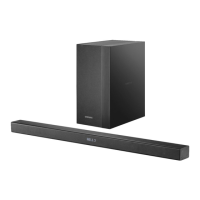
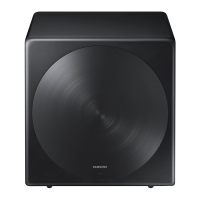
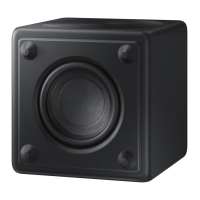
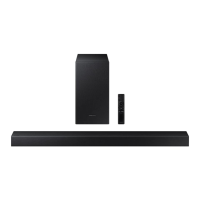
Samsung HW-A40M - User Manual

Samsung HW-A40M
41 pages
Print Icon
To Next Page IconTo Next Page
Loading...
HW-A40M
FULL MANUAL
Imagine the possibilities
Thank you for purchasing this Samsung product.
To receive more complete service, please register
your product at www.samsung.com/register
Question and Answer IconNeed help?

Do you have a question about the Samsung HW-A40M and is the answer not in the manual?

Summary

SAFETY INFORMATION

Safety Warnings and Precautions

Safety warnings, general precautions, and chemical exposure notices.

PRECAUTIONS

General Operating Precautions

Guidelines on product placement, power, heat, moisture, and battery handling.

PRODUCT OVERVIEW

CONNECTING THE SOUNDBAR

Connecting Electrical Power

Instructions for connecting the soundbar and subwoofer to a power source.

Automatic Subwoofer Connection

How the subwoofer automatically connects to the soundbar and LED indicators.

Manual Subwoofer Connection

Procedure for manually connecting the subwoofer if automatic connection fails.

CONNECTING TO YOUR TV

Wired TV Connection (Optical Cable)

How to connect the soundbar to a TV using an optical cable for audio.

Wireless TV Connection (Bluetooth)

Instructions for connecting the soundbar to a TV wirelessly via Bluetooth.

CONNECTING AN EXTERNAL DEVICE

CONNECTING A USB STORAGE DEVICE

CONNECTING A MOBILE DEVICE

Connecting Mobile Devices via Bluetooth

Instructions for pairing and connecting mobile phones or tablets via Bluetooth.

USING THE REMOTE CONTROL

Remote Control Button Functions

Overview of each button on the remote control and its primary function.

INSTALLING THE WALL MOUNT

SOUNDBAR PLACEMENT ON TV STAND

SOFTWARE UPDATE

Software Update Procedure

Detailed steps to update the soundbar's firmware using a USB drive.

TROUBLESHOOTING

Soundbar Power and Audio Issues

Solutions for soundbar not turning on, erratic behavior, or no sound output.

Remote Control and Subwoofer Issues

Troubleshooting remote control problems and subwoofer audio/connectivity.

Bluetooth Connectivity Troubleshooting

Resolving issues with Bluetooth connection stability and sound dropouts.
SPECIFICATIONS AND GUIDE

Summary

SAFETY INFORMATION

Safety Warnings and Precautions

Safety warnings, general precautions, and chemical exposure notices.

PRECAUTIONS

General Operating Precautions

Guidelines on product placement, power, heat, moisture, and battery handling.

PRODUCT OVERVIEW

CONNECTING THE SOUNDBAR

Connecting Electrical Power

Instructions for connecting the soundbar and subwoofer to a power source.

Automatic Subwoofer Connection

How the subwoofer automatically connects to the soundbar and LED indicators.

Manual Subwoofer Connection

Procedure for manually connecting the subwoofer if automatic connection fails.

CONNECTING TO YOUR TV

Wired TV Connection (Optical Cable)

How to connect the soundbar to a TV using an optical cable for audio.

Wireless TV Connection (Bluetooth)

Instructions for connecting the soundbar to a TV wirelessly via Bluetooth.

CONNECTING AN EXTERNAL DEVICE

CONNECTING A USB STORAGE DEVICE

CONNECTING A MOBILE DEVICE

Connecting Mobile Devices via Bluetooth

Instructions for pairing and connecting mobile phones or tablets via Bluetooth.

USING THE REMOTE CONTROL

Remote Control Button Functions

Overview of each button on the remote control and its primary function.

INSTALLING THE WALL MOUNT

SOUNDBAR PLACEMENT ON TV STAND

SOFTWARE UPDATE

Software Update Procedure

Detailed steps to update the soundbar's firmware using a USB drive.

TROUBLESHOOTING

Soundbar Power and Audio Issues

Solutions for soundbar not turning on, erratic behavior, or no sound output.

Remote Control and Subwoofer Issues

Troubleshooting remote control problems and subwoofer audio/connectivity.

Bluetooth Connectivity Troubleshooting

Resolving issues with Bluetooth connection stability and sound dropouts.

SPECIFICATIONS AND GUIDE

Samsung HW-A40M Specifications

General IconGeneral
BrandSamsung
ModelHW-A40M
CategorySubwoofer
LanguageEnglish

Related product manuals