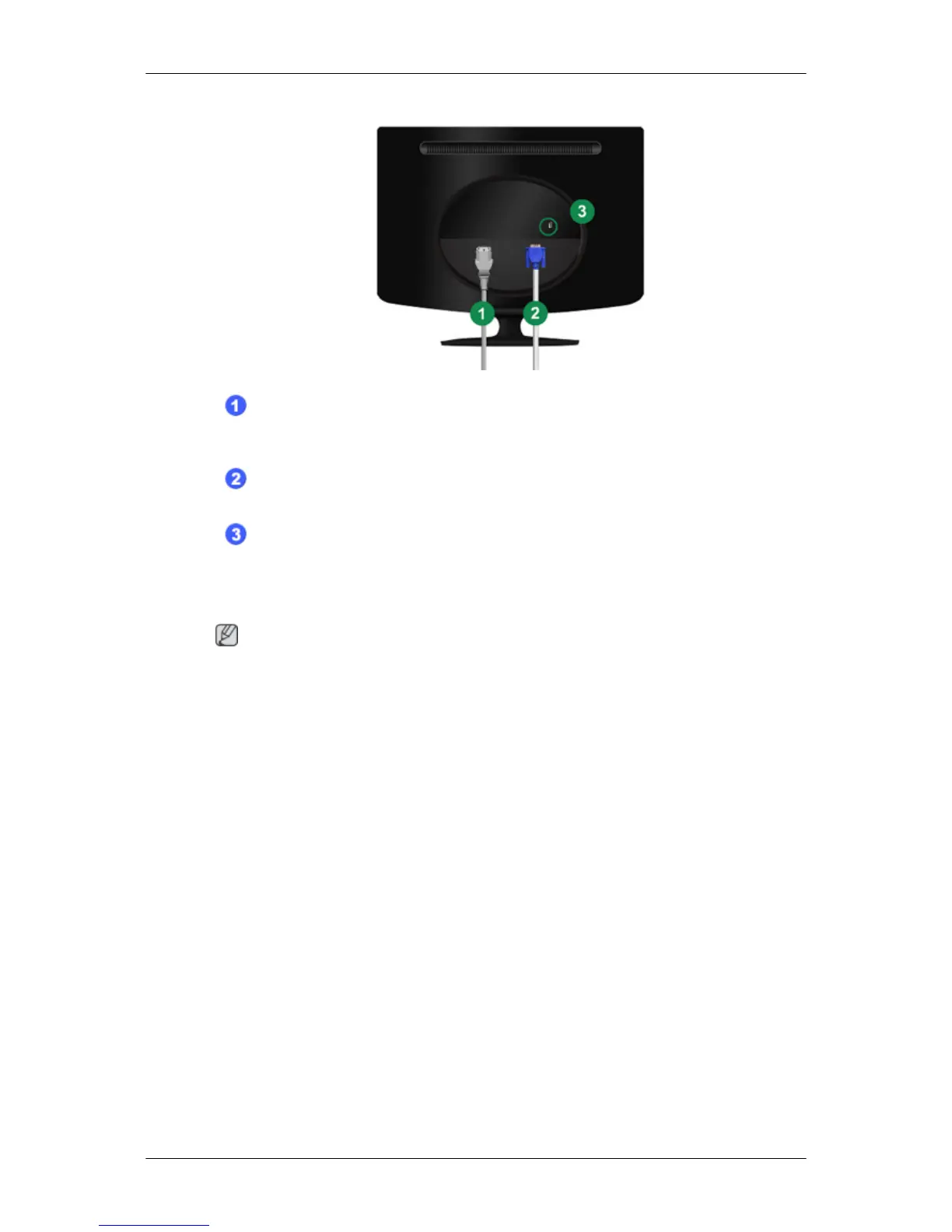
POWER port
Connect the power cord for your monitor to the POWER port on the back of the
monitor.
RGB IN port
Connect the D-sub cable to the 15-pin, RGB IN port on the back of your monitor.
Kensington Lock
The Kensington lock is a device used to physically fix the system when using it in a
public place. (The locking device has to be purchased separately.) For using a locking
device, contact where you purchase it.
Note
See Connecting Cables for further information regarding cable connections.
Introduction
11









 To Next Page