Cables
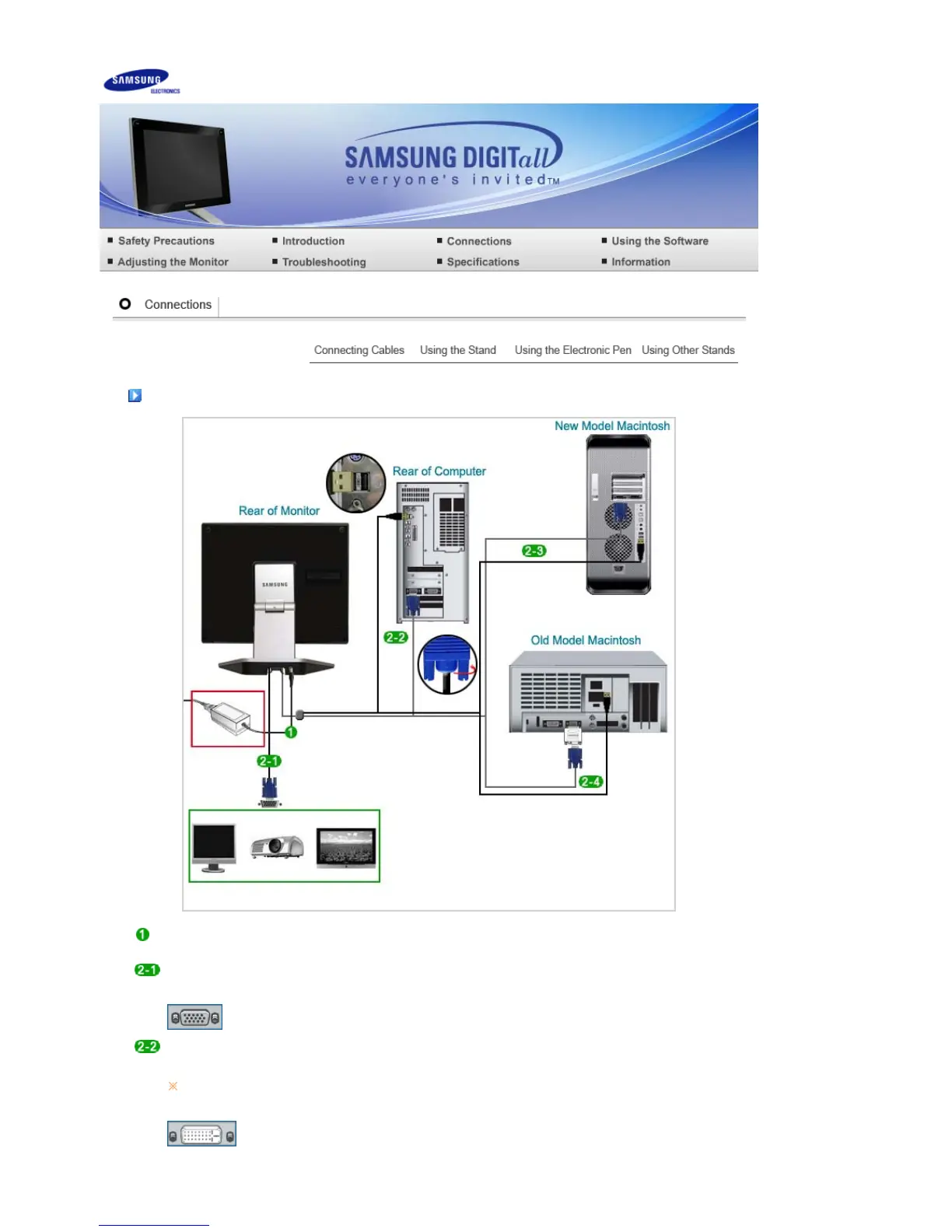
Connect the power cord to the DC power supply and to the 220V or 110V wall outlet.
(The voltage is automatically selected by the power supply.)
To use the D-Sub (analog) output through another device (monitor, TV, projector, etc.)
- Connect the RGB OUT port of the monitor and the D-Sub port of another device using the D-Sub
cable.
[RGB OUT]
When the graphics card supports D-Sub (analog) output
- Connect the RGB IN + USB port of the monitor and the D-Sub port and USB port of the computer
using the Tableau Signal Cable.
[RGB IN + USB]
If the USB port of the computer is not connected, even though the picture is displayed on the screen,
the position of the electronic pen is not recognized.












 To Next Page