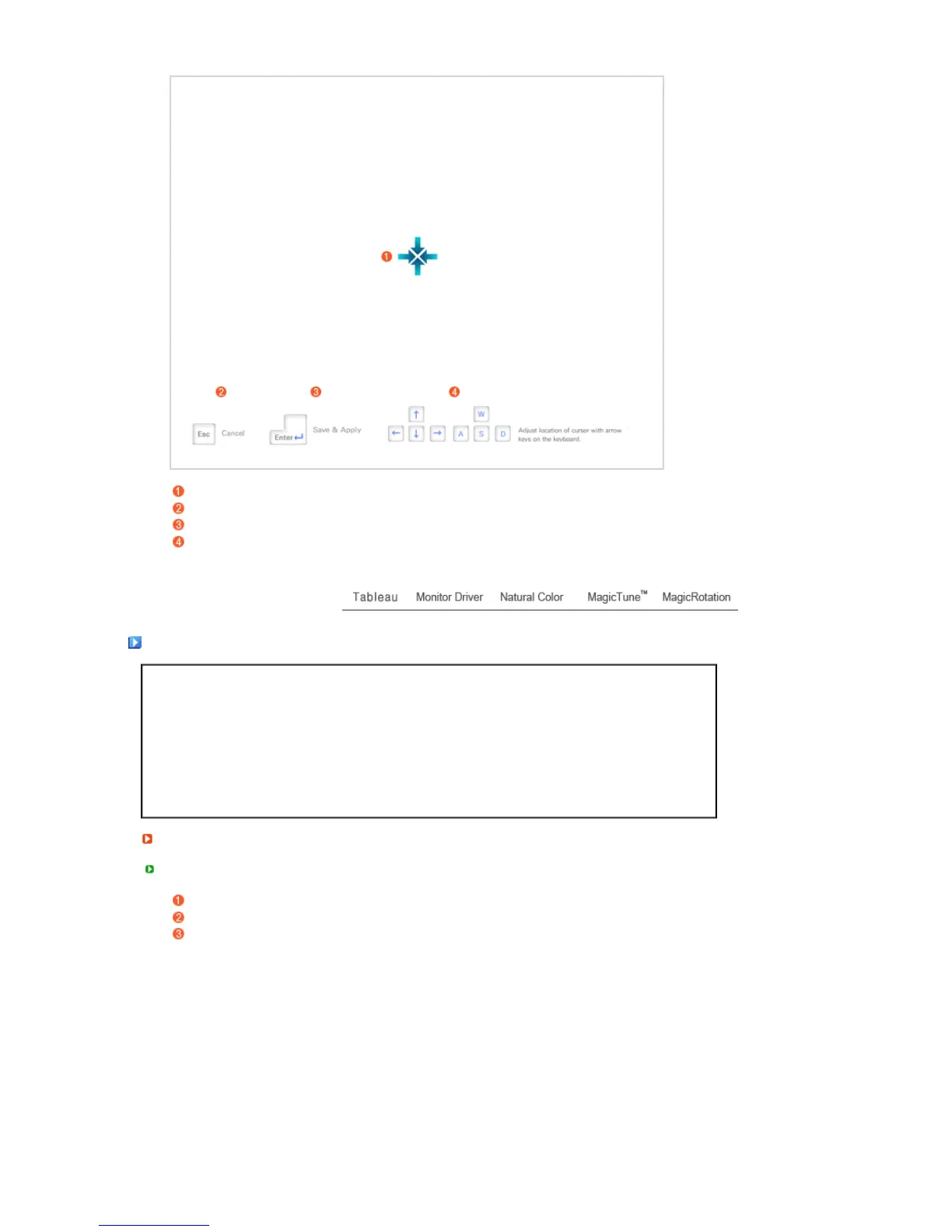
When locating the pen tip at the center, you can adjust the mouse pointer position more easily.
Press the 'ESC' key on the keyboard to cancel the settings and close the window.
Press the 'Enter' key on the keyboard to save the settings and close the window.
You can adjust the position by using the direction keys on the keyboard.
Monitor Drive
When prompted by the operating system for the monitor driver, insert the CD-ROM included with this
monitor. Driver installation is slightly different from one operating system to another. Follow the
directions appropriate for the operating system you have.
Prepare a blank disk and download the driver program file at the Internet web site shown here.
Internet web site :http://www.samsung.com/ (Worldwide)
http://www.samsung.com/monitor (U.S.A)
http://www.sec.co.kr/monitor (Korea)
http://www.samsungmonitor.com.cn/ (China)
Installin
Windows ME
Insert CD into the CD-ROM drive.
Click "Windows ME Driver".
Choose your monitor model in the model list, then click the "OK" button.












 To Next Page