On-Screen Display
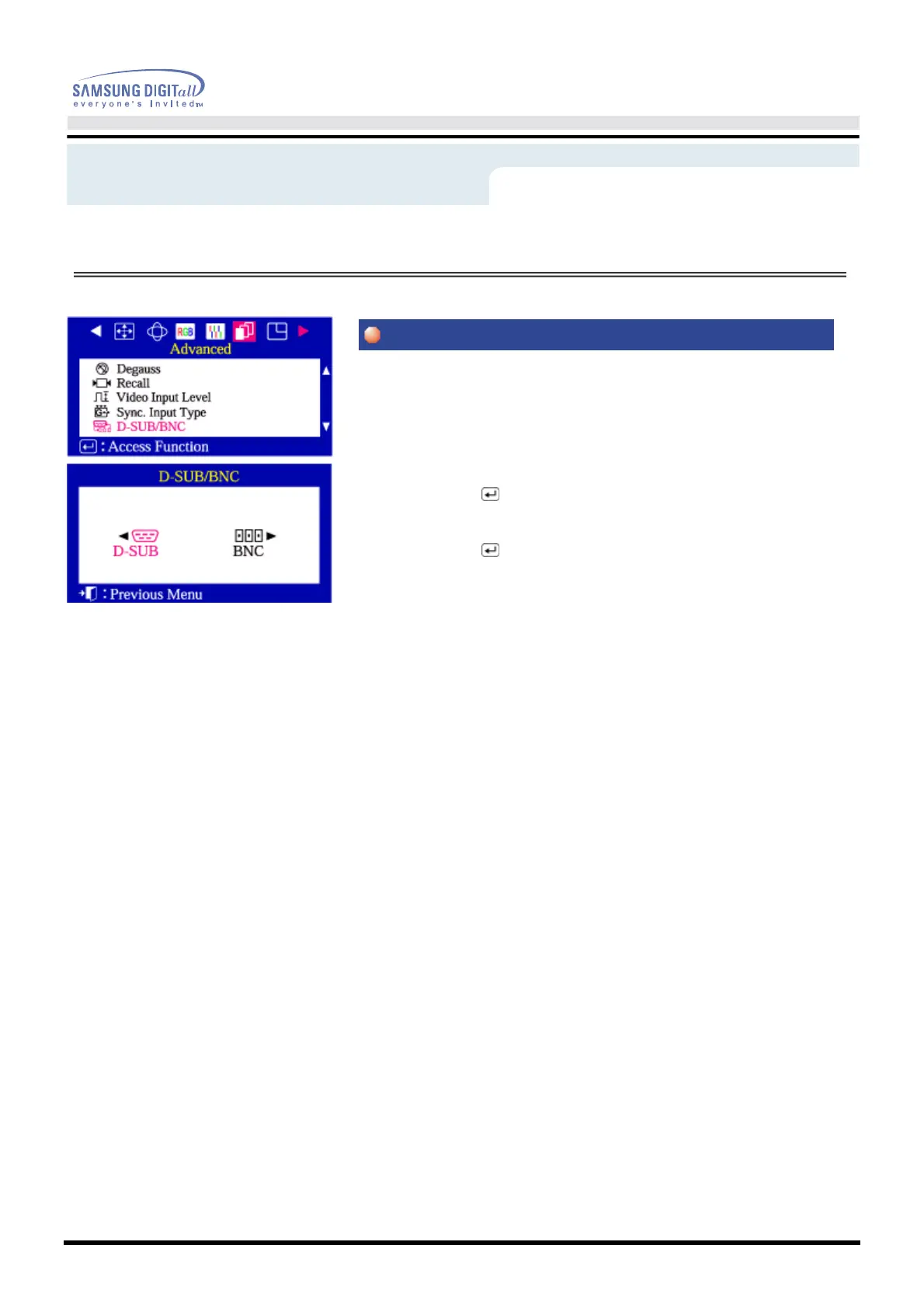
Use this menu to choose between the signal source connected to the BNC
connector input and the signal source connected to the D-SUB connector input.
Note: When you are finished, wait for a few seconds and the screen will blank
then display the image from the new signal source(other computer).
A cable must be connected to both inputs to use this function.
1 Push the Menu ( ) button.
2 Push the
◀
button or
▶
button until the Advanced screen is displayed.
Push the
▲
button or
▼
button to select D-SUB/BNC.
3 Push the Menu ( ) button to open the D-SUB/BNC selection screen.
4 Use the
◀
button or
▶
button to select D-SUB or BNC.
Menu
How to adjust









 To Next Page