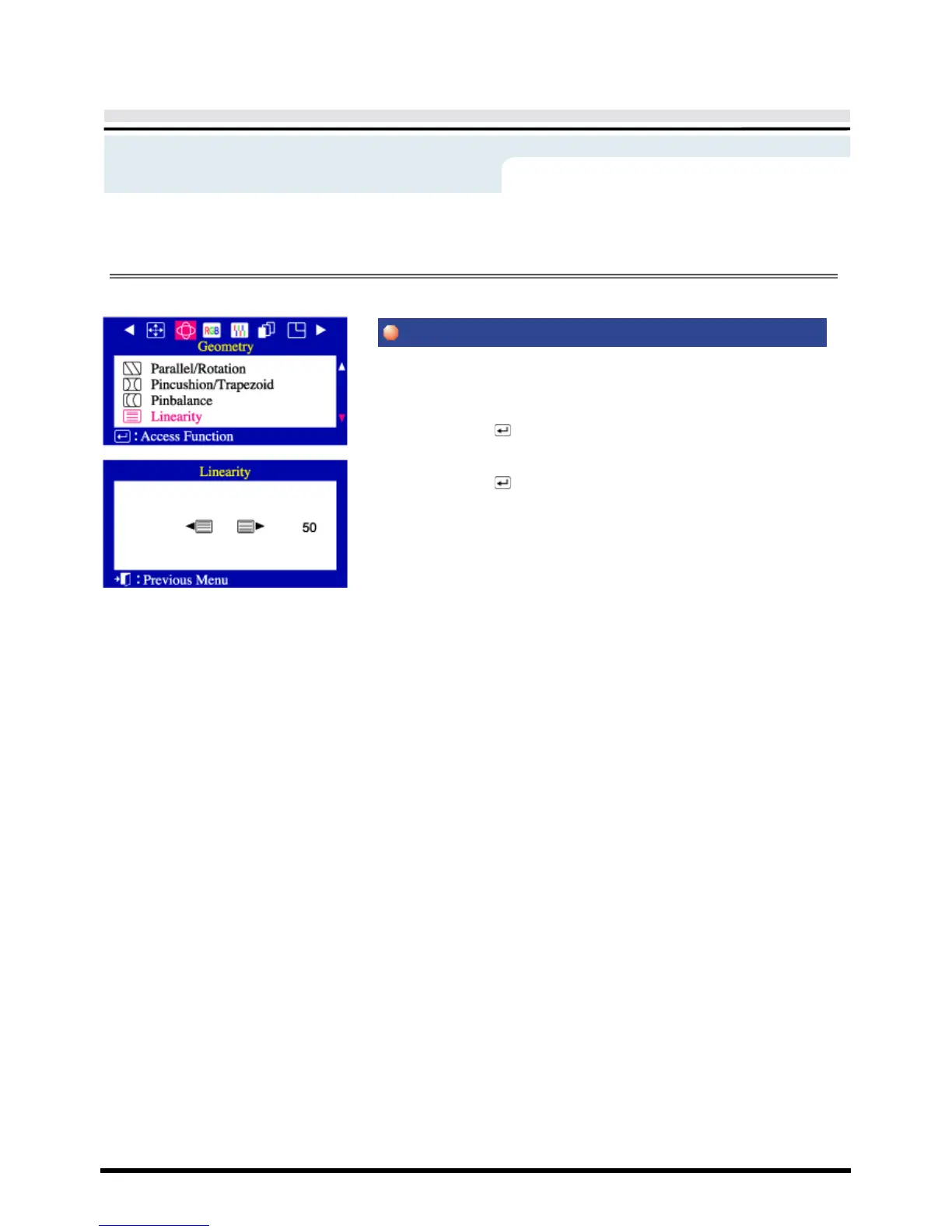
On-Screen Display
Adjust the linearity setting when the display image is compressed at the
left,right or top,bottom.
1 Push the Menu ( ) button.
2 Push the
◀
button or
▶
button until the Geometry screen is displayed.
Push the
▲
button or
▼ button to select Linearity.
3 Push the Menu ( ) button to open the Linearity adjustment screen.
4 Use the
◀
button or
▶
button to adjust the vertical Linearity.
Menu
How to adjust



 To Next Page