On-Screen Display
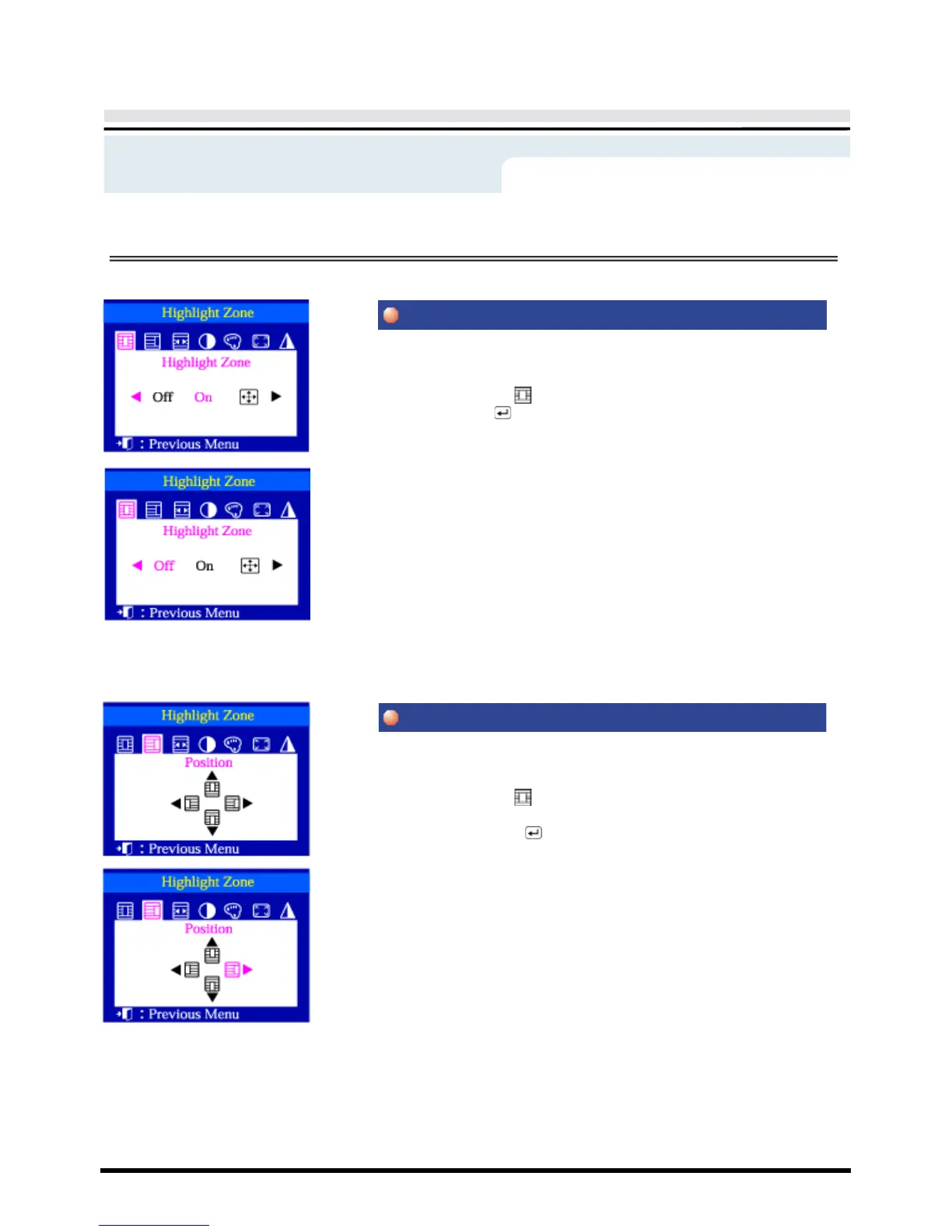
This function is to execute or cancel the Highlight Zone.
1 Push the Highlight ( ) button.
2 Push the Menu ( ) button.
3 Push the
◀
button or
▶
button to cancel, execute or enlarge the entire
screen.
This function is to move the Highlight Zone horizontally or vertically.
1 Push the Highlight ( ) button.
2 Push the
◀
button or
▶
button to select the Screen Position Adjustment and
then push the Menu ( ) button.
3 Push the
◀
button or
▶
button to move the position of the Highlight Zone
horizontally and use the push the
▲
button or
▼
button to move it
vertically.
Menu
How to adjust









 To Next Page