for long periods.
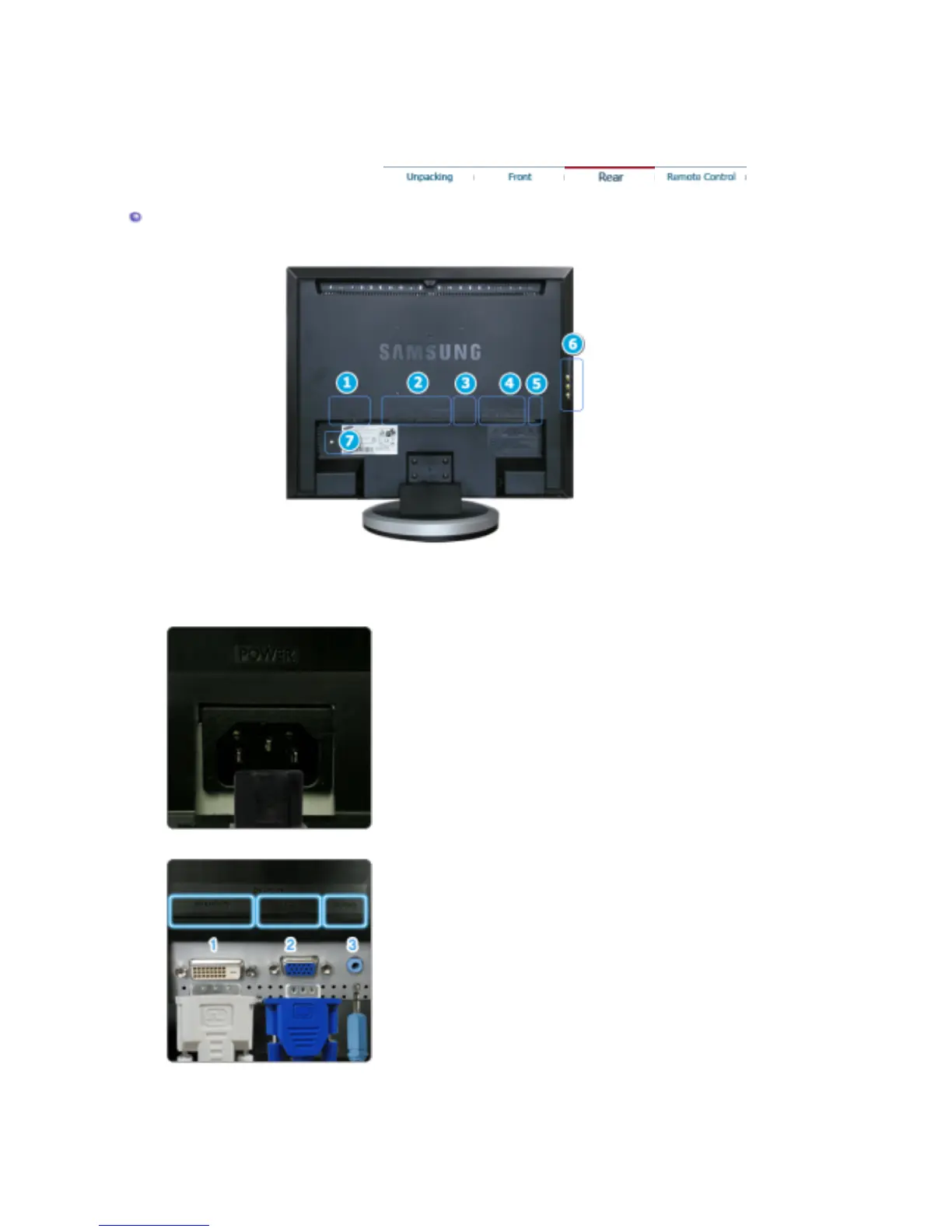
Rear
(The configuration at the back of the monitor may vary from product to product.)
1. POWER
Power terminal
Connect the power cord for your monitor to the POWER on
the back of the monitor.
This product may be used with 100 ~ 240VAC(+/- 10%).
2. DVI/PC IN
DVI/PC IN
1.
DVI(HDCP)
: Connect the DVI cable to the DVI(HDCP) port on the
back of your monitor.
2.
RGB
: Connect the signal cable to the RGB port on the back
of your monitor.
3.
AUDIO
: PC sound terminal (input)
3. EXT(RGB)
External device terminal








 To Next Page