uter
1.
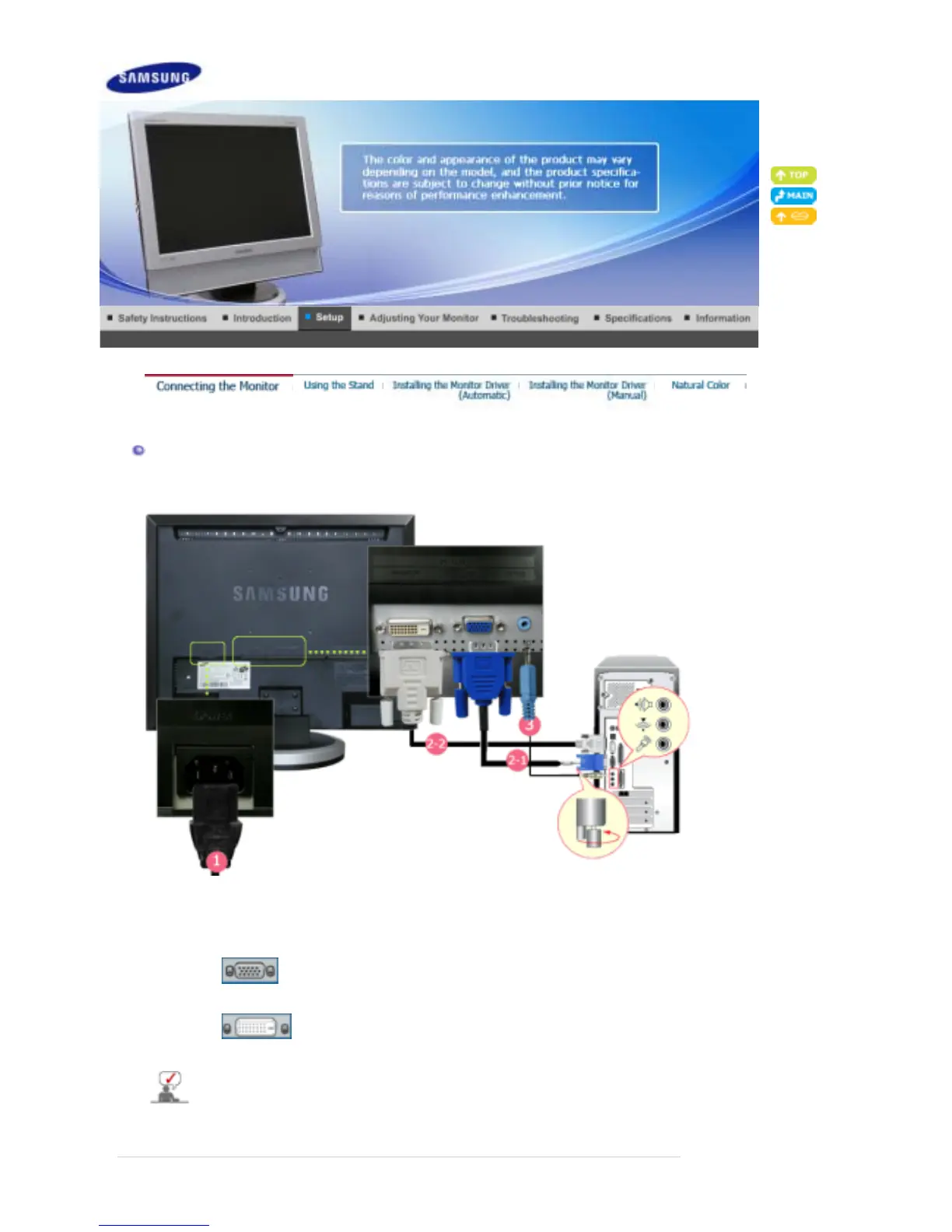
Connect the power cord for your monitor to the POWER on the back of the monitor.
Plug the power cord for the monitor into a nearby outlet.
2.
Use a connection appropriate for your computer.
2-1.
Using the D-sub (Analog) connector on the video card.
Connect the signal cable to the
RGB
port on the back of your monitor.
2-2.
Using the DVI (Digital) connector on the video card.
Connect the DVI cable to the
DVI(HDCP)
port on the back of your monitor.
3.
Connect the
(DVI/PC IN) AUDIO
port on the rear side of the monitor to the sound card of the PC.
Turn on both your computer and the monitor.








 To Next Page