General | BNC Connectors (Option)
General
1.
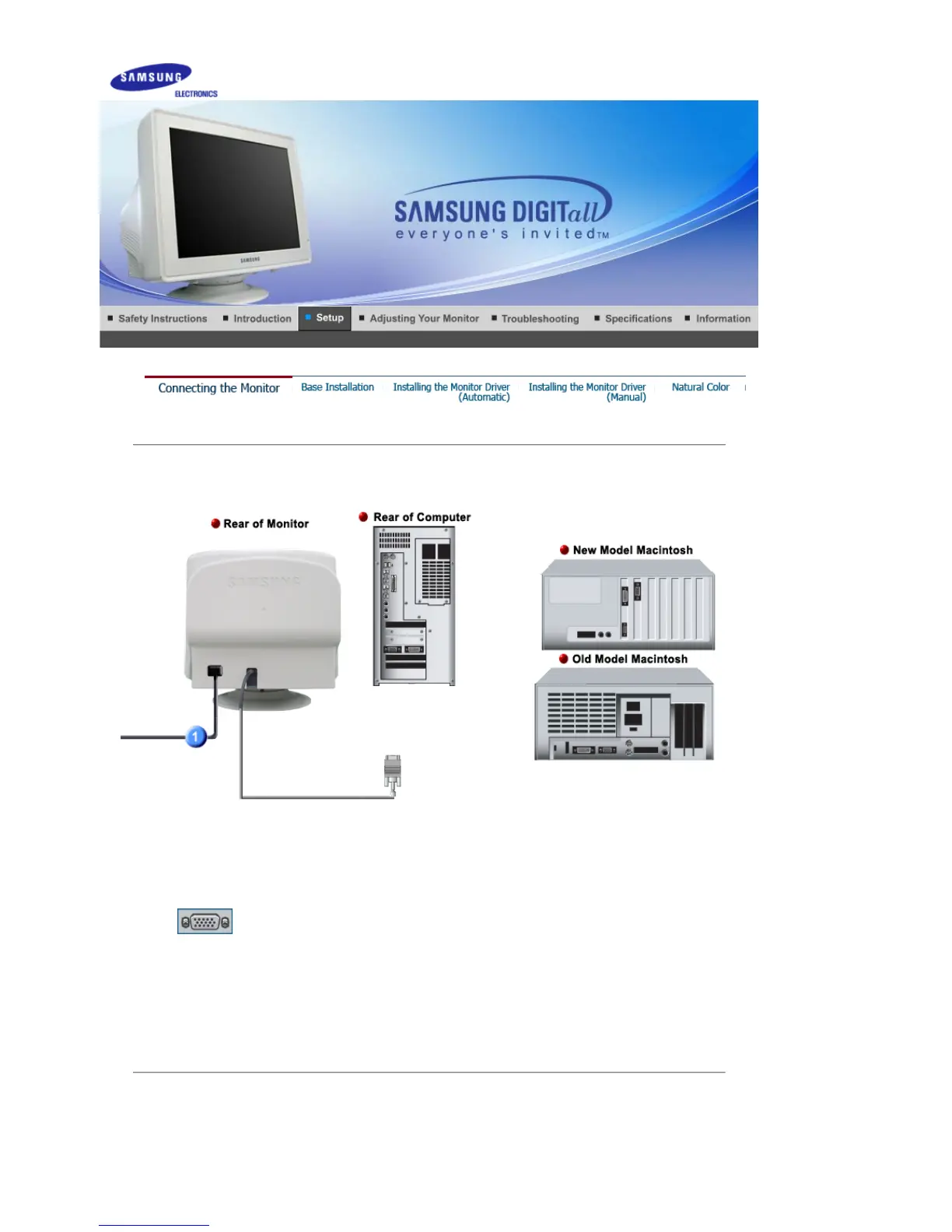
Connect the power cord for your monitor to the power port on the back of the monitor.
Plug the power cord for the monitor into a nearby outlet.
2-1.
Connecting to a computer
Connect the signal cable to the 15-pin, D-sub connector on the back of your monitor.
2-2.
Connecting to a new Macintosh
Connect the monitor to the Macintosh computer using the D-Sub connection cable.
2-3.
Connecting to an old Macintosh
Connect your monitor to the Macintosh using the adapter for Macintosh (sold separately).
3.
Turn on your computer and monitor. If your monitor displays an image, installation is
complete.
BNC Connectors (Option)











 To Next Page