3-3 Using the Product
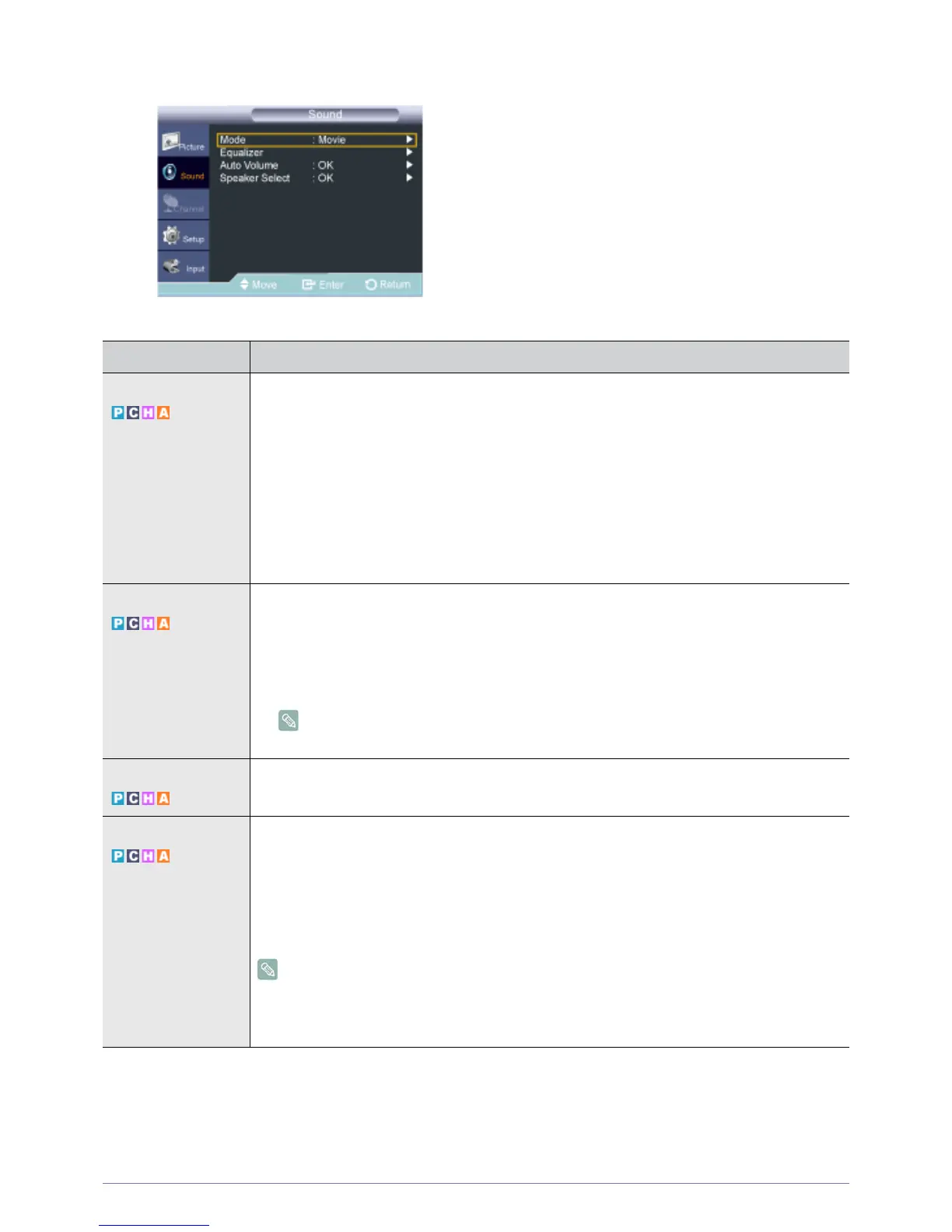
Sound
MENU DESCRIPTION
Mode • <Standard>
Choose Standard for the standard factory settings.
• <Music>
Choose Music when watching music videos or concerts.
•<Movie>
Choose Movie when viewing movies.
• <Clear Voice >
Emphasizes voice over other sounds.
• <Custom >
Choose Custom if you want to adjust the settings according to personal preference .
Equalizer You can adjust the left and right sound balance and equalizer settings as required.
• <Balance L/R> - You can adjust the left and right sound balance and equalizer settings as
required.
• <100Hz> - <300Hz> - <1KHz> - <3KHz> - <10KHz>
• To adjust the level of different bandwidth frequencies.
If you make any changes to the <Equalizer> settings, the sound mode is automatically
switched to the <Custom> mode.
Auto Volume Reduces the differences in volume level among channels.
• <Off> - <On>
Speaker Select When you watch product with it connecting to a Home theater, turn the product speakers off so you
can listen to sound from the Home theater’s (external) speakers.
• <External Speaker>
Used to listen to the sound of the External (Home Theater) Speakers.
•<TV Speaker>
Used to listen to the sound of the product Speakers.
• If you select <External Speaker> in the <Speaker Select> menu, the sound settings will be
limited.
• The volume and [MUTE] buttons do not operate when the <Speaker Select> is set to
<External Speaker>. Please set the volume on your Home theater.



 To Next Page