Using the Product 3-3
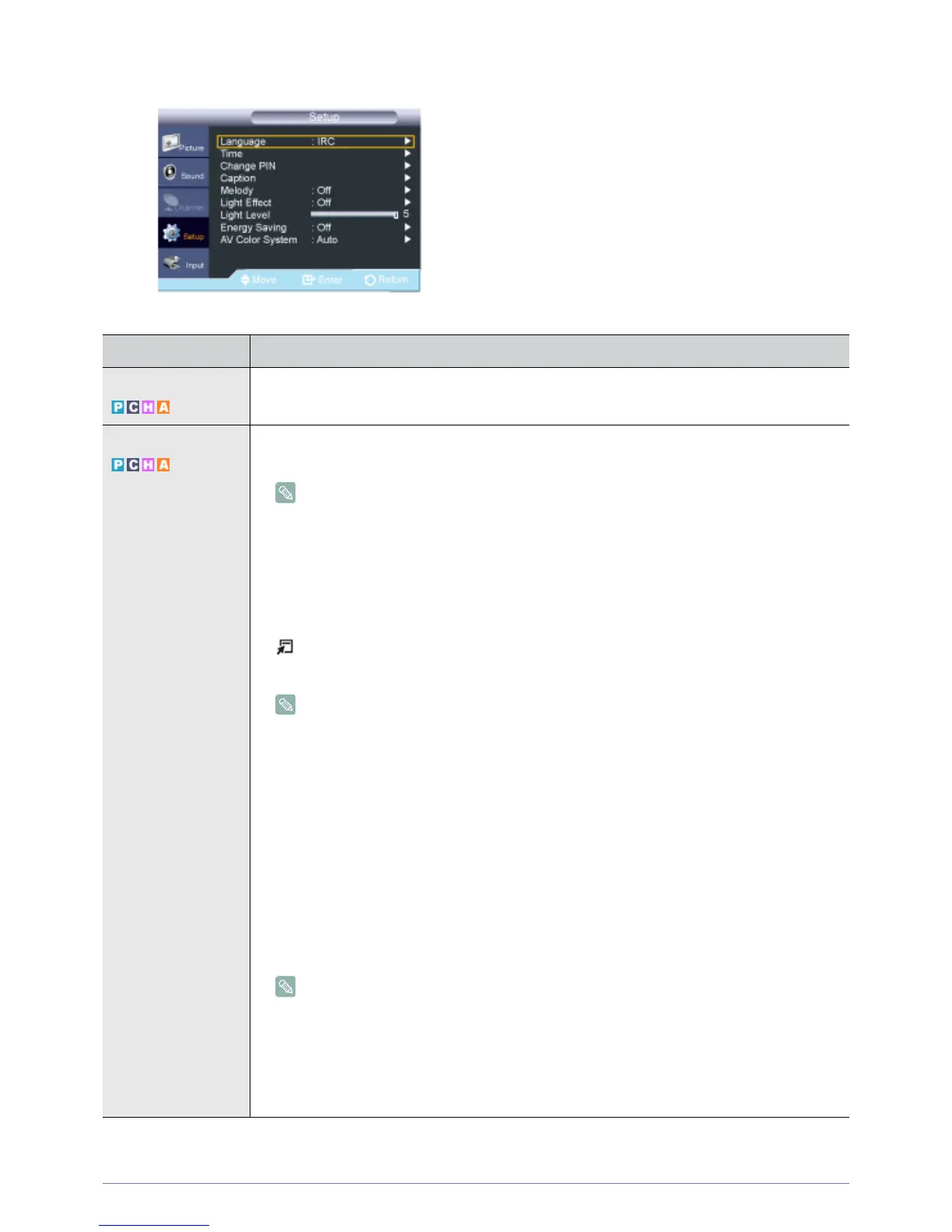
Setup
MENU DESCRIPTION
Language You can set the menu language.
The language chosen affects only the language of the OSD.
Time • <Clock Set>
Setting the clock is necessary in order to use the various timer features of the product.
The current time will appear every time you press the [INFO] button.
If you disconnect the power cord, you have to set the clock again.
You can set the month, day, year, hour and minute directly by pressing the number buttons
on the remote control.
• <Sleep Timer>
The sleep timer automatically shuts off the product after a preset time .
• <Off> - <30 min.> - <60 min.> - <90 min.> - <120 min.> - <150 min.> - <180 min.>
Press the [TOOLS] button to display the Tools menu. You can also set the sleep timer by
selecting <Tools>→<Sleep Timer>.
To cancel the <Sleep Timer> function, select <Off>.
• <Timer1> / <Timer2> / <Timer3>
Three different on / off timer settings can be made. You must set the clock first.
• <On Time>
Set the <hour>, <minute>, <am/pm>, and <activate/inactivate>.
(To activate the timer with the setting you’ve chosen, set to Activate.)
• <Off Time>
Set the <hour>, <minute>, <am/pm>, and <activate/inactivate>.
(To activate the timer with the setting you’ve chosen, set to Activate.)
• <Repeat>
Select Once, Everyday, Mon~Fri, Mon~Sat or Sat~Sun.
•<Volume>
Set the desired volume level.
• You can set the <hour>, <minute> and channel by pressing the number buttons on the
remote control.
• Auto Power Off
When you set the timer On, the television will eventually turn off if no controls are
operated for 3 hours after the product was turned on by the timer. This function is only
available in timer On mode and prevents overheating, which may occur if a product is on
for too long time.





 To Next Page