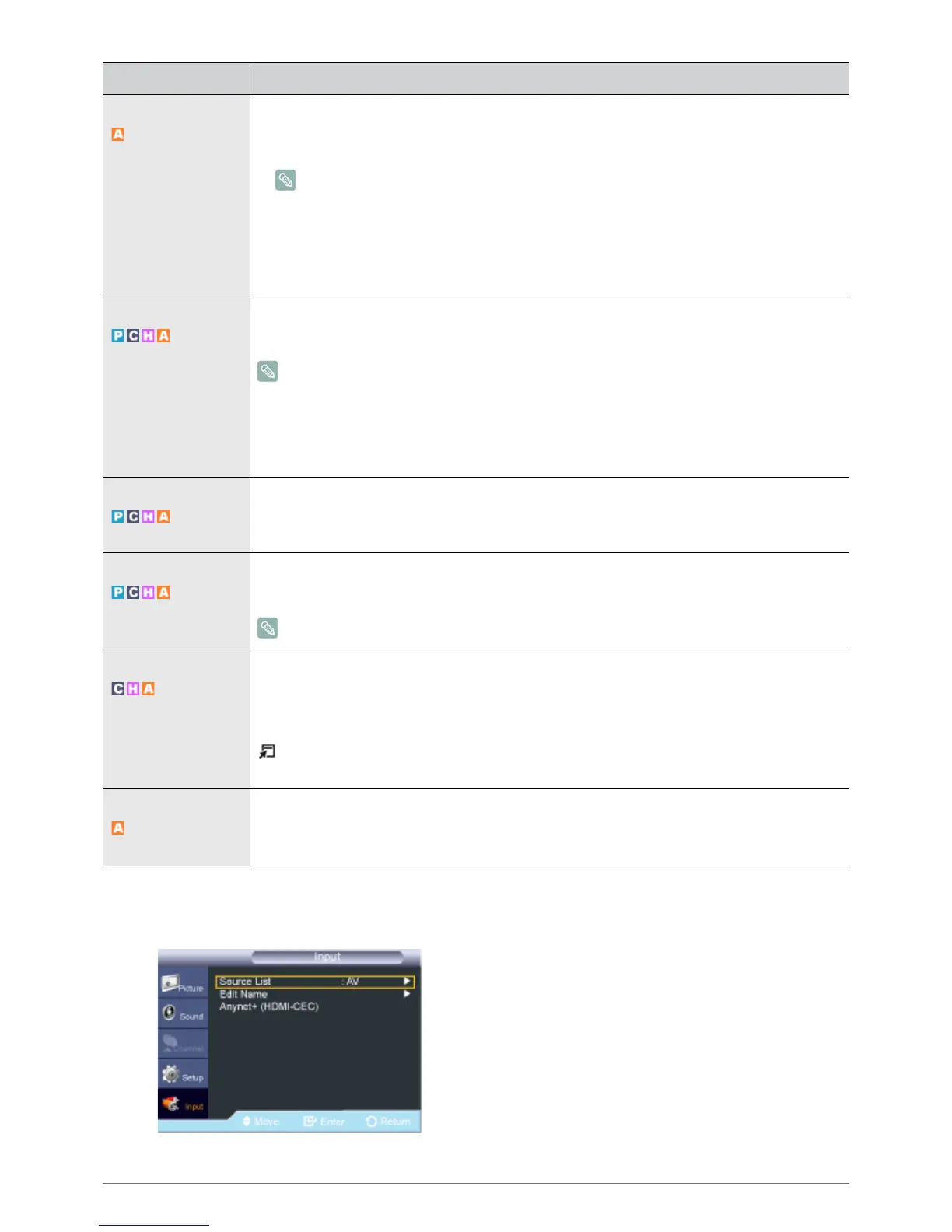
3-3 Using the Product
Input
Caption • <Caption> / <Text>
The Caption function operates when you have an analog external component (such as a VCR)
connected.
• The Caption feature doesn’t work in <Component>, <PC>, or <HDMI> modes.
• Depending on the particular broadcast, it might be necessary to alter the settings to
<Channel> and <Field>.
• Different channels and fields display different information: Field 2 carries additional
information that supplements the information in Field 1. (For example, Channel 1 may
have subtitles in English, while Channel 2 has subtitles in Spanish)
Melody A melody sound can be set to come on when the monitor is powered On or Off.
• <Off> - <Low> - <Medium> - <High>
The <Melody> does not play
• When no sound is output from the product because the [MUTE] button has been pressed.
• When no sound is output from the product because the volume has been reduced to
minimum with the volume [-] button
• When the product is turned off by <Sleep Timer> function
Light Effect You can turn the LED on/off on the front of monitor. You can turn it off to save power.
• <Off> : Activates the <Light Effect> (LED) only when a button is pressed.
• <On> : Activates the <Light Effect> (LED) only while watching the product.
Light Level Use to adjust the light level i.e., the brightness of the light.
• <1> ~ <10>
The higher the number, the brighter the light of the LED emits.
Energy Saving This feature adjusts the brightness of the TV in order to reduce power consumption. When watching
product at night, set the <Energy Saving> mode option to <High> to reduce eye fatigue as well as
power consumption.
• <Off> - <Low> - <Medium> - <High> - <Auto>
Press the [TOOLS] button to display the Tools menu. You can also set the <Energy Saving> by
selecting <Tools>→<Energy Saving>.
AV Color System Normally the product can receive image and sound with good quality when in the mode <Auto>.
This mode detects the signal color system automatically.
• <Auto> - <PAL-M> - <PAL-N> - <NTSC>
MENU DESCRIPTION




 To Next Page