EasyManua.ls Logo

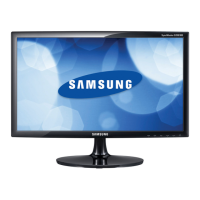
Samsung SyncMaster S24B150BL - User Manual

Samsung SyncMaster S24B150BL
83 pages
Print Icon
To Next Page IconTo Next Page
Loading...
User manual
SyncMaster
S19B150B
S24B150BL
The color and the appearance may differ depending on
the product, and the specifications are subject to
change without prior notice to improve the performance.
BN46-00192E-01

Table of Contents

Questions and Answers

  • S
    Sandy Lambert MDAug 13, 2025
    What to do if my Samsung SyncMaster S24B150BL displays "Not Optimum Mode"?
    • B
      bowenjonathanAug 13, 2025
      This message appears if the signal from the graphics card exceeds the maximum resolution or frequency for the product. Change the maximum resolution and frequency to suit the product performance, referring to Standard Signal Mode Table.
  • X
    xgarzaAug 17, 2025
    What to do if the images on my Samsung SyncMaster S24B150BL Monitor look distorted?
    • H
      hutchinsonkimberlyAug 17, 2025
      Check the cable connection to the product.
  • M
    Mary ThomasAug 21, 2025
    What to do if my Samsung Monitor screen is not clear or blurry?
    • R
      Randy RodriguezAug 21, 2025
      If your Samsung Monitor screen is not clear or appears blurry: * Adjust Coarse and Fine settings. * Remove any accessories (video extension cable, etc.) and try again. * Set the resolution and frequency to the recommended level.
  • J
    James TylerAug 25, 2025
    How to fix unstable and shaky screen on Samsung SyncMaster S24B150BL Monitor?
    • A
      Amy BrownAug 25, 2025
      Check that the resolution and frequency for the PC are within the range of resolution and frequency compatible with the product. Next, if required, change the settings, referring to Standard Signal Mode Table and the INFORMATION menu on the product.
  • K
    Kyle DiazAug 28, 2025
    How to fix inconsistent screen color on Samsung SyncMaster S24B150BL Monitor?
    • S
      Sally RichardsonAug 28, 2025
      If the screen color is inconsistent on your Samsung Monitor, change the COLOR settings.
  • J
    James SchultzAug 31, 2025
    Why is there no image on my Samsung SyncMaster S24B150BL, and the power LED blinks?
    • H
      Hailey GonzalezSep 1, 2025
      If there is no image on the screen and the power LED blinks, the product is operating in power-saving mode. Press any key on the keyboard or move the mouse to return to normal operating mode.
  • M
    Ms. Joann Clark MDSep 4, 2025
    What to do if white does not really look white on Samsung SyncMaster S24B150BL Monitor?
    • A
      Ann MercadoSep 4, 2025
      If white does not really look white on your Samsung Monitor, change the COLOR settings.
  • N
    nicole80Sep 8, 2025
    What to do if a beeping sound is heard when my PC is booting with Samsung Monitor?
    • E
      Emily OconnorSep 8, 2025
      If a beeping sound is heard when your PC is booting, have your PC serviced.

Samsung SyncMaster S24B150BL Specifications

General IconGeneral
Screen Size24 inches
Resolution1920 x 1080
Panel TypeTN
Brightness250 cd/m²
Contrast Ratio1000:1
Response Time5 ms
Refresh Rate60 Hz
PortsVGA, DVI
Aspect Ratio16:9
Viewing Angle170° horizontal, 160° vertical
Color Support16.7 million colors
Power Consumption (Operating)25 W
Power Consumption (Standby)0.3 W
VESA Mount CompatibilityNo
Dynamic Contrast RatioMega DCR

Related product manuals