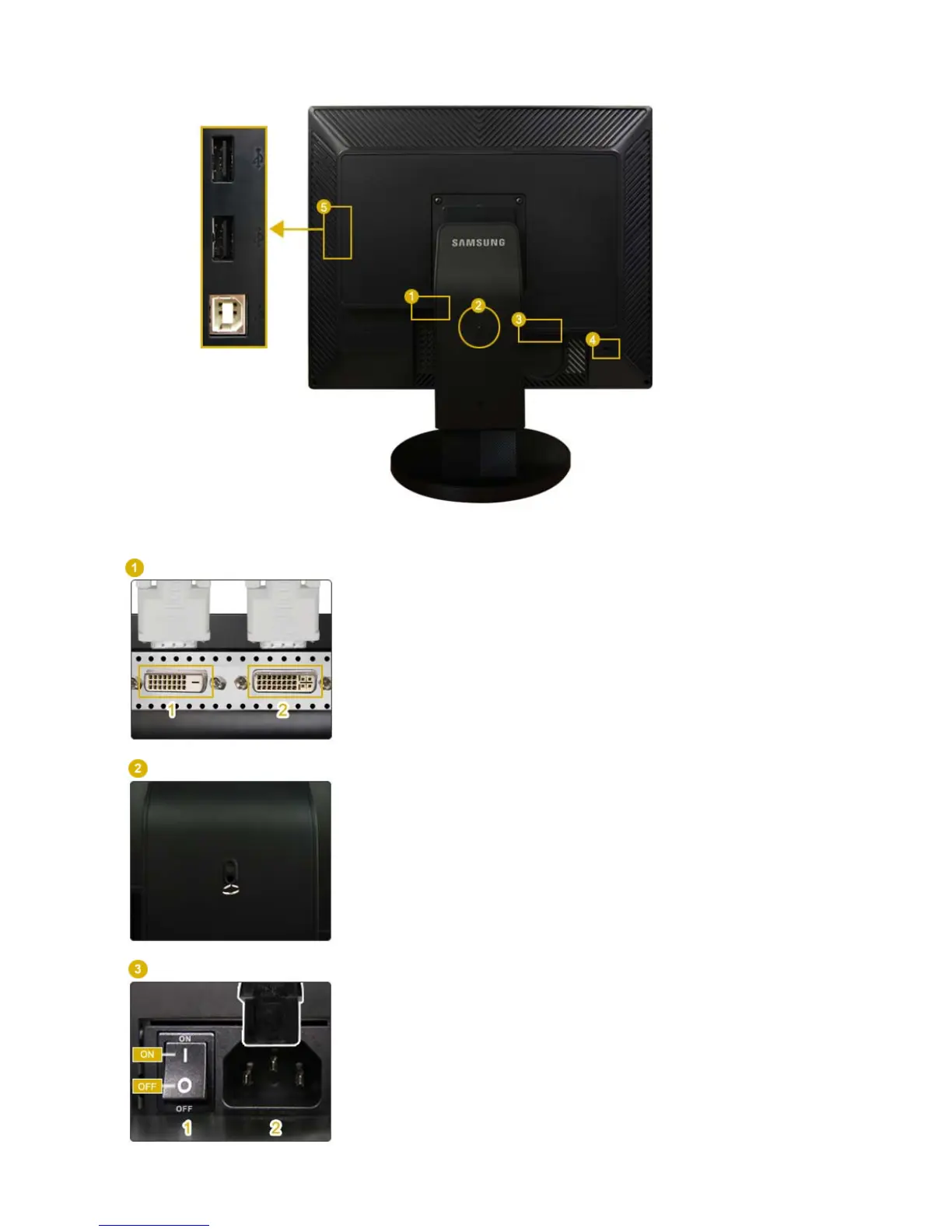
DVI
Connect the
DVI
terminal of your monitor to your computer using a
DVI cable.
1. DVI-D (digital only)
: Only digital signals can be input to this
terminal. Therefore, only connect the DVI terminal of your PC to this
terminal.
2. DVI-I (for both digital and analog)
: You can connect any one of
the DVI and RGB terminals of your PC to this terminal.
Stand Stopper
Remove the fixing pin on the stand to lift the monitor up and down.
POWER
1. POWER S/W
: Switches the monitor On/Off.
2. POWER
: Connect the power cord for your monitor to the
POWER
on the
back of the monitor.













 To Next Page