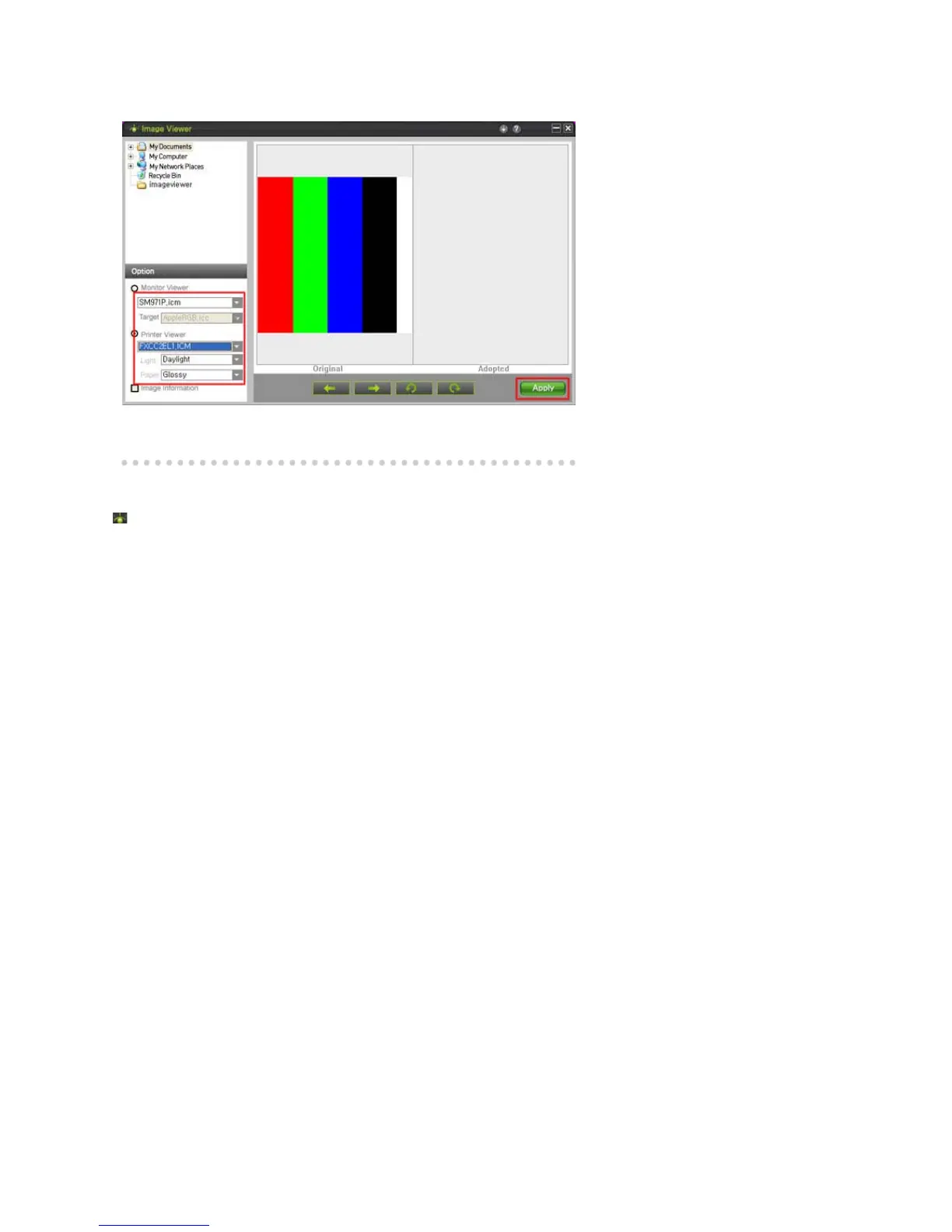
Step 04. Select a Monitor Profile and a Target Profile
Select a monitor profile and print the profile you are using.
Select the type of printing paper, the type of illumination and apply the changes.
Removing the Program
You can only remove ImageViewer by using the [Add/Remove Programs] applet.
To remove ImageViewer, follow these steps:
1. Click on the [Start] menu, and [Settings] and then the [Control Panel]. For Windows™
XP, click on the [Start] menu and then the [Control Panel].
2. Double-click the [Add/Remove Programs] icon on the [Control Panel].
3. Select ImageViewer by clicking on it on the [Add/Remove Programs] window. You may
need to scroll down to find it.
4. Click [Change/Remove].
5. Click "Yes" to start removing ImageViewer.
6. Wait until the message that the removal is finished is displayed.
7. You should restart your computer to remove the program completely.













 To Next Page