Set Up Your Device 8
Assemble Your Device
Install an optional memory card (notincluded) and
charge your device before using.
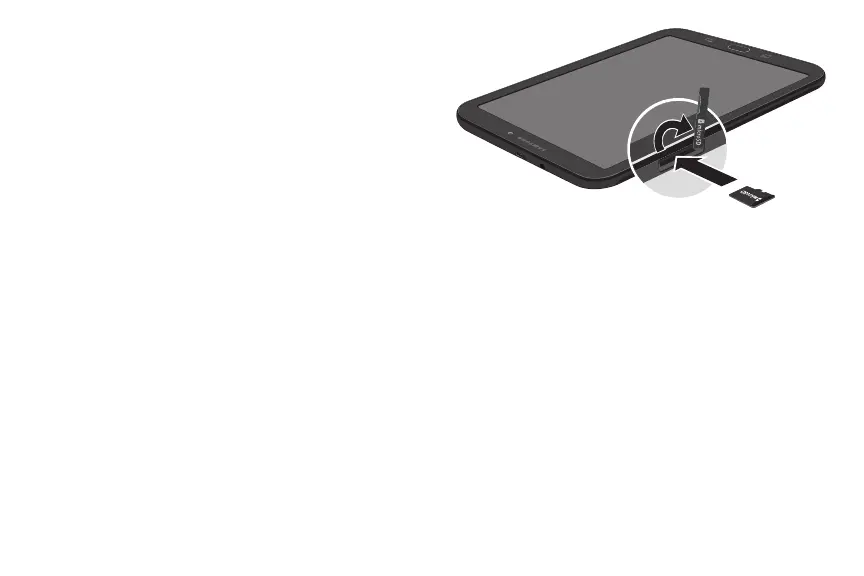
Install a Memory Card
You can install an optional microSD
™
memory
card (notincluded) to add more memory space to
yourdevice. A memory card can be installed at any
time. It is not necessary to install it prior to using the
device.
Warning: Small components such as memory cards can
pose a choking risk. Please be careful when handling
these cards to avoid damaging them.
1. With the tablet’s screen facing up, locate and open
the memory card slot cover.
2. Carefully slide the memory card into the memory
card slot (asshown), until it clicks into place.
3. Close the memory card slot cover.












 To Next Page