Overview
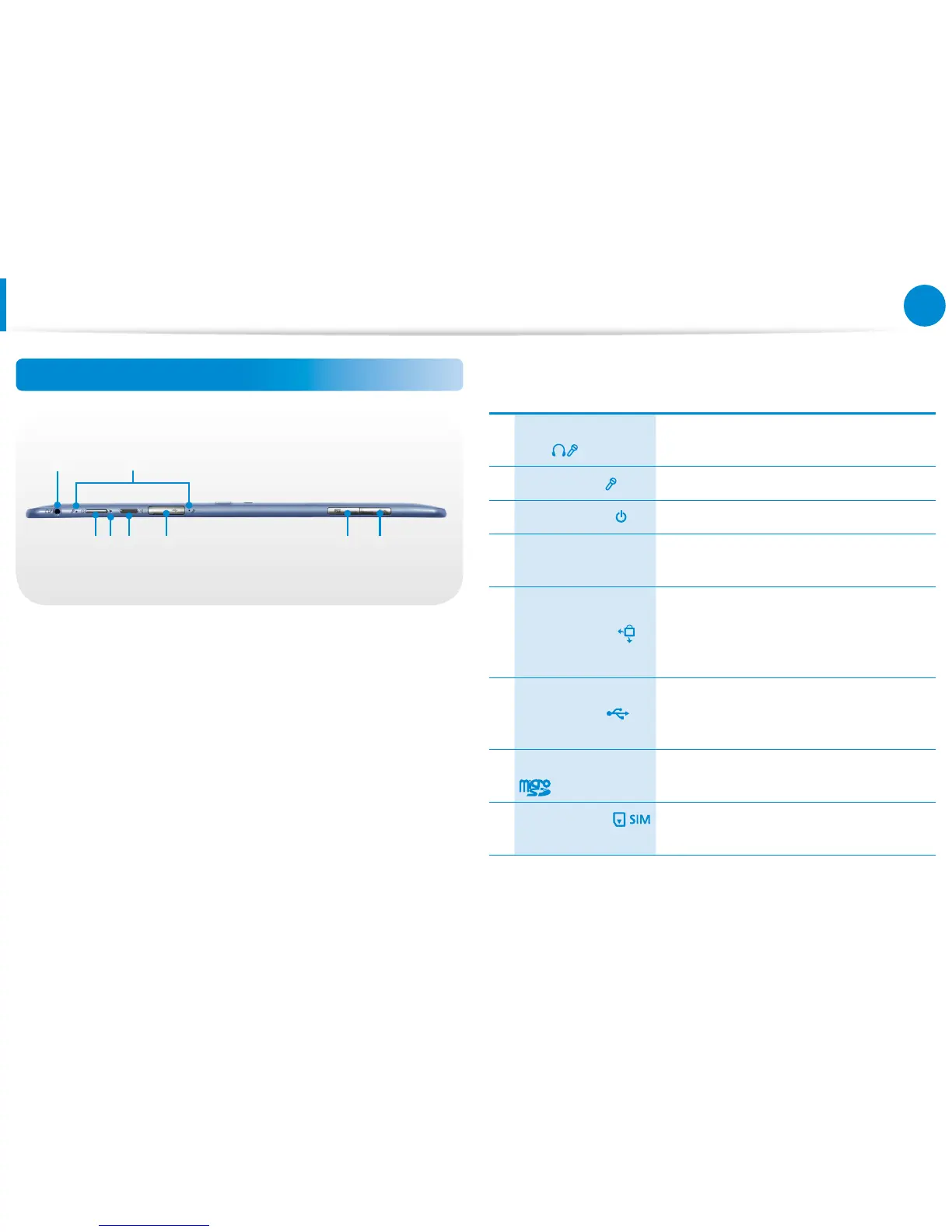
Top View
21
3 5 6 7 84
1
Ear-set / headset
Jack
This is the jack for connecting an ear-set
or headset.
2 Microphone You can use the built-in microphone.
3 Power Button Turns the computer on and o.
4 Power Button LED
When the computer is on, the power
button LED is lit.
5
Rotation Lock
Locks the screen rotation so that the
screen does not automatically rotate
according to the orientation function of
the product.
6 USB 2.0 Port
You can connect USB devices to the USB
port such as a keyboard/mouse, digital
camera, etc.
7
Micro SD Card Slot
This slot is for micro SD cards.
8
SIM Card Slot
(Optional)
This slot is for SIM cards.









 To Next Page