83
Chapter 4.
Troubleshooting
Recovering the Computer
(Optional)
Recovery process from a failed boot
If your computer fails to boot up, the recovery process allows you
to restore the computer to the default (factory) status.
The menu on the screen may dier from the program’s •
version.
If the touch function on the screen does not work, connect •
an external mouse.
The restore function of the computer may delete the data •
saved on the storage device (les and programs).
Make sure to backup all your important data. Samsung •
Electronics shall not be held liable for any loss of data.
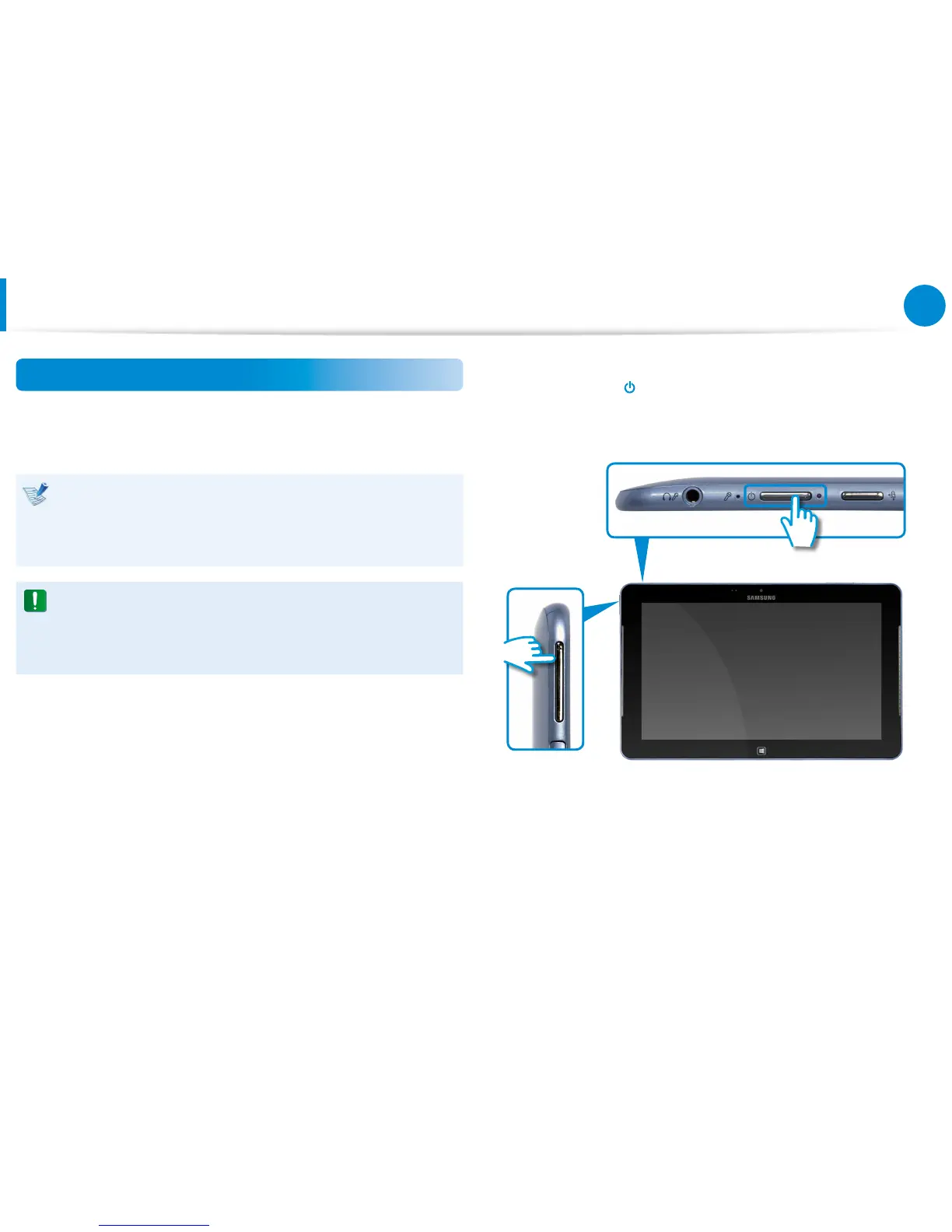
1
While pressing the Volume Control (+) button
z
, press the
Power button
x
.
Keep pressing the Volume Control (+) button until the
Please Wait message appears at the bottom of the screen.
x
z
2
Recovery mode starts.
3
Select the input language of the keyboard if the language
pop-up window appears.









 To Next Page