Using the Touch Screen
Touch Operation Function Description
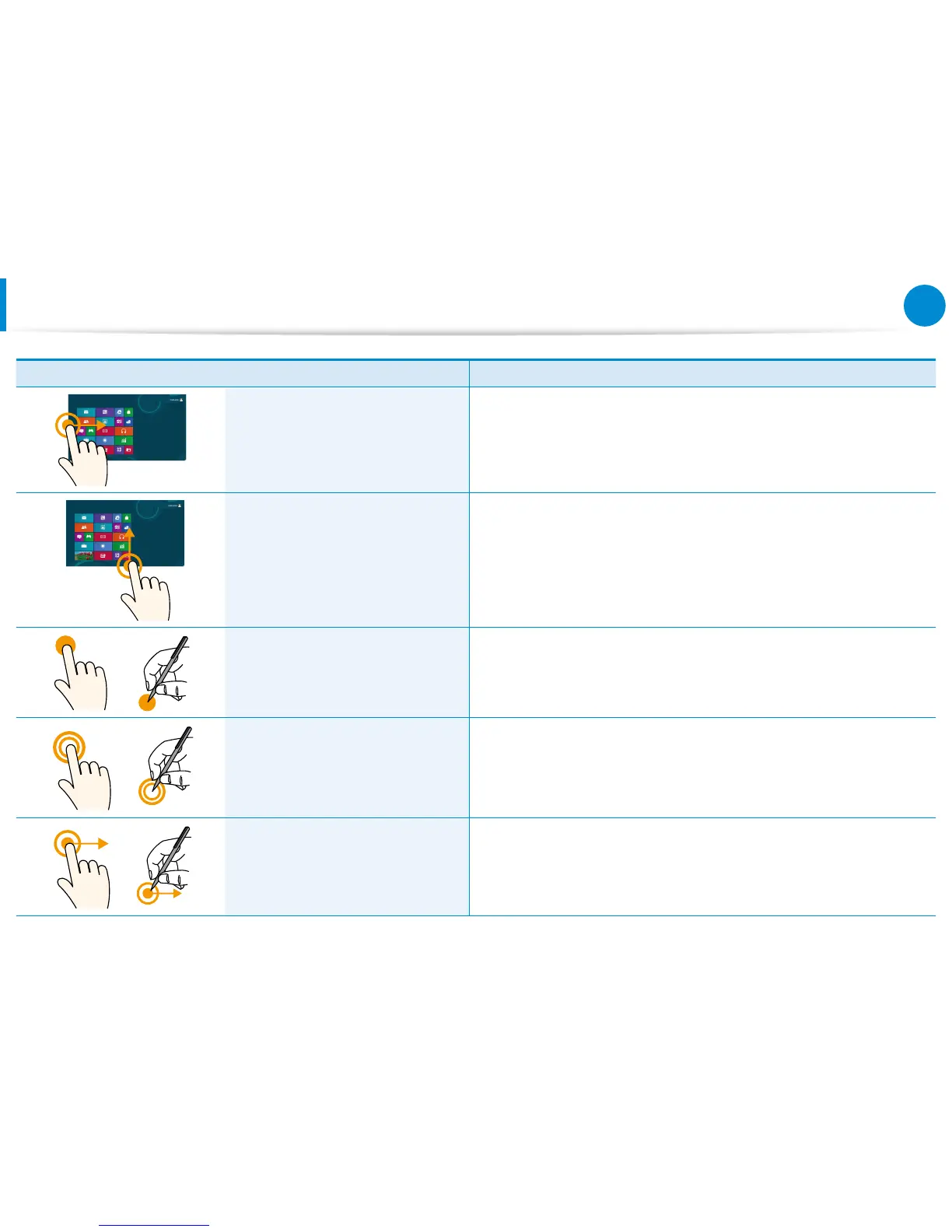
Dragging from the left edge
toward the center
Displays the last run App.
Dragging from the bottom edge
upward
or
from the top edge downward
Displays the options for the currently running application.
Touching slightly
(Clicking)
Slightly press with your nger to select an item.
(If you slightly touch a specic menu, option, application icon, etc. on
the screen, the corresponding capability is activated.)
Touching twice
(Double-clicking)
Slightly press twice with your nger to select an item.
Touching and dragging
Moves the selected target or moves to the next page.
You can draw a picture or write some letters with this operation.









 To Next Page