Using the S Pen (for corresponding models only)
If a S Pen is supplied with the product, you can operate the
computer with the pen instead of your ngers.
You can use the S Pen as you would use your ngers.
Use Samsung-authorized S Pen only.
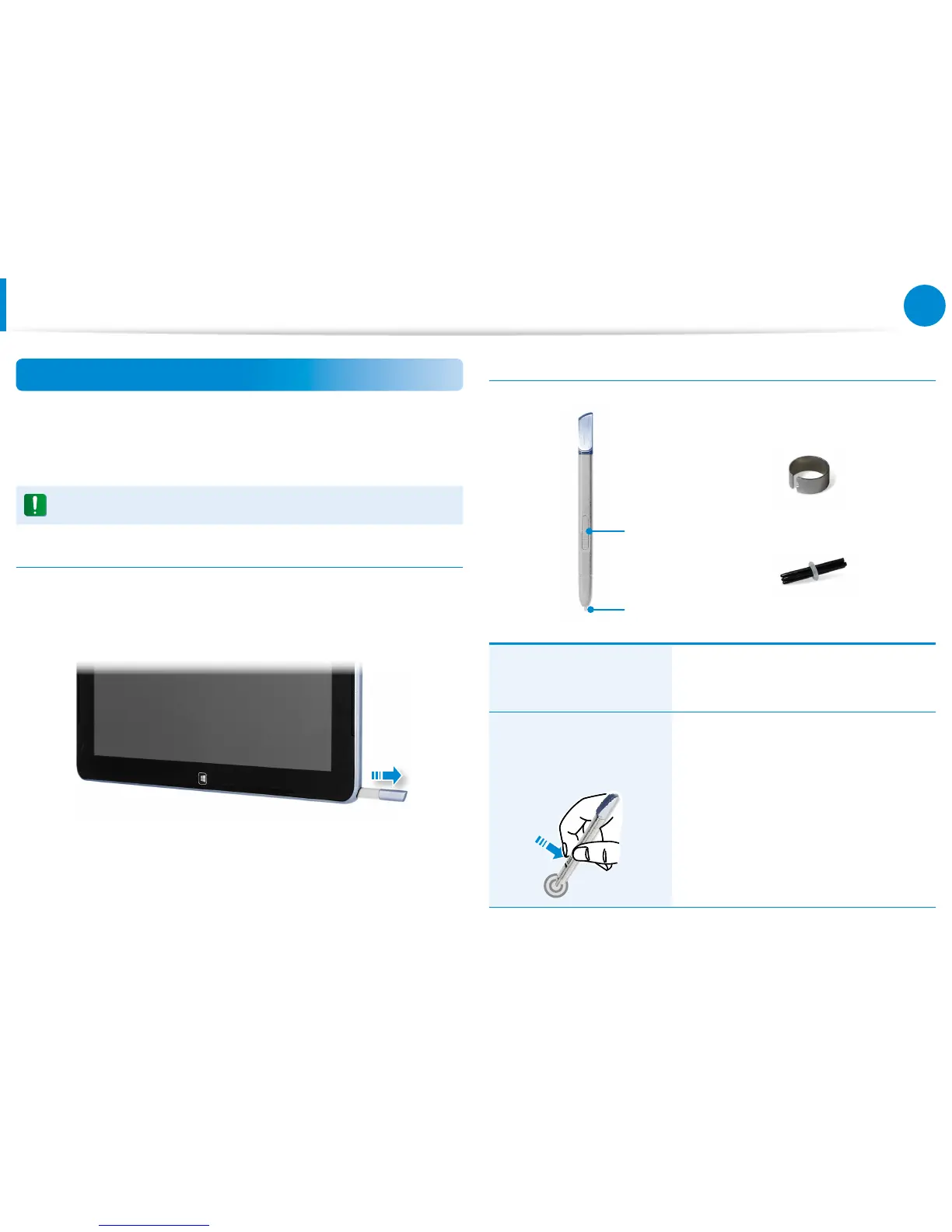
Taking Out the S Pen
Take out your S Pen toward the right.
After using the S Pen, keep it in the S Pen slot.
S Pen structure and functions
Pen button
Pen tip
Pen tip
Ring
Pen tip
(Use this to perform the role
of the left mouse button)
This performs the function of your
nger tip when you touch the screen.
Pen button
(Use this to perform the role
of the right mouse button.)
If you press the pen button when the S
Pen tip is on the screen, circles appear
around the pointer on the screen.
Touch the screen with the S Pen while
holding down the pen button.
This performs the right-click function.
Using the Touch Screen









 To Next Page