Using the Keyboard Dock
(Optional)
Installing/Separating
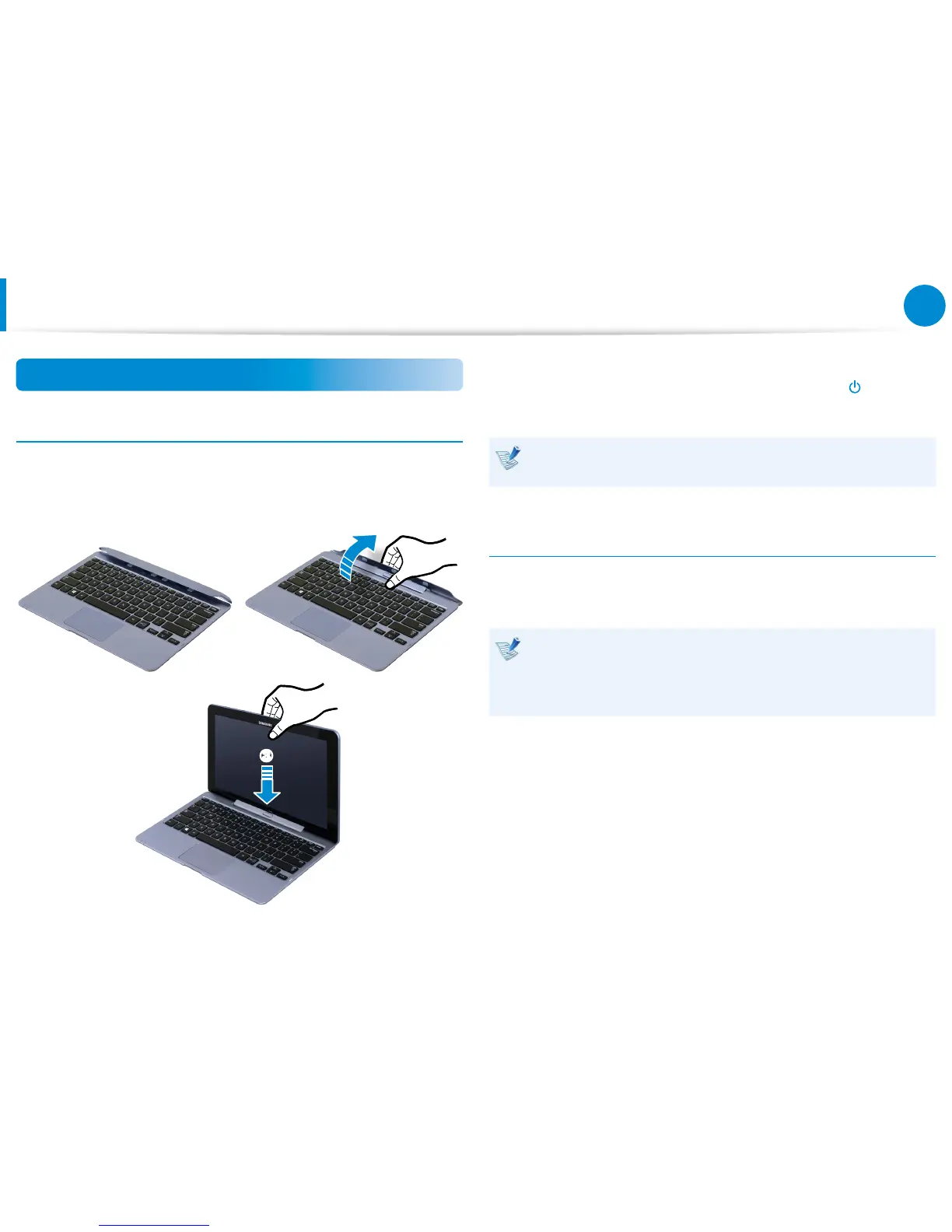
Attaching the computer
1
Align the keyboard dock’s connectors and the computer and
insert the computer into the docking slot.
z x
c
2
When the keyboard dock and the computer are properly
connected, the keyboard dock power indicator is turned
on.
The keyboard dock can operate only on the battery power of
the computer.
Separating the Computer
Pull the computer upward by hand while pushing the keyboard
dock’s release button with the other hand.
The keyboard dock may not operate properly due to
impurities on the connectors. Make sure that the connectors
are dust-free before connecting the computer to the
keyboard dock.









 To Next Page